Tablets
Can You Connect the Alexa Tablet 12 Pro to a Monitor or TV?
The 12 Pro is the only Alexa Tablet whose USB-C port carries video. A $17 adapter is enough to put it on a TV. Here’s what works, what no review has confirmed yet, and which adapter, hub or streaming device to buy.
As an Amazon Associate, Before You Cart earns from qualifying purchases. Read our affiliate disclosure.
The short answer
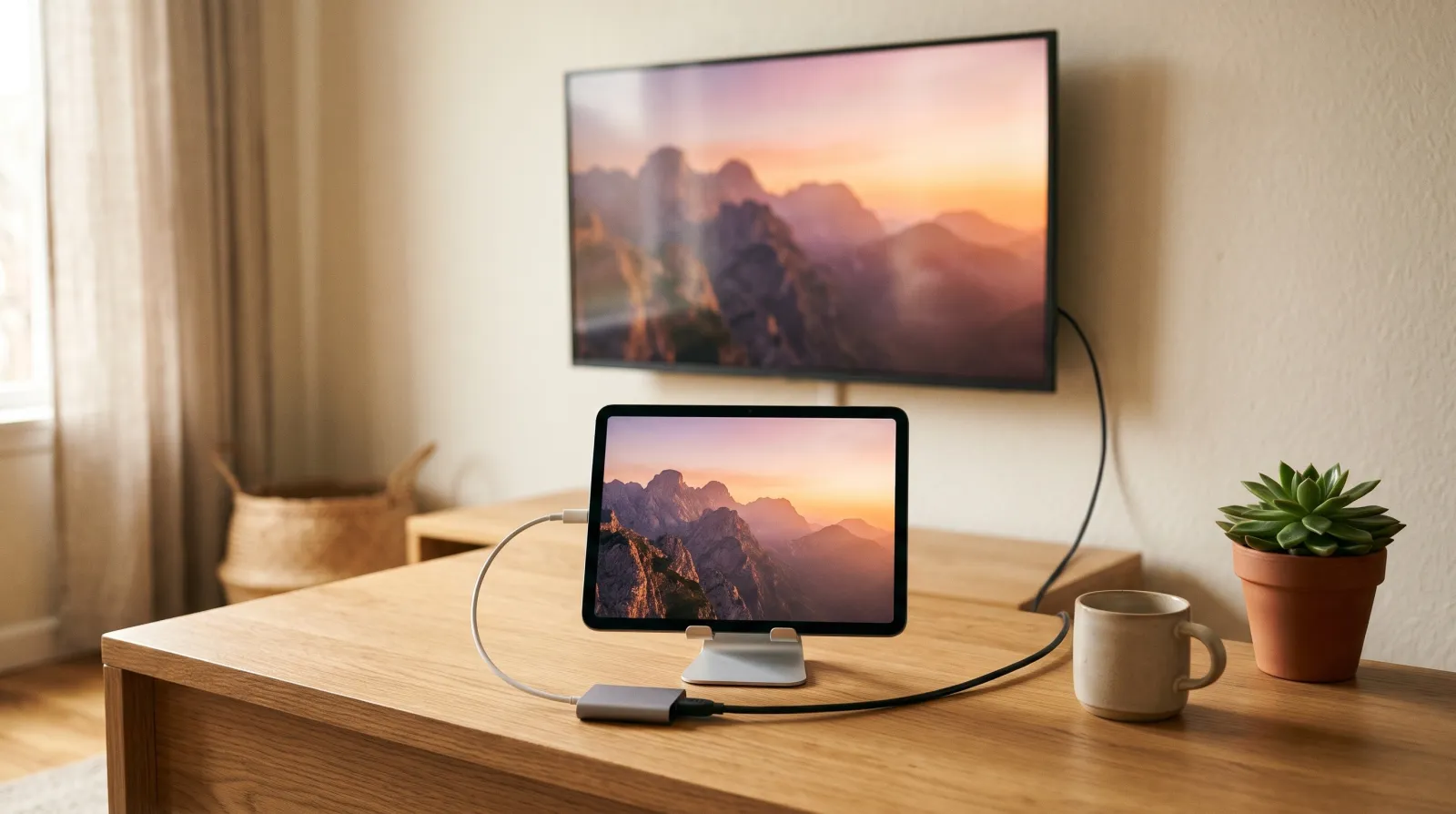
- Yes, by cable. The 12 Pro’s USB-C port supports DisplayPort video out (GSMArena, shawwp). There’s no HDMI port.
- What you’ll see: a mirror of the tablet screen. The Strategist’s review says the port connects to an external monitor to mirror the display. No review we found showed a separate desktop on the monitor.
- Cheapest way: Anker 310 USB-C to HDMI adapter, 4K 60Hz, about $17 list ($11.99 on sale at Anker, Nov 28, 2026). It doesn’t charge the tablet.
- To charge while connected: Anker 555 hub with a 45W or larger charger, about $34 at Anker ($49.99 list).
- No cable to the TV: a Google TV Streamer takes video from Cast-enabled apps like YouTube.
What works and what doesn’t
The 12 Pro has a single USB-C port. Unlike the Alexa Tablet 11 and 8, it’s a faster USB 3.2 Gen 1 port that also carries video. Here’s what each source says.
| Connection | Supported? | Source |
|---|---|---|
| USB-C video (DisplayPort Alt Mode) | Yes | GSMArena (Oct 8, 2026), shawwp, NeoTeo |
| HDMI port | No (“n/a”) | Amazon developer spec sheet |
| Mirroring to an external monitor | Yes | The Strategist review (Nov 6, 2026) |
| Separate desktop on the monitor | Not confirmed | No review we found tested it |
| Wi-Fi Display (wireless mirroring) | Listed as enabled; not tested in reviews | Amazon developer spec sheet |
| Casting from apps (YouTube and others) | Yes, to a Cast device on the same Wi-Fi | Google Help; the 12 Pro runs Android with Google Play |
Scroll sideways to see every column.
The Alexa Tablet 8 has no video output, per GSMArena, and we found no source confirming it on the Alexa Tablet 11. If you have one of those, skip the adapter and use casting. Our USB-C hub guide lists video-out support for iPads, Galaxy tablets and all three Alexa Tablets.
Mirroring vs a desktop on the monitor
This is the part to get right before you buy a monitor for the 12 Pro.
- On its own screen, the 12 Pro can run apps in resizable, overlapping windows. Engadget had half a dozen apps open at once. The Strategist describes a taskbar along the bottom and minimize, enlarge and close buttons on each window.
- On an external monitor, The Strategist describes the connection as mirroring the tablet’s display. We found no review that showed the monitor running its own separate desktop, the way Samsung DeX does on Galaxy Tab S tablets.
- The screen shape differs. The 12 Pro’s screen is 3:2. Most TVs and monitors are 16:9, so a mirrored picture may not fill the screen edge to edge.
So the 12 Pro is good for showing photos, slides or a video on a TV, or for a bigger view at a desk. Don’t expect a two-screen laptop setup. If that’s what you need, a Galaxy Tab S model with DeX or an iPad is the better fit.
Streaming apps: Amazon’s spec sheet lists HDCP as enabled for secure mirroring. Each streaming app still decides whether its video shows on a mirrored screen, and no review we read tested Prime Video or Netflix over HDMI. If watching movies on the TV is the main goal, casting is the surer route.
What to look for in an adapter
- “DisplayPort Alt Mode” or “DP Alt Mode” input. That’s what the 12 Pro’s port sends. Anker tells buyers to confirm their device supports DP Alt Mode, which the 12 Pro does.
- 4K at 60Hz. 30Hz looks choppy when you scroll. Both Anker picks below do 4K 60Hz.
- Charging input if you’ll stay plugged in. A one-port adapter takes the tablet’s only port, so the battery drains while you watch. A hub with a USB-C Power Delivery input fixes that.
- A video-capable cable if you connect to a monitor’s USB-C input directly. Check the cable’s listing says it supports video, not just charging.
What to buy
Anker 310 USB-C Adapter (4K HDMI)
For: plugging the 12 Pro into a TV or monitor for a movie, photos or slides, without charging at the same time.
USB-C in, HDMI 2.0 out · up to 4K 60Hz, also 1080p 60Hz · plug and play · needs a USB-C port with DP Alt Mode (the 12 Pro has it) · no charging pass-through · 0.64 oz · model A8312 · $16.99 list, $11.99 on sale at Anker (Nov 28, 2026)
Pros
- Cheapest way to get the 12 Pro on a TV
- Smooth 4K 60Hz
- Tiny; fits in a pocket
Cons
- Doesn’t charge the tablet
- Needs an HDMI cable (not included)
Anker 555 USB-C Hub (8-in-1)
For: a desk or TV setup where the 12 Pro stays connected for hours, with ports for a keyboard, mouse or SD card.
HDMI up to 4K 60Hz · USB-C Power Delivery input up to 100W · 2 USB-A + 1 USB-C data ports · SD and microSD slots · Ethernet · model A8383 · about $34 ($34.19) at Anker, $49.99 list (Nov 28, 2026)
Pros
- Charges the tablet while it’s on the TV
- Adds USB, card slots and wired internet
- 4K 60Hz HDMI
Cons
- Needs a 45W or larger USB-C charger to pass power to a tablet, per Anker
- Bigger than a simple adapter
Anker says the 555 can’t pass power through to tablets from the charger that came with them and asks for an adapter that supports 15V (45W). The 12 Pro charges at up to 27W (shawwp). Our 12 Pro charger guide covers 45W chargers. For more hubs and how they compare, see the best USB-C hub guide.
Wireless: casting to a TV
If the TV is across the room, casting beats a long cable. There are two different things people mean by “wireless.”
- Casting from an app. Apps with a Cast button, such as YouTube, send the video stream to a Cast device. The tablet just acts as a remote. Google says the tablet and the Cast device must be on the same Wi-Fi network. The 12 Pro runs Android 16 with Google Play, so Cast-enabled apps from the Play Store are available.
- Mirroring the whole screen. Amazon’s spec sheet lists Wi-Fi Display as enabled. None of the reviews we read tested it, and we couldn’t confirm which TVs or streaming sticks accept it. Try your TV’s screen-mirroring input before you buy anything.
Google TV Streamer (4K)
For: sending YouTube and other Cast-enabled apps from the 12 Pro to a TV without a cable, plus a full streaming box for the TV.
Casting: Google says you can cast from compatible apps on a phone, tablet or laptop · up to 4K HDR with Dolby Vision · Dolby Atmos · $149.99 at Google Store (Nov 28, 2026)
Pros
- No cable from the tablet to the TV
- Tablet stays free to use as a remote
- Also works as a full streaming box
Cons
- Only works with apps that have a Cast button
- Costs far more than a cable adapter
Already have a TV with casting built in? Look for the Cast icon in YouTube on the 12 Pro first; you may not need to buy anything. Movies on the tablet itself? See our best tablet for watching movies guide.
Three setups that work
| Goal | What to buy | Approx. cost | Charges the tablet? |
|---|---|---|---|
| Movie or slides on a TV, now and then | Anker 310 adapter + HDMI cable | About $12 to $17, plus a cable | No |
| Desk setup with keyboard and mouse | Anker 555 hub + 45W USB-C charger | About $34 for the hub, plus a charger | Yes |
| TV across the room | Google TV Streamer | About $150 | Not connected; charge as usual |
Scroll sideways to see every column.
For a desk setup, the hub’s USB-A ports take a wired keyboard and mouse, or use Bluetooth. Our 12 Pro keyboard guide compares Amazon’s Pro Keyboard with cheaper Bluetooth sets. Want a second screen you can carry? Our portable monitor guide explains USB-C video and power for one-cable monitors; check that the monitor accepts DP Alt Mode video and plan to power it separately, since no source confirms the 12 Pro can power one.
All three are also sold at Amazon. See USB-C to HDMI adapters on Amazon (opens Amazon in a new tab).
The verdict
Yes, the Alexa Tablet 12 Pro connects to a monitor or TV over USB-C, because its port carries DisplayPort video. For an occasional movie or slideshow, the Anker 310 adapter (about $17 list) and an HDMI cable are all you need. If it’ll stay connected for hours, get the Anker 555 hub and a 45W charger so the battery doesn’t drain. Expect a mirror of the tablet screen, not a separate desktop; no review has shown that yet. For a TV across the room, cast from apps to a Google TV Streamer. More add-ons are in our 12 Pro accessories guide.
Frequently asked questions
Can the Alexa Tablet 12 Pro connect to a monitor or TV?
Yes, with a cable. Its USB-C port supports DisplayPort video out (GSMArena, shawwp), and The Strategist’s review says the port can connect to an external monitor to mirror the display. Use a USB-C to HDMI adapter such as the Anker 310 (about $17 list at Anker, Nov 28, 2026).
Does the Alexa Tablet 12 Pro have HDMI?
No. There’s no HDMI port; Amazon’s spec sheet lists HDMI as “n/a.” Video goes out through the USB-C port, so you need a USB-C to HDMI adapter or a hub with an HDMI port.
Does the 12 Pro have a desktop mode on an external monitor?
Not that any source confirms. The 12 Pro has a desktop view with resizable windows on its own screen (Engadget, The Strategist). The Strategist describes the external monitor as mirroring the tablet’s display. We found no review that showed a separate desktop on the monitor, the way Samsung DeX works on Galaxy Tab S models.
Can I charge the 12 Pro while it’s connected to a TV?
Not with a single-port adapter: Anker says the 310 doesn’t support charging. Use a hub with a USB-C Power Delivery input, such as the Anker 555, and power it with a 45W or larger USB-C charger. Anker says the tablet’s own charger isn’t enough for pass-through charging.
Can I cast the 12 Pro to a TV wirelessly?
Amazon’s spec sheet lists Wi-Fi Display as enabled, and the tablet runs Android with Google Play. Apps with a Cast button, such as YouTube, can send video to a Google TV Streamer on the same Wi-Fi network. None of the reviews we read tested wireless mirroring, so treat full-screen mirroring as unconfirmed.
Can the Alexa Tablet 11 or 8 connect to a TV?
Not by cable, as far as any source shows. GSMArena says the Alexa Tablet 8 has no video output because its port is USB-C 2.0, and we found no source confirming video out on the Alexa Tablet 11. Our USB-C hub guide has the full list.
Sources
This guide is based on maker spec pages, launch coverage, published reviews of the Alexa Tablet 12 Pro, and the adapter and streamer makers’ own product pages. We have not tested these devices ourselves. Specs and prices were checked on November 28, 2026; check Amazon for today’s price.
- GSMArena: Amazon’s new Alexa Tablets (Oct 8, 2026; 12 Pro USB-C video out over DisplayPort, none on the Alexa Tablet 8) (opens in a new tab)
- shawwp: Alexa Tablet 12 Pro specs (USB-C: charging, audio, DisplayPort, USB 3.2 Gen 1; up to 27W charging) (opens in a new tab)
- Amazon Developer: Alexa Tablet 12 Pro device specifications (HDMI n/a, Wi-Fi Display enabled, HDCP for secure mirroring) (opens in a new tab)
- NeoTeo: Alexa Tablet 12 Pro review, specs and output limits (Oct 23, 2026) (opens in a new tab)
- The Strategist: Alexa Tablet 12 Pro review by Jason Cipriani (Nov 6, 2026; external monitor mirroring, desktop windowing) (opens in a new tab)
- Engadget: Alexa Tablet 12 Pro review by Nathan Ingraham (Oct 15, 2026; desktop view, USB-C accessories) (opens in a new tab)
- Anker: 310 USB-C Adapter (4K HDMI), A8312 (price, DP Alt Mode note, no charging; checked Nov 28, 2026) (opens in a new tab)
- Anker: 555 USB-C Hub (8-in-1), A8383 (price, 4K 60Hz HDMI, 45W charger note; checked Nov 28, 2026) (opens in a new tab)
- Google Store: Google TV Streamer (4K) (price, casting from phones and tablets; checked Nov 28, 2026) (opens in a new tab)
- Google Help: How to cast from the YouTube app (same Wi-Fi network requirement) (opens in a new tab)