Home Office
Best Portable Monitor for Laptops in 2026: USB-C, 15.6 to 18 Inch
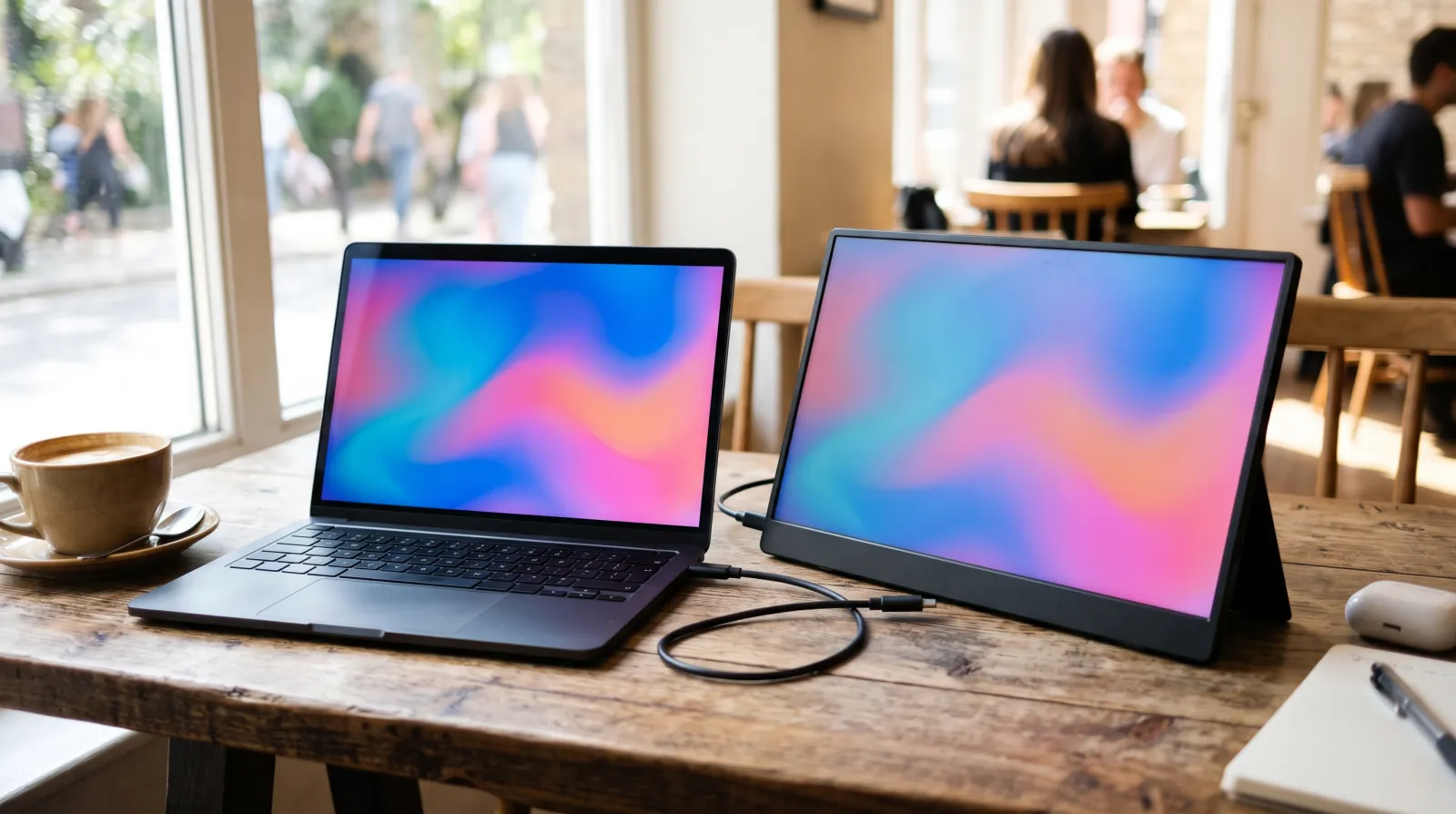
A portable monitor gives your laptop a second screen you can pack in a bag. The best ones run on one USB-C cable, but only if your laptop’s port supports it. Here’s what to check and which models to buy at each size and budget.
As an Amazon Associate, Before You Cart earns from qualifying purchases. Read our affiliate disclosure.
The short answer
- Best overall: espresso Pro 15, RTINGS’ top pick, 4K touch, 550 nits, one cable, $699 at espresso (Nov 2026).
- Best value: Arzopa Z1RC, 16-inch 2560 × 1600 with a kickstand, $111.79 on sale at Arzopa (Nov 2026).
- Best for bright rooms: Dell P1425, matte 14-inch, 400 nits, RTINGS’ budget pick, $244.99 at Dell.
- Best 16:10 work screen: ASUS ZenScreen MB16FCK, anti-glare, two USB-C ports with 80 W pass-through.
- Biggest screen: InnoView 18.5-inch, for a near-desktop-size second screen.
Will it work on one USB-C cable?
This is the question that decides whether a portable monitor is a joy or a hassle. One cable carries both picture and power only when three things line up:
- Your laptop’s USB-C port carries video. Look for DisplayPort Alt Mode or Thunderbolt (a lightning bolt or DisplayPort icon next to the port). ASUS notes that some USB-C ports only handle data or charging. On those, you’ll need the monitor’s HDMI input instead. ASUS also says all Apple Silicon MacBooks support DisplayPort Alt Mode over USB-C.
- The port supplies enough power. Most portable monitors run off the laptop’s battery. If the port is weak, the screen can flicker or stay dim. InnoView tells buyers to power its 18.5-inch model separately with 20 W or more if that happens.
- You use a full-featured cable. Many cheap USB-C cables only charge. Use the cable that came with the monitor.
Tip: a monitor with two USB-C ports (the espresso, Arzopa Z1RC, ASUS MB16FCK, Dell P1425 and Lenovo M14t Gen 2 all have two) lets you plug your laptop charger into the monitor and pass power through to the laptop, so you still use one cable to the laptop. ASUS rates the MB16FCK’s pass-through at up to 80 W, and Dell and Lenovo rate theirs at up to 65 W. If you’re setting up a permanent desk with several screens, a USB-C dock is the better tool.
What else to look for
- Size: 15.6 to 16 inches fits most laptop bags and sits well beside a 13 to 16-inch laptop. 17 to 18.5 inches gives more room but weighs about twice as much.
- Resolution: 1080p is fine on 15.6 inches (espresso calls it comparable to most laptops). 2560 × 1600 or 4K makes small text noticeably sharper, which matters for spreadsheets and code.
- Shape: a 16:10 screen (1920 × 1200 or 2560 × 1600) shows more lines of a document than 16:9.
- Brightness and finish: 300 nits works indoors. For a sunny room, aim for 400 nits or more and a matte screen. Glossy screens look punchy but reflect windows, as RTINGS found with the espresso and Lenovo.
- Stand: built-in kickstands are quickest; folio covers are the lightest but least stable; separate stands like espresso’s can raise the screen. See stands and setup.
- Touch: useful on Windows, and espresso supports touch on Mac too. It adds cost and usually means a glossy screen.
Portable monitors compared
Specs come from each maker’s spec page. Prices are what the maker or retailer showed on Nov 27, 2026, not the Amazon price, which changes often.
| Monitor | Screen | Brightness | Ports | Weight | Price (Nov 2026) |
|---|---|---|---|---|---|
| espresso Pro 15 | 15.6″ 4K, 16:9, touch, glossy | 550 nits | 2 × USB-C, pass-through | 1.76 lb (display) | $699 at espresso |
| Arzopa Z1RC | 16″ 2560 × 1600, 16:10 | 350 nits (spec table) | 2 × USB-C, mini HDMI | 1.79 lb | $111.79 sale ($199.99 regular) at Arzopa |
| ASUS ZenScreen MB16FCK | 16″ 1920 × 1200, 16:10, anti-glare | Check listing | 2 × USB-C (80 W pass-through), mini HDMI | Check listing | Check listing |
| Dell P1425 | 14″ 1920 × 1200, 16:10, anti-glare | 400 nits | 2 × USB-C (65 W pass-through) | 1.26 lb (1.37 lb with stand) | $244.99 at Dell ($259.99 regular) |
| Lenovo ThinkVision M14t Gen 2 | 14″ 2240 × 1400, 16:10, touch + pen | 300 nits panel | 2 × USB-C (65 W PD) | 1.5 lb | Check listing |
| InnoView 18.5″ | 18.5″ 1080p, 16:9, 100Hz | Not listed | 2 × USB-C, HDMI | 3.3 lb | $201.99 at Newegg |
Scroll sideways to see every column.
The espresso weight is for the display alone; espresso says the display and stand together weigh under 4 lb. Arzopa’s product page lists 350 nits in its spec table but 500 nits in its page description, so we used the lower figure.
Our picks
espresso Pro 15
For: frequent travelers and Mac users who want the sharpest, brightest one-cable screen.
15.6-inch 4K (3840 × 2160) LCD, 60Hz · 550 nits · 100% Adobe RGB, factory calibrated · touchscreen for Mac and Windows · 2 × USB-C with power pass-through · runs on one USB-C cable · magnetic Stand+ included · 1.76 lb display, aluminum body · $699 at espresso; Black Friday offer of a free case (Nov 15 to 30, 2026)
Pros
- RTINGS’ best portable monitor
- Very sharp 4K text and touch on Mac
- Stand can raise it beside or above the laptop (RTINGS)
Cons
- Glossy screen reflects windows (RTINGS)
- Oversaturates sRGB colors (RTINGS)
- Costs several times more than budget models
espresso also sells the Pro 17 (17.3-inch, 450 nits, 2.43 lb, $799) and the non-touch Display 15 (15.6-inch 1080p, 300 nits, 1.68 lb, $299) with the same Stand+. Find espresso Displays on Amazon (opens Amazon in a new tab).
Arzopa Z1RC 16-inch 2.5K
For: a sharp 16-inch second screen for about $110 to $120.
16-inch 2560 × 1600, 16:10, 60Hz · 350 nits (spec table) · 123% sRGB · 2 × USB-C (USB 3.1), 1 × mini HDMI · built-in kickstand, 0 to 80° · 1.79 lb (810 g) · 12 W rated power · $111.79 in Arzopa’s Black Friday sale, $199.99 regular (Nov 27, 2026)
Pros
- Sharper than most budget 1080p models
- 16:10 shape fits more of a document
- Kickstand is built in, nothing to lose
Cons
- Arzopa’s two brightness figures don’t match
- Not lab-tested by RTINGS
Want 17 inches for less? Arzopa’s Z1C Plus is a 17.3-inch 1080p model listed at $113.98 on sale ($189.99 regular) at Arzopa (Nov 2026). Find the Arzopa Z1C Plus on Amazon (opens Amazon in a new tab).
Dell Pro P 14 Portable Monitor (P1425)
For: working near windows or in bright offices, where glossy screens wash out.
14-inch 1920 × 1200, 16:10 · 400 nits · anti-glare · 2 × USB-C with DisplayPort 1.2 Alt Mode, up to 65 W pass-through · adjustable tilt stand, portrait mode · 1.26 lb (1.37 lb with stand) · $244.99 at Dell, $259.99 regular (Nov 27, 2026)
Pros
- RTINGS’ best budget portable monitor
- Matte screen handles reflections well (RTINGS)
- Light and well built
Cons
- No touchscreen
- 14 inches is small next to a 16-inch laptop
ASUS ZenScreen MB16FCK
For: Windows laptop users who want a matte 16-inch screen with charge pass-through.
16-inch 1920 × 1200, 16:10 · anti-glare IPS · 2 × full-function USB-C plus mini HDMI · up to 80 W power pass-through · one USB-C cable for power and video · detachable 360° kickstand · 1/4-inch tripod socket · auto-rotate · price: check the listing
Pros
- Anti-glare finish
- 80 W pass-through charges most laptops
- Tripod socket for flexible mounting
Cons
- 1920 × 1200 is less sharp than 2.5K
- ASUS doesn’t list brightness on its page
ASUS also sells a near-identical MB16FCK-P and the older 15.6-inch 1080p ZenScreen MB166C. Check the model number in the listing so you get the one with dual USB-C ports and the detachable kickstand.
Lenovo ThinkVision M14t Gen 2
For: note-taking and markup on a Windows laptop, for less than the espresso.
14-inch 2240 × 1400, 16:10 · 300 nits panel · 10-point touch · passive digital pen included · 2 × USB-C with DisplayPort 1.2 and up to 65 W PD · tilts 0 to 90°, pivots to portrait · 1.5 lb · price: check the listing
Pros
- RTINGS’ mid-range pick
- Pen included, auto-rotates to portrait
- Accurate colors out of the box (RTINGS)
Cons
- Not bright; best in a dim room (RTINGS)
- Glossy screen handles reflections poorly (RTINGS)
- Stand can’t raise it above the laptop
InnoView 18.5-inch 100Hz portable monitor
For: a large second screen for a home desk or hotel room, where weight matters less.
18.5-inch 1920 × 1080, 100Hz · 120% sRGB · 2 × USB-C, 1 × HDMI · kickstand · 3.3 lb · $201.99 at Newegg (Nov 27, 2026)
Pros
- Biggest screen here
- Standard HDMI port, no adapter needed
- Smooth 100Hz refresh
Cons
- Heavy for a bag at 3.3 lb
- May need its own power (20 W or more) if the laptop’s port is weak
- 1080p looks soft at this size
For sharper text at this size, InnoView also lists an 18-inch 2.5K, 500-nit model with two USB-C ports, mini HDMI and a 75 × 75 mm VESA mount ($279.99 at InnoView, Nov 2026). InnoView says to power it separately when using HDMI. Find the InnoView 18-inch 2.5K on Amazon (opens Amazon in a new tab).
Stands and setup
- Match the heights: a portable monitor on its kickstand sits lower than you want for long sessions. Put both the laptop and the monitor on a laptop stand or books, and use an external keyboard.
- Kickstand vs folio: built-in kickstands (Arzopa, ASUS, InnoView) set up fastest and hold their angle. Folio covers are light but wobble; RTINGS found the LG gram +view 16’s folio felt cheaper than Dell’s built-in stand.
- Portrait mode: stands from Dell, Lenovo and espresso support portrait, and Lenovo and ASUS list auto-rotate. Tall documents and code read well this way.
- VESA or tripod: the InnoView 18-inch 2.5K has a 75 × 75 mm VESA mount, and the ASUS MB16FCK has a tripod socket, so you can put them on a monitor arm or a tripod at a permanent desk.
The verdict
If you travel often and want the best screen, the espresso Pro 15 is RTINGS’ top pick and works on one cable with Macs and Windows laptops. For most people, the Arzopa Z1RC gives a sharp 16-inch 2.5K screen for about a sixth of the price. Pick the matte Dell P1425 for bright rooms, the ASUS MB16FCK for an anti-glare 16-inch screen with 80 W pass-through, and the InnoView 18.5-inch if size matters more than weight. Before you buy any of them, check that your laptop’s USB-C port supports video.
Frequently asked questions
What is the best portable monitor for a laptop?
RTINGS’ best portable monitor is the espresso Pro 15: a 15.6-inch 4K touchscreen rated at 550 nits that runs on one USB-C cable and comes with a stand ($699 at espresso, Nov 2026). For much less, the 16-inch Arzopa Z1RC has a sharp 2560 × 1600 screen and a built-in kickstand ($111.79 in Arzopa’s Black Friday sale, Nov 2026).
Will a portable monitor work with one USB-C cable?
Only if your laptop’s USB-C port carries video (DisplayPort Alt Mode or Thunderbolt) and supplies enough power. ASUS notes that some USB-C ports only handle data or charging. If your port doesn’t carry video, use the monitor’s HDMI or mini HDMI input and power it separately.
Do portable monitors need their own power?
Most draw power from the laptop over the same USB-C cable. If the laptop can’t supply enough, the screen may flicker or stay dim. InnoView, for example, says to power its 18.5-inch monitor separately with 20 W or more in that case. Models with two USB-C ports let you plug in a charger to the monitor and pass power through to the laptop.
What size portable monitor should I get?
15.6 to 16 inches matches most laptops and fits in the same bag. A 16:10 screen like the Arzopa Z1RC or ASUS MB16FCK gives more vertical room for documents. 17 to 18.5-inch models give more space but weigh more: the InnoView 18.5-inch is 3.3 lb, versus 1.79 lb for the Arzopa Z1RC.
How bright should a portable monitor be?
About 300 nits is fine indoors. For a bright room or near a window, look for 400 nits or more and a matte (anti-glare) screen. RTINGS found glossy screens like the espresso Pro 15 and Lenovo M14t Gen 2 show strong reflections, while the matte Dell P1425 handles bright rooms better.
Is a portable monitor a good home office monitor?
It works as a second screen, but for all-day desk work a 27-inch monitor is easier on your eyes and neck. See our guide to the best monitor for working from home if you mostly work at one desk.
Sources
This guide is based on RTINGS lab testing, maker product and spec pages, and retailer listings. We have not tested these products ourselves. Specs and prices were checked on November 27, 2026; check Amazon for today’s price.
- RTINGS: The best portable monitors (updated Sept 18, 2026) (opens in a new tab)
- espresso Displays: espresso Pro 15 and Pro 17 specs and price (checked Nov 27, 2026) (opens in a new tab)
- espresso Displays: espresso Display 15 specs and price (checked Nov 27, 2026) (opens in a new tab)
- Arzopa: Z1RC 16-inch 2.5K portable monitor (checked Nov 27, 2026) (opens in a new tab)
- Arzopa: portable monitor lineup and prices (checked Nov 27, 2026) (opens in a new tab)
- ASUS: ZenScreen MB16FCK (opens in a new tab)
- ASUS: ZenScreen MB166C, including the USB-C and MacBook FAQ (opens in a new tab)
- Dell: Dell Pro P 14 Portable Monitor P1425 (price checked Nov 27, 2026) (opens in a new tab)
- Lenovo PSREF: ThinkVision M14t Gen 2 specifications (opens in a new tab)
- Newegg: InnoView 18.5-inch 100Hz portable monitor (checked Nov 27, 2026) (opens in a new tab)
- InnoView: 18-inch 2.5K 500-nit portable monitor (opens in a new tab)