Tablets
Alexa Tablet 12 Pro Accessories: Keyboard, Pen, Case, Charger and Screen Protectors
The Alexa Tablet 12 Pro ships with a USB-C cable but no charger and no case. Here’s what’s worth buying with it, what the official keyboard, pen and cover actually do, and which third-party accessories to wait on while the market catches up.
As an Amazon Associate, Before You Cart earns from qualifying purchases. Read our affiliate disclosure.
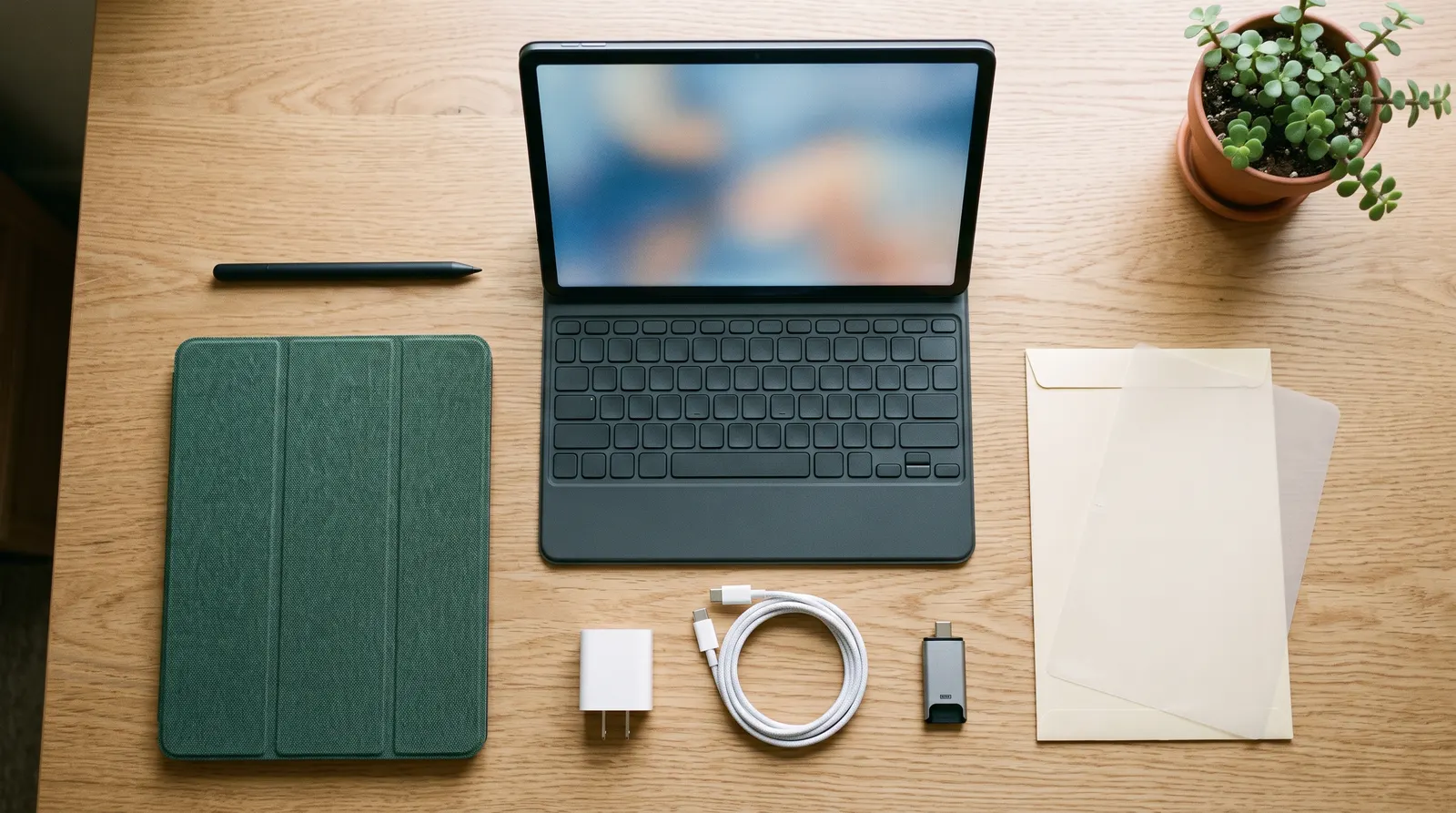
The short answer
- Buy a charger: there isn’t one in the box. Get a 27W or higher USB-C charger with PD 3.0 PPS.
- Protect it: Amazon’s 12 Pro Folio Cover ($69.99 list price, Oct 2026) is the only case we can recommend yet, or the Pro Keyboard ($149.99) if you’ll type on it.
- Write or draw? Add the Pro Pen ($89.99), or buy Amazon’s bundle to save on all three.
- Nanomatte owners: skip the screen protector.
What’s in the box (and what isn’t)
| Item | Included? | Notes |
|---|---|---|
| Braided 3 ft USB-C to USB-C cable | Yes | Both models |
| Cleaning cloth | Nanomatte only | For the etched anti-glare glass |
| Wall charger | No | Amazon specifies a 27W USB PD 3.0 PPS charger |
| Case or cover | No | Folio Cover $69.99 list price, Oct 2026 |
| Pro Keyboard | No | $149.99 at launch |
| Pro Pen | No | $89.99 at launch |
Scroll sideways to see every column.
The official accessories
Amazon Pro Keyboard for Alexa Tablet 12 Pro
For: students and anyone typing documents or email on the 12 Pro. It turns the tablet into a small laptop on a desk.
Magnetic pogo-pin connection (no Bluetooth, no charging) · glass trackpad with pinch, scroll and app switching · adjustable stand · wakes the tablet when opened · 12 Pro only · $149.99 at launch
Pros
- Nothing to pair or charge
- Built-in glass trackpad
- Wakes the tablet when you open it
Cons
- Engadget found it very hard to use on your lap
- The Alexa key sits where Ctrl usually is
In Engadget’s review, the keyboard is a two-piece design with a kickstand piece that attaches to the back of the tablet. Typing was compact but not cramped with shallow key travel, and the trackpad was narrow but responsive. It works well at a desk; on your lap, it’s awkward.
Amazon Pro Pen for Alexa Tablet 12 Pro
For: handwritten notes, marking up PDFs and Kindle books, and sketching.
Tilt and pressure sensitivity (4,096 levels) · eraser on the end · charges wirelessly when attached magnetically to the tablet · 30 seconds of charge for up to 30 minutes of writing · Pen Finder chime · 12 Pro only · $89.99 at launch
Pros
- Charges by snapping onto the tablet
- Pressure, tilt and an eraser
- Quick top-up: 30 seconds for 30 minutes
Cons
- Only works with the 12 Pro
- Amazon doesn’t state full battery life
The pen attaches to a magnetic groove on the top edge of the tablet, which is also where it charges. Spare tips are sold as a 3-pack of Pro Pen replacement tips (opens Amazon in a new tab). Comparing it with the Apple Pencil and S Pen? See our best tablet for note-taking guide.
Amazon Alexa Tablet 12 Pro Folio Cover
For: everyone who doesn’t buy the keyboard. It protects the screen in a bag and props the tablet up for video.
Plant-based leather (over 70% renewable materials) · magnetic snap-on · tri-fold stand with two viewing angles · auto wake and sleep · first panel folds back for the camera · Black, Caramel or Matcha · $69.99 list price, Oct 2026
Pros
- Made by Amazon for the 12 Pro
- Auto wake and sleep
- Folds into a stand
Cons
- Only two stand angles
- Amazon doesn’t say whether it works with the Pro Keyboard
Bundles
If you know you want the accessories, Amazon’s bundles cost less than buying each piece. At launch, the Keyboard Bundle (12 Pro plus Pro Keyboard) was $599.99, versus $649.98 bought separately, and the Productivity Bundle (12 Pro, Pro Keyboard and Pro Pen) was $649.99, versus $739.97 separately. Those bundles use the standard glossy model; check the listing if you want Nanomatte. See the Productivity Bundle (opens Amazon in a new tab) or the Keyboard Bundle (opens Amazon in a new tab).
The right charger
The 12 Pro doesn’t include a wall charger. Amazon says it charges at up to 27W with a USB Power Delivery (PD) 3.0 PPS charger, reaching about 80% in 1.5 hours. When you shop, look for:
- 27W or more on a single USB-C port (a 30W or 35W charger is fine; the tablet takes what it needs).
- PD 3.0 with PPS listed in the specs. A charger without PPS will still work, but may charge more slowly.
- The braided USB-C cable in the box is all you need to connect it.
Amazon names its own 35W dual USB-C adapter on the 12 Pro’s spec sheet. These chargers from established brands state PPS support on their makers’ pages:
- Belkin BoostCharge 30W USB-C PD 3.0 PPS Wall Charger (WCA005): single USB-C port, cable not included. Find it on Amazon (opens Amazon in a new tab)
- Anker Nano Charger 45W (A2692): single USB-C port, 6-foot USB-C cable included. Find it on Amazon (opens Amazon in a new tab)
- Belkin BoostCharge Pro 45W Dual USB-C GaN Charger with PPS (WCH011): two USB-C ports for the tablet and a phone, cable not included. Find it on Amazon (opens Amazon in a new tab)
Do you need a screen protector?
- Nanomatte model: probably not. Amazon says the anti-glare finish is etched into the glass, and a glossy glass protector would put the reflections right back. Use the included cloth to keep it clean.
- Standard glossy model: optional. A tempered-glass protector guards against scratches; a paper-feel matte film cuts glare and adds friction for the pen. As of November 10, 2026, the protectors listed for the 12 Pro still come from little-known sellers, so check fit and returns before buying.
Third-party cases and pens: wait a few weeks
The 12 Pro has been on sale since October 14. As of November 10, 2026, we still couldn’t find a 12 Pro case from an established case maker (OtterBox, Fintie, MoKo, ProCase, Spigen, ESR or Supcase); the third-party listings come from little-known brands. Fintie and MoKo have released cases for the Alexa Tablet 11, so 12 Pro cases may follow. None of the early listings say whether they work with the Pro Keyboard or leave the pen’s magnetic charging groove clear. If you need protection now, Amazon’s Folio Cover is the safe choice; we’ll add third-party picks once established brands and reviews arrive.
The same goes for pens. Amazon’s announcement says the Pro Pen uses the USI 2.0 standard, which could mean cheaper USI pens work, but no pen maker or reviewer has confirmed one with the 12 Pro yet.
USB-C: SD cards, drives, displays and headphones
- Fast USB-C: the 12 Pro’s port is USB 3.2 Gen 1 (up to 5Gbps) with DisplayPort output, according to Amazon. The Alexa Tablet 11 and 8 use USB 2.0.
- SD cards and flash drives: there’s no microSD slot, but Engadget found a USB-C SD card reader and flash drive worked without trouble.
- Headphones: there’s no headphone jack, so use Bluetooth, USB-C headphones or a USB-C to 3.5 mm adapter.
The verdict
Every 12 Pro owner needs a 27W+ USB-C PD 3.0 PPS charger, because there isn’t one in the box. For protection, get Amazon’s Folio Cover, or the Pro Keyboard if you’ll type at a desk. Add the Pro Pen if you write or draw, and consider the Productivity Bundle if you want all three. Skip a screen protector on Nanomatte, and give third-party cases a few weeks to get established brands and real reviews.
Frequently asked questions
Does the Alexa Tablet 12 Pro come with a charger?
No. The box includes the tablet and a braided 3-foot USB-C to USB-C cable (plus a cleaning cloth with the Nanomatte model), but no wall charger. Amazon says it charges at up to 27W with a USB PD 3.0 PPS charger.
What charger should I use for the Alexa Tablet 12 Pro?
A USB-C charger rated 27W or more that supports USB Power Delivery 3.0 with PPS. Amazon says that charges the tablet to about 80% in 1.5 hours. A lower-wattage or non-PPS charger will still work, just more slowly.
Does the Pro Keyboard need charging?
No. It connects magnetically through pogo pins and draws power from the tablet, so there’s no Bluetooth pairing and no battery to charge.
Can I use a different stylus with the Alexa Tablet 12 Pro?
Amazon’s announcement says the Pro Pen uses the USI 2.0 standard, but as of November 10, 2026 neither Amazon nor any review we found confirms that other USI 2.0 pens work with the 12 Pro. Amazon’s own Pro Pen is the only pen we can recommend for now.
Do I need a screen protector on the Nanomatte model?
Probably not. Amazon says the Nanomatte finish is etched into the glass, and a glossy glass protector would bring back the reflections you paid to remove. On the standard glossy model, a protector is optional; a paper-feel film adds glare reduction and pen friction.
Does the Alexa Tablet 12 Pro have a headphone jack?
No. Engadget notes there’s no headphone jack, so use Bluetooth headphones or USB-C headphones or a USB-C adapter.
Do the Pro Pen and Pro Keyboard work with the Alexa Tablet 11 or 8?
No. Amazon lists both as compatible only with the Alexa Tablet 12 Pro.
Sources
This guide is based on Amazon’s product pages and specifications, Amazon’s announcement and Engadget’s review. We have not tested these devices ourselves. Specs and prices were checked on November 10, 2026; check Amazon for today’s price.
- Belkin: BoostCharge USB-C PD 3.0 PPS Wall Charger 30W (opens in a new tab)
- Anker: Nano Charger (45W) with USB-C cable (opens in a new tab)
- Belkin: BoostCharge Pro Dual USB-C GaN Wall Charger with PPS 45W (opens in a new tab)
- Amazon: Alexa Tablet 12 Pro product page (in the box, charging, ports) (opens Amazon in a new tab)
- Amazon: Alexa Tablet 12 Pro Nanomatte product page (opens Amazon in a new tab)
- Amazon: Alexa Tablet 12 Pro Pro Keyboard (opens Amazon in a new tab)
- Amazon: Alexa Tablet 12 Pro Pro Pen (opens Amazon in a new tab)
- Amazon: Alexa Tablet 12 Pro Folio Cover (opens Amazon in a new tab)
- Amazon: Pro Pen replacement tips (opens Amazon in a new tab)
- Amazon: Alexa Tablet 12 Pro Keyboard Bundle (opens Amazon in a new tab)
- Amazon: Alexa Tablet 12 Pro Productivity Bundle (opens Amazon in a new tab)
- Amazon Developer: Alexa Tablet 12 Pro device specifications (opens in a new tab)
- About Amazon: new Alexa Tablets announcement (Oct 8, 2026) (opens in a new tab)
- Engadget: Amazon Alexa Tablet 12 Pro review (Oct 15, 2026) (opens in a new tab)