Tablets
Best Tablet for Note-Taking in 2026: iPad, Android and E Ink Picks
For handwritten notes, the pen matters as much as the tablet: which one works, whether it’s included, and whether it senses pressure. We compared iPads, Samsung tablets and E Ink note-takers on the full setup cost, handwriting-to-text and the apps you’ll actually use.
As an Amazon Associate, Before You Cart earns from qualifying purchases. Read our affiliate disclosure.
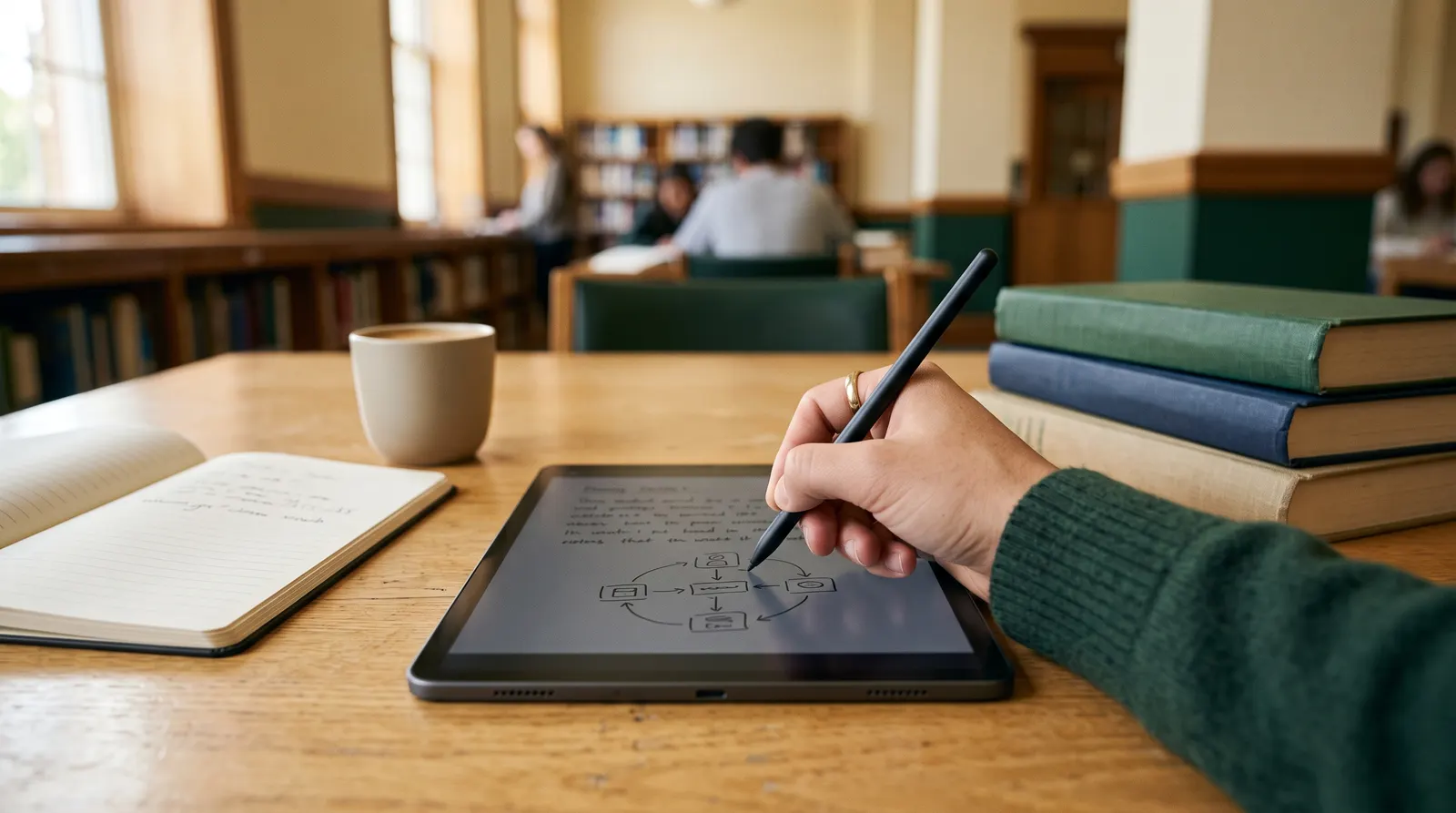
The short answer
- Best overall: iPad Air (M4) + Apple Pencil Pro (about $878 at Apple, Oct 2026). Pressure-sensitive pen, handwriting-to-text everywhere and the best note apps.
- Best budget: Samsung Galaxy Tab S10 Lite ($399.99 at Samsung), with the S Pen in the box.
- Best Android: Galaxy Tab S10 FE ($549.99, S Pen included).
- Most paper-like: Kindle Scribe ($499.99, pen included) or the reMarkable Paper Pro (from $629).
What matters for handwritten notes
- The pen, and whether it’s included. Samsung, Amazon’s Kindle Scribe, reMarkable and Boox include a pen. Apple sells it separately, so add $79 to $129 to any iPad price.
- Pressure sensitivity. It makes strokes thicker when you press harder, which matters for drawing and for handwriting that looks like ink. Not every pen has it (see the Apple Pencil catch).
- Handwriting-to-text and search. Converting notes into typed text makes them searchable and shareable. All the platforms here can do it, with different apps and, sometimes, subscriptions.
- Screen type. LCD and OLED tablets do color, video and apps. E Ink note-takers (Kindle Scribe, reMarkable, Boox) feel more like paper, have no glare and usually last far longer per charge, but they’re slower and mostly grayscale or muted color.
- The page shape. Taller screens fit a letter-size page better, which helps when writing on PDFs and lecture slides.
The Apple Pencil catch
Apple sells two current Pencils, and the cheaper iPad only works with the cheaper one:
- Apple Pencil Pro ($129): pressure sensitivity, squeeze, barrel roll, haptic feedback, double-tap and wireless charging. Works with the iPad Air (M2 and later), iPad Pro and iPad mini (A17 Pro). Not the iPad (A16).
- Apple Pencil (USB-C) ($79): tilt, hover and magnetic attachment, but no pressure sensitivity. Works with the iPad (A16), iPad Air and iPad mini.
So a $449 iPad (A16) with the $79 Pencil gets handwriting-to-text, but not pressure-sensitive ink. It also misses Apple Intelligence, which powers newer note features like asking Siri to turn handwritten lecture notes into a study guide. For pure note-taking that’s fine; for drawing or those AI features, step up to the iPad Air or iPad mini.
Note-taking setups compared
Total cost is the tablet plus the pen it needs, at launch or maker list prices with dates, not today’s Amazon price.
| Setup | Screen | Pen | Handwriting to text | Total cost |
|---|---|---|---|---|
| iPad Air (M4) 11″ + Pencil Pro | 11″ LCD | Sold separately ($129), pressure-sensitive | Yes: Scribble, Apple Notes | About $878 at Apple (Oct 2026) |
| iPad (A16) + Pencil (USB-C) | 10.86″ LCD | Sold separately ($79), no pressure | Yes: Scribble, Apple Notes | About $528 at Apple (Oct 2026) |
| Samsung Galaxy Tab S10 Lite | 10.9″ LCD | S Pen included | Yes: Samsung Notes | $399.99 at Samsung (Oct 2026) |
| Samsung Galaxy Tab S10 FE | 10.9″ LCD, 90Hz | S Pen included | Yes: Samsung Notes | $549.99 at Samsung (Oct 2026) |
| Alexa Tablet 12 Pro + Pro Pen | 11.95″ LCD, 3:2, 120Hz | Sold separately ($89.99), pressure-sensitive | Via apps such as OneNote | $589.98 at launch (Oct 2026) |
| Kindle Scribe | 11″ E Ink, glare-free | Included, never needs charging | Yes: export to OneNote as text | $499.99 at launch |
| reMarkable Paper Pro | 11.8″ color E Ink | Marker included | Yes (some features need Connect) | From $629 + optional $3.99/month |
| Boox Note Air5 C | 10.3″ color E Ink | Pen included | Via Android apps | $499.99 list at Boox (Oct 2026) |
Scroll sideways to see every column.
Our picks
Apple iPad Air (M4) + Apple Pencil Pro
For: students and professionals who want the best pen, the best note apps and a tablet that does everything else too.
Apple M4 · 11″ or 13″ screen · Apple Pencil Pro with pressure, squeeze, barrel roll and haptics · Apple Intelligence note features · iPad Air $749 (11″) + Pencil Pro $129 at Apple (Oct 2026)
Pros
- Pressure-sensitive Pencil Pro
- Handwriting-to-text in any text field
- Goodnotes, Notability, OneNote and Apple Notes
Cons
- Pencil sold separately, about $878 total
- LCD screen is glossy without a paper-feel protector
Samsung Galaxy Tab S10 Lite
For: students on a budget who want a complete note-taking setup with nothing extra to buy.
10.9″ screen · S Pen included · Samsung Notes with handwriting-to-text and PDF markup · $399.99 (128GB) at Samsung (Oct 2026)
Pros
- S Pen in the box
- Cheapest complete setup here
- Samsung Notes converts handwriting to text
Cons
- We haven’t verified its chip or screen speed
- Galaxy AI note summaries work on typed text, not handwriting
Samsung Galaxy Tab S10 FE
For: Android users who want a faster tablet with the S Pen included and water resistance.
10.9″ 90Hz · Exynos 1580 · S Pen included · IP68 · microSD · Samsung Notes and Note Assist · $549.99 at Samsung (Oct 2026)
Pros
- S Pen included
- IP68 water resistance and microSD
- Note Assist can summarize and format notes
Cons
- Costs more than the Lite
- Note Assist needs an internet connection and works on text
Want the biggest Samsung screen for notes? The Galaxy Tab S12+ (12.6″, from $1,199.99) and S12 Ultra (14.6″, from $1,399.99) also include the S Pen.
Amazon Kindle Scribe
For: readers who take notes, and anyone who wants a paper-like page that also reads Kindle books.
11″ glare-free E Ink · pen included, never needs charging · 400 g · notebooks, PDF markup, export to OneNote as text · AI notebook search and summaries · $499.99 at launch (Colorsoft $629.99; no-front-light model $429.99)
Pros
- Pen included and never needs charging
- Exports notes to OneNote as text
- Doubles as a Kindle e-reader
Cons
- Engadget found AI search inconsistent
- No general app store
reMarkable Paper Pro
For: writers, researchers and anyone who wants the feel of paper with no apps, notifications or web to distract them.
11.8″ color E Ink with reading light · Marker included · handwriting search and conversion (some features need Connect) · from $629, or $679 with Marker Plus (Oct 2026) · Connect $3.99 a month after a 50-day trial
Pros
- E Ink page built only for writing and reading
- Distraction-free: notes and documents only
- Big 11.8-inch color page
Cons
- Connect subscription needed for app note-taking and full sync
- No app store; limited beyond notes and PDFs
reMarkable also sells the black-and-white Paper Pure (10.3″, from $399, no front light) and the compact color Paper Pro Move (7.3″, from $449). The older reMarkable 2 has been replaced.
Alexa Tablet 12 Pro + Pro Pen
For: Amazon households that want one big tablet for notes, reading and video.
11.95″ 3:2 120Hz (optional Nanomatte anti-glare) · Pro Pen with 4,096 pressure levels, tilt and eraser, charges magnetically · Android 16 with Google Play (OneNote) · $499.99 + $89.99 at launch
Pros
- Tall 3:2 page suits notes and PDFs
- Nanomatte option adds paper-like friction
- Pressure-sensitive pen that charges on the tablet
Cons
- Pen sold separately
- Fewer note apps tuned for it than iPad
See our 12 Pro accessories guide for the pen, keyboard and the bundle that includes both.
Note apps and handwriting-to-text
- iPad: Apple Notes is free and handles handwriting and Math Notes, which solves equations you write. Scribble turns handwriting into typed text in any text field. Goodnotes ($11.99 a year Essential, $35.99 a year Pro) and Notability (Plus $15.99 a year) add stronger organization, as of October 2026.
- Samsung: Samsung Notes is built in. It converts handwriting to text, aligns messy writing and lets you write on imported PDFs. Note Assist can summarize, format and translate notes, but needs an internet connection and works on typed text, so convert handwriting first.
- Kindle Scribe: notebooks export to OneNote as converted text or images, and import PDFs from Google Drive or OneDrive.
- OneNote is free on iPad and Android, which makes it the easiest way to keep notes in sync across devices.
Want a pen that feels less slippery on glass? A paper-feel screen protector adds friction and cuts glare, though Engadget notes they all add a slight blur.
The verdict
The iPad Air (M4) with Apple Pencil Pro is the best note-taking setup for most people. On a budget, Samsung’s Galaxy Tab S10 Lite includes the pen for $399.99, while the iPad (A16) works with the $79 Pencil but has no pressure sensitivity or Apple Intelligence. For a paper-like page with no distractions, choose the Kindle Scribe if you also read Kindle books, or the reMarkable Paper Pro for a dedicated, app-free writing tablet.
Frequently asked questions
What is the best tablet for note-taking?
For most people, the iPad Air (M4) with the Apple Pencil Pro: about $878 together at Apple’s October 2026 prices. You get a pressure-sensitive pen, handwriting-to-text in any app, Apple’s AI note features and the widest choice of note apps. On a budget, Samsung’s Galaxy Tab S10 Lite ($399.99) includes an S Pen in the box.
Does the Apple Pencil (USB-C) have pressure sensitivity?
No. Apple’s comparison lists pressure sensitivity on the Apple Pencil Pro, not the Apple Pencil (USB-C). The $79 Apple Pencil (USB-C) supports tilt and hover but draws the same line weight however hard you press, which is fine for notes but limiting for drawing.
Which Apple Pencil works with which iPad?
The Apple Pencil Pro ($129) works with the iPad Air (M2 and later), iPad Pro (M4 and M5) and iPad mini (A17 Pro), but not the base iPad (A16). The Apple Pencil (USB-C, $79) works with the iPad (A16), iPad Air and iPad mini (A17 Pro). The base iPad also supports the original 1st-generation Pencil.
Do I need Goodnotes or Notability?
Not to start. Apple Notes is free and handles handwriting and Scribble conversion. Goodnotes and Notability add better organization and exports: as of October 2026, Goodnotes costs $11.99 a year (Essential) or $35.99 a year (Pro), and Notability Plus is $15.99 a year. Microsoft OneNote is free on iPad and Android.
Is a reMarkable better than an iPad for notes?
It’s better if you want a paper-like, distraction-free page and weeks of battery: there are no apps, notifications or web. An iPad is better for color, apps, video and AI features. Note that reMarkable’s Connect subscription ($3.99 a month as of October 2026) is needed for some features, including note-taking in its mobile and desktop apps and unlimited cloud sync.
Can the Kindle Scribe convert handwriting to text?
Yes, in a few ways. It can export notebooks to OneNote as converted text, and its Refine writing feature turns handwriting into a neat editable script. It also offers AI search and summaries of notebooks. Engadget found the AI search inconsistent.
Should I get a paper-feel screen protector?
If you want the pen to feel less slippery on glass, yes. Engadget notes that paper-feel protectors like Paperlike add friction and cut glare but impart a slight blur to the screen. Skip them on matte or etched anti-glare screens such as the Alexa Tablet 12 Pro Nanomatte.
Sources
This guide is based on Apple, Samsung, Amazon, reMarkable and app-maker documentation, product pages and published reviews. We have not tested these devices ourselves. Specs and prices were checked on October 18, 2026; check Amazon for today’s price.
- Apple: Apple Pencil models and iPad compatibility (opens in a new tab)
- Apple Store: Apple Pencil Pro (opens in a new tab)
- Apple Store: Apple Pencil (USB-C) (opens in a new tab)
- Apple: iPad (A16) features and compare (opens in a new tab)
- Apple: iPad Air (M4) technical specifications (opens in a new tab)
- Apple: iPadOS features, including Siri in Notes (opens in a new tab)
- Apple: enter text with Scribble on iPad (opens in a new tab)
- Goodnotes: pricing (checked Oct 18, 2026) (opens in a new tab)
- Notability: pricing (checked Oct 18, 2026) (opens in a new tab)
- Samsung: Galaxy Tab S10 Lite (opens in a new tab)
- Samsung: Galaxy Tab S10 FE (opens in a new tab)
- Samsung: Galaxy Tab S12 series pricing (checked Oct 18, 2026) (opens in a new tab)
- Samsung: convert handwriting to text in Samsung Notes (opens in a new tab)
- Samsung: Note Assist in Samsung Notes (opens in a new tab)
- About Amazon: Kindle Scribe lineup and features (opens in a new tab)
- Amazon: Kindle Scribe product page (opens Amazon in a new tab)
- reMarkable: Paper Pro (opens in a new tab)
- reMarkable: Connect subscription (opens in a new tab)
- Boox: Note Air5 C product page (opens in a new tab)
- App Store: Microsoft OneNote (opens in a new tab)
- Engadget: best iPad accessories (paper-feel screen protectors) (opens in a new tab)