Tablets
Alexa Tablet 12 Pro Keyboard: Is the Pro Keyboard Worth $149.99?
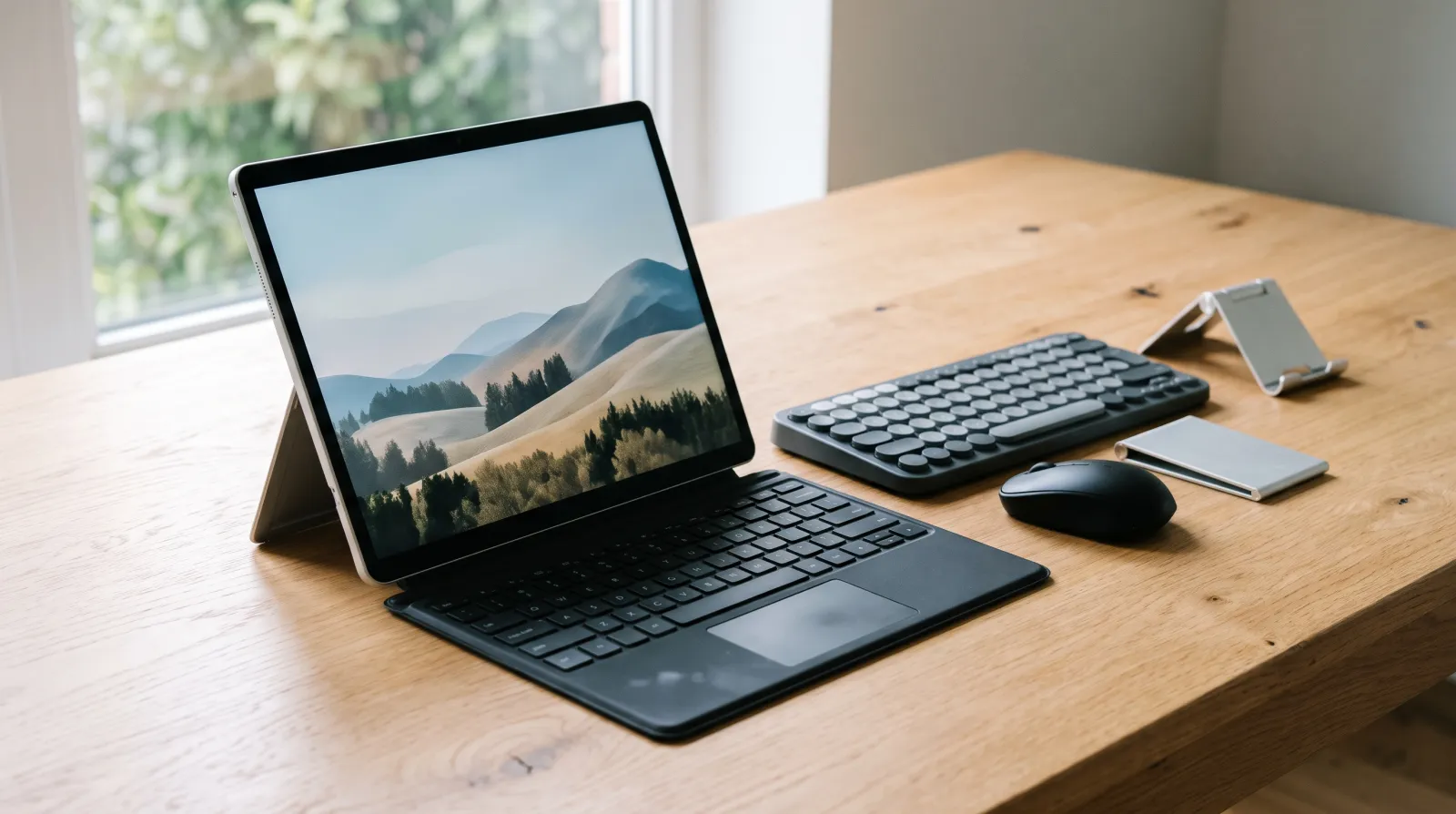
Amazon’s Pro Keyboard turns the 12 Pro into a small laptop, but it costs three times what a good Bluetooth keyboard does. Here’s what reviewers say about typing and the trackpad, the cheaper setups that work, and the bundle math.
As an Amazon Associate, Before You Cart earns from qualifying purchases. Read our affiliate disclosure.
The short answer
- No keyboard in the box. The Pro Keyboard is $149.99 list. Best Buy and Abt had it for $127.49 on Nov 26, 2026.
- Worth it if: you type at a desk and want a trackpad, with nothing to pair or charge.
- Skip it if: you type on your lap. Engadget found it “very difficult” there.
- Cheaper setup: Logitech Pebble 2 Combo (keyboard and mouse, $49.99 on sale at Logitech) plus a $22 stand.
- Buying the tablet too? The Keyboard Bundle can cost less than the keyboard alone adds.
Pro Keyboard or Bluetooth? What to look for
The 12 Pro ships with just the tablet and a USB-C cable, per Argos. You have two routes to typing on it.
| Amazon Pro Keyboard | Bluetooth keyboard + mouse + stand | |
|---|---|---|
| Price (Nov 26, 2026) | $149.99 list; $127.49 on sale | About $72 to $81 for the picks below |
| Connection | Magnetic pogo pins | Bluetooth pairing |
| Power | From the tablet; no battery | AAA and AA batteries (years, per Logitech) |
| Pointing | Built-in glass trackpad with gestures | Separate mouse |
| On your lap | Awkward, per Engadget | Keyboard on lap works; tablet needs a surface |
| Protects the screen | Yes, folds over | Only with a folio case |
| Works with other devices | 12 Pro only | Up to 3 devices |
Scroll sideways to see every column.
- Where you type. Desk or table: either works. Couch or bed: neither is great, but a separate keyboard on your lap with the tablet on a side table is easier than the Pro Keyboard’s kickstand.
- How much you type. Long documents favor the Pro Keyboard’s trackpad and one-piece setup. Quick replies don’t justify $150.
- Whether you’ll carry it. The Pro Keyboard doubles as a cover. A Bluetooth setup means more bits in the bag.
For keyboards for other tablets, see our best tablet keyboard guide.
The Pro Keyboard: what you get
Amazon Alexa Tablet Pro Keyboard with Trackpad and Alexa Key
For: people who’ll write documents and email on the 12 Pro at a desk or table, and want it to feel like a small laptop.
Magnetic snap-on, pogo-pin connection (no Bluetooth, no battery, no charging) · glass trackpad with pinch-to-zoom, two-finger scroll and task-switching gestures · adjustable stand with multiple angles · not backlit · dedicated Alexa key · two pieces: kickstand on the back, keyboard on the bottom edge · 12 Pro only · $149.99 list; $127.49 at Best Buy and Abt (Nov 26, 2026; Abt’s rebate runs to Nov 30)
Pros
- Nothing to pair or charge
- BGR compared the typing and trackpad to Apple’s Magic Keyboard
- About $100 less than Apple’s two-piece keyboard for the base iPad, per Engadget
Cons
- Engadget found it very hard to use on a lap
- The Alexa key sits where Ctrl usually is
- No backlight
What reviewers say about typing and the trackpad
| Review | Typing | Trackpad | Other notes |
|---|---|---|---|
| Engadget (Oct 15, 2026) | Compact but not cramped; shallow key travel | Narrow, but smooth and responsive | Wobbly; very hard to use on a lap; fine on a desk. Wrote the whole review on it |
| BGR (Oct 20, 2026) | Tactile, well spaced; reminded the reviewer of Apple’s Magic Keyboard | Responsive and accurate, even at the edges | Feel “somewhat generic”; Apple’s trackpad is a bit better |
| SlashGear (Nov 18, 2026) | “Lovely” to type on, good travel; could type all day | Not covered | Pogo pins, so no Bluetooth needed |
Scroll sideways to see every column.
The one complaint that comes up is the layout. Engadget kept pressing the Alexa key, which sits where Ctrl usually is, for keyboard shortcuts and opened the Alexa+ chat window instead. It also noted a “find” key in the top row that doesn’t work in many apps. If you use a lot of Ctrl shortcuts, expect a few days of retraining.
Reviews disagree a little on key travel: Engadget called it shallow, while BGR and SlashGear found enough travel to feel tactile. All three were positive overall on typing.
Cost compared
| Setup | Parts | Approx. total |
|---|---|---|
| Pro Keyboard | Pro Keyboard | $127.49 on sale; $149.99 list |
| Budget Bluetooth | Pebble 2 Combo ($49.99) + OMOTON T1s stand ($21.99) | About $72 |
| Bluetooth with a case | Pebble 2 Combo ($49.99) + Fintie Multi-Angle case ($30.99) | About $81 |
| Desk keyboard with cradle | Logitech K780 ($69.99) + a mouse | About $70 plus a mouse |
Scroll sideways to see every column.
Prices are from Logitech, OMOTON, Fintie, Best Buy and Abt on November 26, 2026, the day before Black Friday. Amazon’s prices may differ; check the listing.
Cheaper Bluetooth setups
Any Bluetooth keyboard that supports Android works with the 12 Pro. Add a mouse if you want a pointer, and a stand or case to hold the tablet up.
Logitech Pebble 2 Combo (Pebble Keys 2 K380s + Pebble Mouse 2 M380s)
For: typing email and documents on the 12 Pro for about a third of the Pro Keyboard’s price, with a mouse in place of a trackpad.
Bluetooth keyboard and mouse · switch between up to 3 devices · Logi Bolt receiver also included · keyboard 2 AAA batteries, up to 3 years; mouse 1 AA, up to 2 years (Logitech) · Android 10 or later and ChromeOS supported · $49.99 sale, $59.99 list at Logitech (Nov 26, 2026)
Pros
- Keyboard and mouse for about $50
- Also works with your phone and computer
- Batteries last years
Cons
- No trackpad gestures
- Needs a separate stand or case
- Doesn’t protect the screen
Just want the keyboard? The Pebble Keys 2 K380s alone was $29.99 on sale ($39.99 list) at Logitech on Nov 26, 2026. Find the K380s on Amazon (opens Amazon in a new tab).
OMOTON Triangle T1s Tablet Stand
For: holding the 12 Pro up on a desk while you type on a separate keyboard.
Fits devices from 3.5 to 12.9 inches · aluminum alloy with silicone pads · adjustable angle, landscape or portrait · cutout for charging · 10.6 oz · $21.99 sale at OMOTON (Nov 26, 2026)
Pros
- Cheap and sturdy
- Charge while it’s on the stand
- Fits the 12-inch 12 Pro
Cons
- Doesn’t protect the tablet
- One more thing to carry
More options, including stands for the kitchen and bed, are in our best tablet stands guide.
Fintie Multi-Angle Viewing Case for Alexa Tablet 12 Pro (2026)
For: people who want the tablet protected and propped up, with a Bluetooth keyboard in the bag.
Fits Alexa Tablet 12 Pro and 12 Pro Nanomatte · multi-angle stand · stylus holder · auto sleep and wake · hard PC back shell · about $31 at Fintie (Nov 26, 2026)
Pros
- Protects the screen and back
- Holds the Pro Pen
- Made for the 12 Pro
Cons
- Fintie doesn’t list the exact angles
- Not compatible with the Pro Keyboard
Logitech K780 Multi-Device Wireless Keyboard
For: a home desk where the tablet stays put. The built-in cradle replaces a stand.
Bluetooth or Unifying receiver · up to 3 devices · built-in cradle Logitech lists for tablets up to a 12-inch iPad · number pad · up to 24 months battery life · Android supported · $69.99 at Logitech (Nov 26, 2026)
Pros
- No stand needed
- Full size with a number pad
- Switches to your phone or computer
Cons
- Too big to travel with
- No trackpad; add a mouse
- Logitech lists fit by iPad size, so check the 12 Pro sits well
The 12 Pro is about 27 cm wide and 6.5 mm thin, per Argos. Logitech doesn’t list a width or thickness limit for the cradle, so buy where returns are easy.
Bundles: the cheapest way to get the Pro Keyboard
If you haven’t bought the tablet yet, a bundle is often cheaper than adding the keyboard later.
- Keyboard Bundle (opens Amazon in a new tab) (tablet + Pro Keyboard): SlashGear quoted $529.99 on Nov 18, 2026. That’s $30 more than the tablet’s $499.99 launch price, for a $149.99 keyboard.
- Productivity Bundle (opens Amazon in a new tab) (tablet + Pro Keyboard + Pro Pen): SlashGear quoted $599.99 on Nov 18, 2026.
- Nanomatte: Engadget priced the Nanomatte tablet at $550 alone, $650 with the keyboard and $700 with the keyboard and pen at launch.
Bundle prices change often, especially around Black Friday (Nov 27, 2026), so check the current price against the tablet alone. If you want the pen too, our 12 Pro pen guide covers whether it’s worth adding.
Keyboard or case?
You can’t really use both at once: the keyboard’s kickstand covers the back and it connects at the bottom edge. Our 12 Pro case guide explains how to choose, and covers Amazon’s Folio Cover.
The verdict
The Pro Keyboard is worth it if you’ll type on the 12 Pro at a desk most days. Reviewers liked the typing and trackpad, and there’s nothing to charge. It’s a poor fit for lap use, and the Alexa key takes getting used to. Buy it on sale ($127.49 on Nov 26, 2026) or in the Keyboard Bundle if you’re buying the tablet. For occasional typing, the Logitech Pebble 2 Combo and a $22 stand do the job for about half the price. More add-ons are in our 12 Pro accessories guide.
Frequently asked questions
Does the Alexa Tablet 12 Pro come with a keyboard?
No. The box has the tablet and a USB-C cable only. The Pro Keyboard is $149.99 list, or you can buy the tablet in Amazon’s Keyboard Bundle or Productivity Bundle.
Is the Alexa Tablet 12 Pro Pro Keyboard worth it?
Yes, if you’ll type at a desk or table and want a trackpad with nothing to pair or charge. Reviewers liked the typing and trackpad. No, if you mostly type on your lap: Engadget found the kickstand setup very hard to use there. For occasional email, a $50 Bluetooth keyboard and mouse does the job.
Does the Pro Keyboard need charging or Bluetooth?
No. It attaches magnetically and connects through pogo pins on the bottom edge, taking power from the tablet. There’s no battery and nothing to pair.
Can I use a Bluetooth keyboard and mouse with the Alexa Tablet 12 Pro?
Yes. The 12 Pro has Bluetooth and runs Android. Logitech lists Android support for its Pebble Keys 2 K380s and Pebble 2 Combo. You’ll need a stand or a case that props the tablet up.
Is the Pro Keyboard backlit?
No. Abt and Best Buy both list it as not backlit.
Can I use the Pro Keyboard with a case?
Generally no. The keyboard uses a kickstand on the back and a connector on the bottom edge, so a shell or folio case gets in the way. Our 12 Pro case guide covers the trade-off.
Sources
This guide is based on retailer listings, maker product pages and published reviews of the Alexa Tablet 12 Pro and its keyboard. We have not tested these devices ourselves. Specs and prices were checked on November 26, 2026; check Amazon for today’s price.
- Abt: Amazon Alexa Tablet Pro Keyboard with Trackpad (B0DX5SFCFB; specs, price and rebate checked Nov 26, 2026) (opens in a new tab)
- Best Buy: Amazon Alexa Tablet Pro Detachable Keyboard (specs, price checked Nov 26, 2026) (opens in a new tab)
- Engadget: Amazon Alexa Tablet 12 Pro review by Nathan Ingraham (Oct 15, 2026) (opens in a new tab)
- BGR: Alexa Tablet 12 Pro review by Christian de Looper (Oct 20, 2026) (opens in a new tab)
- SlashGear: Alexa Tablet 12 Pro review by Adam Doud (Nov 18, 2026; bundle prices) (opens in a new tab)
- FoneArena: Alexa Tablet 12 Pro launch prices and accessories (opens in a new tab)
- Argos: Amazon Alexa Tablet 12 Pro listing (in the box, Bluetooth, size and weight) (opens in a new tab)
- Logitech: Pebble 2 Combo (price, batteries, Android support; checked Nov 26, 2026) (opens in a new tab)
- Logitech: Pebble Keys 2 K380s (price checked Nov 26, 2026) (opens in a new tab)
- Logitech: K780 Multi-Device Wireless Keyboard (cradle, price checked Nov 26, 2026) (opens in a new tab)
- OMOTON: Triangle T1s tablet stand (size range, price checked Nov 26, 2026) (opens in a new tab)
- Fintie: Amazon Alexa Tablet 12 (2026) Multi-Angle Viewing Case (price checked Nov 26, 2026) (opens in a new tab)