Tablets
Best Tablet Stands in 2026: Desk, Kitchen, Bed and Travel
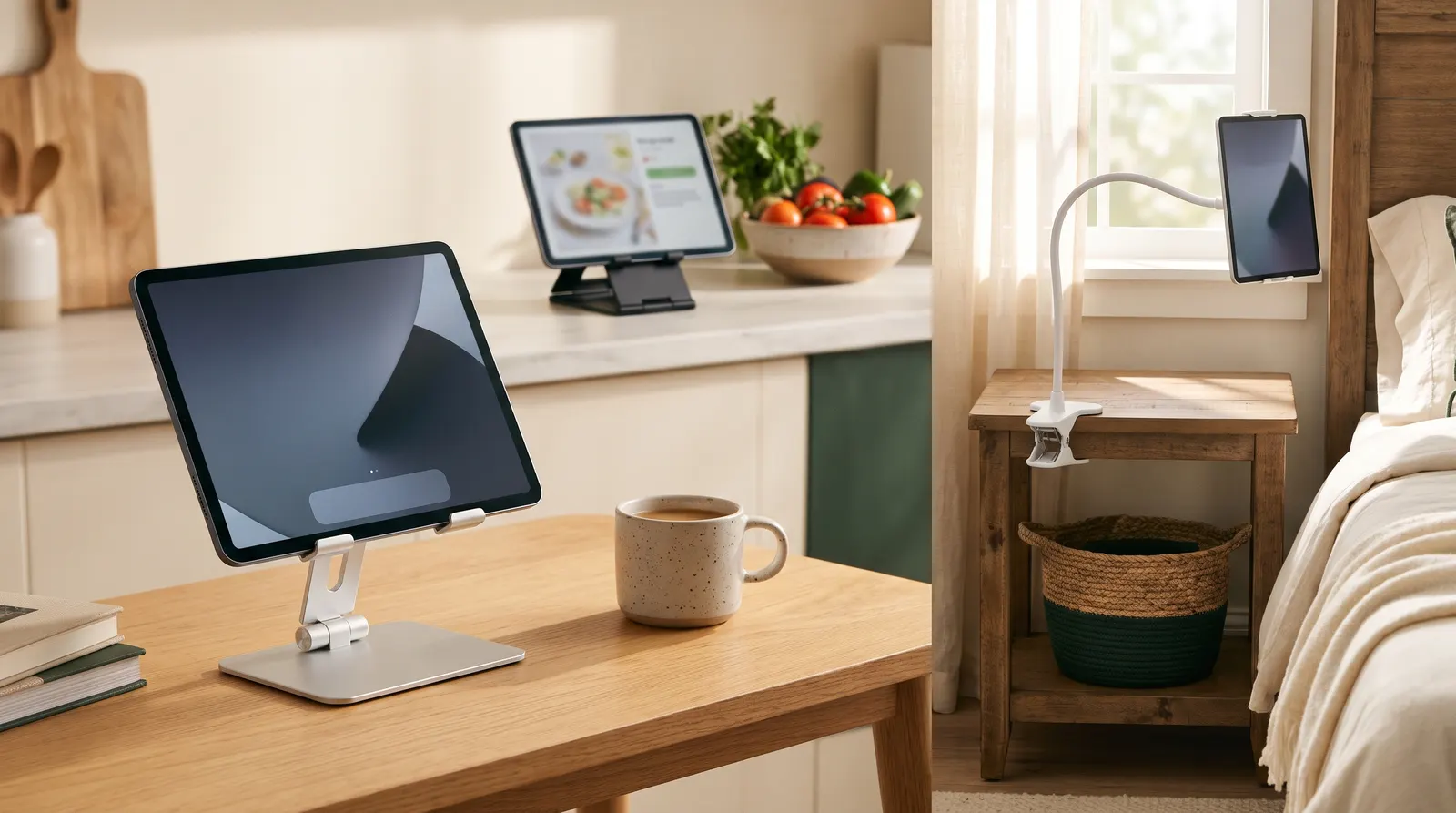
A good stand turns a tablet into a recipe screen, a second monitor or a bedside TV. Here are the best stands for each job, and which ones say they can hold a big 12- or 13-inch tablet.
As an Amazon Associate, Before You Cart earns from qualifying purchases. Read our affiliate disclosure.
The short answer
- Best for most people: OMOTON Triangle T1s, a sturdy aluminum stand for 3.5- to 12.9-inch tablets, about $22 to $27 at OMOTON (Nov 2026).
- Best all-rounder: Twelve South HoverBar Duo: a desk base or a clamp for shelves and counters.
- Best for bed: a gooseneck holder like the Thought Out Stabile Coil Pro or the budget Tryone.
- Best for big tablets: stands rated for 12.9 or 13 inches.
What to look for
- Size support: check the stand lists your tablet’s screen size, especially for 12- and 13-inch tablets.
- Height and angle: a stand that raises the screen saves your neck at a desk; one that only tilts is fine for recipes and video.
- Charging access: a cutout or gap at the bottom lets you charge while the tablet sits in the stand.
- Stability: a heavier base or a clamp keeps a big tablet from tipping when you tap it.
Our picks
OMOTON Triangle T1s
For: desks, counters and bedside tables. A simple, sturdy stand for almost any tablet.
Fits 3.5- to 12.9-inch tablets · aluminum alloy with silicone pads · multiple viewing angles · charging-port cutout · 10.6 oz · about $22 to $27 at OMOTON (Nov 2026)
Pros
- Fits phones up to 12.9-inch tablets
- Charge while it’s on the stand
- Solid aluminum build
Cons
- OMOTON doesn’t state a height range
- OMOTON doesn’t state a weight limit
Twelve South HoverBar Duo (2nd gen)
For: people who want one stand that works on a desk and clamped to a shelf, counter or bed frame.
Desk base or clamp, switchable · arm with adjustable hinge tension · made for iPad mini, Air and Pro sizes · $79.99 (2024 review)
Pros
- Desk base or clamp in one
- Engadget: “the one that has come closest to perfect”
- Hinge tension is adjustable
Cons
- iMore found it a bit wobbly
- 12.9-inch support isn’t confirmed
UGREEN 360° Rotating Tablet Stand
For: kitchens and shared desks: spin from portrait recipes to landscape video and raise the height.
Fits 4- to 12.9-inch tablets · rotates 360° · height-adjustable arm · about $27 (Macworld, Apr 2026)
Pros
- Rotates for portrait or landscape
- Adjustable height
- Holds up to 12.9-inch tablets
Cons
- Taller stand takes more counter space
- UGREEN doesn’t publish a weight limit we could find
Similar alternative: the Plugable PT-Stand1 also rotates 360°, adjusts in height, folds flat and has a cable pass-through, for tablets up to 12.9 inches (about $35, Macworld). Find it on Amazon (opens Amazon in a new tab).
Thought Out Stabile Coil Pro
For: reading or watching in bed or on the couch, with the tablet held over your face or lap.
54-inch steel coil with a ball joint · straps to furniture · fits standard and large iPads (not the mini) · about $110 (Macworld, Apr 2026)
Pros
- Long, sturdy steel coil
- Holds big tablets in any position
Cons
- Expensive for a holder
- Doesn’t fit small tablets
On a budget: the Tryone gooseneck holder has a 30-inch gooseneck that clamps to a table edge, for about $22 (Macworld). Find it on Amazon (opens Amazon in a new tab).
UGREEN Tablet Pillow Stand
For: reading on the couch or in bed without clamps.
Fits 4.7- to 12.9-inch tablets · 3 angles · portrait or landscape · about $28 (Macworld, Apr 2026)
Pros
- Nothing to clamp or assemble
- Holds up to 12.9-inch tablets
Cons
- Bulky to store
- Only 3 angles
Arkon Portable Tablet Stand
For: tray tables, hotel desks and bags: a stand that folds away.
Collapsible · for tablets under 12 inches · about $14 (Macworld, Apr 2026)
Pros
- Folds small for travel
- Very affordable
Cons
- Not for 12-inch-plus tablets
- Specs from Macworld; Arkon’s page couldn’t be checked
Belkin Portable Tablet Stage
For: big tablets, presentations and video calls, with a stand that folds flat.
Holds tablets up to 13 inches · adjustable angle · folds flat · cable management · $79.99 at Belkin (Nov 2026)
Pros
- Rated for tablets up to 13 inches
- Folds flat to carry
- Cable management
Cons
- Pricey for a stand
- Aimed at presenting and business use
For the kitchen
You don’t need a special recipe stand: a compact stand like the OMOTON T1s lifts the tablet off a wet counter and angles it toward you, and the rotating UGREEN 360° lets you switch between a portrait recipe and a landscape video. Keep it away from the sink and stove, and a case or screen protector helps with splashes. Budget pick: Macworld rates the folding Lamicall stand, which fits 4- to 13-inch tablets and starts around $10. Find the Lamicall stand on Amazon (opens Amazon in a new tab).
Stands for 12- and 13-inch tablets
Big tablets like the Alexa Tablet 12 Pro (about 550 g), iPad Pro 13-inch and Galaxy Tab S12 Ultra need a stand that’s rated for the size and has a wide base. These list support for big screens:
- Up to 13 inches: Belkin Portable Tablet Stage, Lamicall stand.
- Up to 12.9 inches: OMOTON T1s, UGREEN 360°, Plugable PT-Stand1, UGREEN pillow stand.
None of these makers publishes a weight limit we could find, so with a heavy tablet in a keyboard case, try it on a stand with a heavy base and keep the return window in mind. Using an Alexa Tablet 12 Pro with the Pro Keyboard? Its kickstand already holds it up; see our 12 Pro accessories guide.
The verdict
The OMOTON Triangle T1s is the stand most people should buy: sturdy, cheap and big enough for 12.9-inch tablets. Choose the Twelve South HoverBar Duo if you want one stand for the desk and for clamping to a shelf, the UGREEN 360° for a kitchen, a gooseneck like the Stabile Coil Pro for bed, and the Belkin Portable Tablet Stage for 13-inch tablets.
Frequently asked questions
What is the best tablet stand?
For most desks and counters, a simple adjustable aluminum stand like the OMOTON Triangle T1s, which fits tablets from 3.5 to 12.9 inches and has a cutout so you can charge while it’s on the stand. If you want one stand for the desk, kitchen and clamped to a shelf, Engadget calls the Twelve South HoverBar Duo the closest to perfect.
What tablet stand works in the kitchen?
A compact, adjustable desk stand works well on a counter: it lifts the screen above spills and props it at an angle for recipes. A rotating, height-adjustable stand like the UGREEN 360° helps if you switch between portrait recipes and landscape video.
What’s the best tablet holder for bed?
A long gooseneck or coil holder clamps to a headboard or nightstand and holds the tablet over your face or lap. Macworld picks the Thought Out Stabile Coil Pro as a sturdy premium option and the Tryone gooseneck on a budget. A tablet pillow stand is the simpler alternative for propping it on your lap.
Will a tablet stand hold a 12-inch or 13-inch tablet?
Many do. The OMOTON T1s, UGREEN 360° stand, Plugable PT-Stand1 and UGREEN pillow stand list support for up to 12.9 inches, Lamicall’s stand for 4 to 13 inches and Belkin’s Portable Tablet Stage for up to 13 inches. Makers rarely publish weight limits, so heavier tablets like the 550 g Alexa Tablet 12 Pro are best on a stand with a wide, heavy base.
Sources
This guide is based on maker product pages and published reviews. We have not tested these devices ourselves. Specs and prices were checked on November 18, 2026; check Amazon for today’s price.
- OMOTON: Triangle T1s tablet stand (opens in a new tab)
- Belkin: Portable Tablet Stage (B2B118) (opens in a new tab)
- Macworld: Best iPad stands (Apr 21, 2026) (opens in a new tab)
- Engadget: Best iPad accessories (updated Dec 2025) (opens in a new tab)
- iMore: Twelve South HoverBar Duo (2nd gen) review (opens in a new tab)