Tablets
Best Tablet Keyboard in 2026: For Any Tablet, iPad, Galaxy and Alexa Tablets
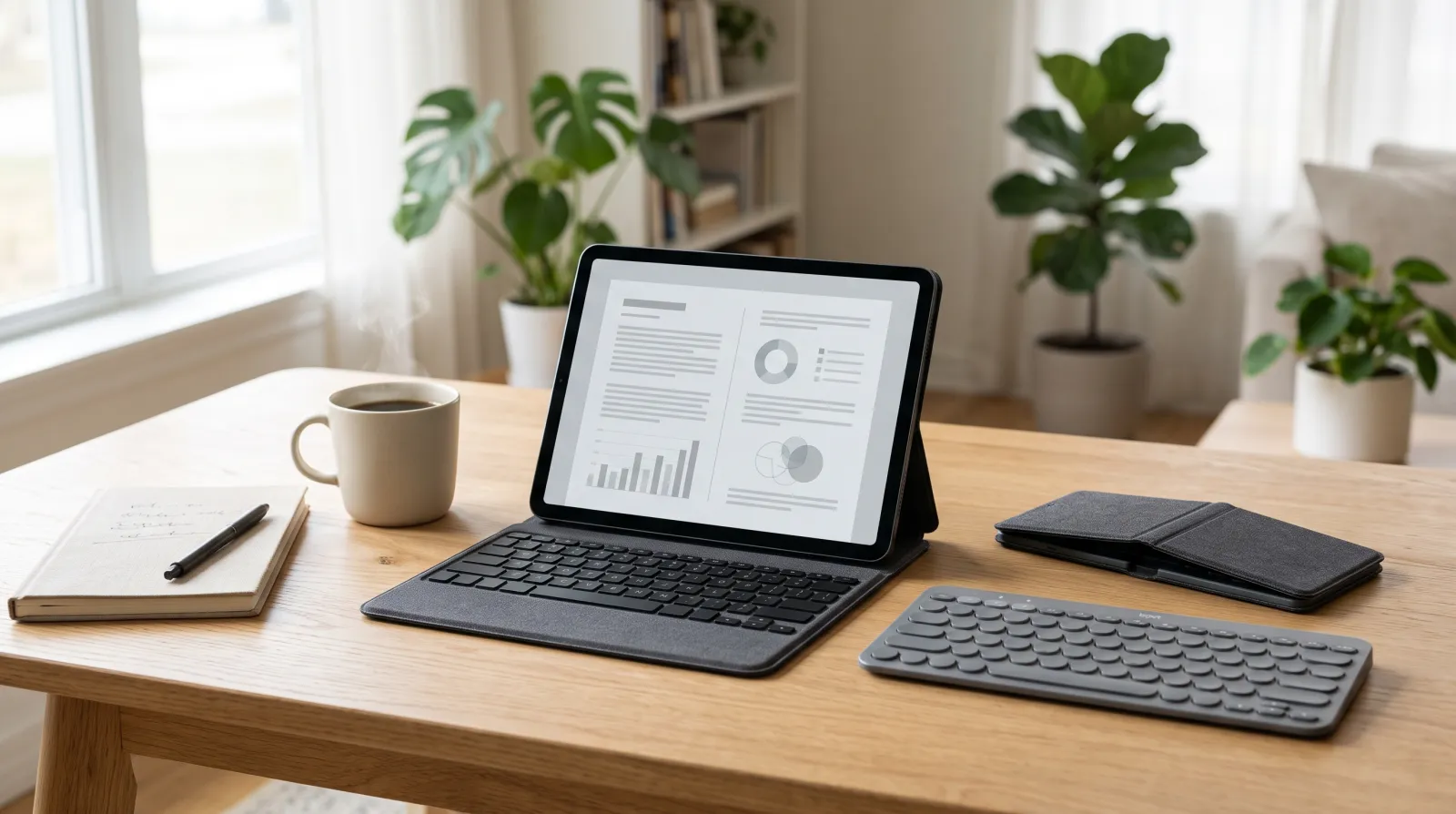
A keyboard turns a tablet into a small laptop for email, schoolwork and documents. Here’s the best keyboard for any tablet, and the best keyboard case for each major tablet brand.
As an Amazon Associate, Before You Cart earns from qualifying purchases. Read our affiliate disclosure.
The short answer
- Best for any tablet: Logitech Pebble Keys 2 K380s, a compact Bluetooth keyboard for up to 3 devices, $39.99 list at Logitech (Nov 2026).
- Best with a built-in tablet holder: Logitech K780, a full-size keyboard with a cradle for tablets up to 12 inches.
- Best for travel: Logitech Keys-To-Go 2, ultra-thin with a built-in cover.
- Own a specific tablet? See the best keyboard for Alexa tablets, iPad, Samsung Galaxy Tab and Lenovo.
Keyboard case or separate keyboard?
- Keyboard case: attaches to one tablet model, protects the screen and props the tablet up. The best ones connect through the tablet’s own connector, so there’s nothing to pair or charge, and some add a trackpad.
- Separate Bluetooth keyboard: cheaper, works with any tablet (and your phone or computer), and outlasts your tablet. You’ll need a stand or a keyboard with a built-in cradle.
- Check: the layout (Mac-style keys for iPad, or a universal layout), multi-device switching, battery type, and whether you want a trackpad.
Best keyboards for any tablet
Logitech Pebble Keys 2 K380s
For: anyone who wants a cheap, compact keyboard for a tablet, phone and computer.
Bluetooth · switches between 3 devices · 2 AAA batteries, up to 36 months (Logitech) · no trackpad · works with Android, iPadOS, ChromeOS, Windows and macOS · $39.99 list at Logitech (Nov 2026)
Pros
- Strong value
- Very long battery life
- One-key switching between 3 devices
Cons
- No backlight
- Round keys take getting used to
Logitech K780 Multi-Device Keyboard
For: a desk or kitchen table where the tablet stays put. The cradle holds the tablet, so you don’t need a separate stand.
Bluetooth or USB receiver · 3 devices · built-in cradle for phones and tablets up to 12 inches · full size with number pad · 2 AAA batteries, up to 24 months (RTINGS) · $69.99 at Logitech (Nov 2026)
Pros
- Holds the tablet upright
- RTINGS’ “Best Standalone iPad Keyboard”
- Comfortable full-size layout
Cons
- Too big to carry around
- No trackpad
Logitech Keys-To-Go 2
For: carrying in a bag with your tablet, for typing on trains, planes and in cafés.
Bluetooth · 3 devices · built-in folding cover · replaceable coin-cell batteries rated up to 36 months · 7.8 oz · Universal or iPad layout · $79.99 at Logitech (Nov 2026)
Pros
- Very thin and light
- Cover protects the keys in a bag
- Long battery life
Cons
- No kickstand: you need a stand or case
- Pricey for its size
Want a trackpad? Most universal keyboards don’t have one. RTINGS rates the folding iClever BK08 as compact and light with a built-in touchpad, though typing is only middling and the review is older. Find the iClever BK08 on Amazon (opens Amazon in a new tab).
Best keyboard for Alexa tablets
Amazon Pro Keyboard for Alexa Tablet 12 Pro
For: 12 Pro owners who type documents, email or schoolwork. It turns the tablet into a small laptop.
Magnetic pogo-pin connection (no Bluetooth, no charging) · glass trackpad · kickstand piece on the back of the tablet · 12 Pro only · $149.99 at launch (Oct 2026)
Pros
- Nothing to pair or charge
- Built-in trackpad
- Engadget: undercuts Apple’s keyboard folio
Cons
- Engadget found it wobbly on your lap
- The Alexa key sits where Ctrl usually is
Engadget found the keys near laptop-size, with shallow travel and a narrow but responsive trackpad. If you’re buying the tablet too, Amazon’s bundles cost less than buying the pieces separately; see our 12 Pro accessories guide.
Alexa Tablet 11: the Pro Keyboard is 12 Pro only. Any Bluetooth keyboard above works, because Alexa tablets run Android with the Google Play Store. For a keyboard case, Liliputing lists the third-party Maxeye Pen Bluetooth Keyboard Case among the Tablet 11’s accessories, and Notebookcheck reports a $79.99 Bluetooth keyboard case with a trackpad (it doesn’t name the maker). We haven’t seen a hands-on review of either yet. Find the Maxeye keyboard case on Amazon (opens Amazon in a new tab). More in our Alexa Tablet 11 and 8 accessories guide.
Alexa Tablet 8: Amazon doesn’t list a keyboard for it; use a compact Bluetooth keyboard like the K380s.
Best keyboard for iPad
Apple Magic Keyboard for iPad Pro or iPad Air
For: people who use an iPad Pro or Air as a laptop replacement.
Smart Connector (no Bluetooth, no charging) · trackpad and function row · iPad Pro (M4/M5): $299 for 11-inch, $349 for 13-inch · iPad Air (M3 version): $269 for 11-inch, $319 for 13-inch (Apple)
Pros
- RTINGS’ best iPad keyboard overall
- Best typing and trackpad on an iPad
- Nothing to pair or charge
Cons
- Expensive
- Pro and Air versions aren’t interchangeable
For the iPad Air, make sure you get the Air version. Find the Magic Keyboard for iPad Air on Amazon (opens Amazon in a new tab). For the entry-level iPad (A16 or 10th gen), Apple’s equivalent is the Magic Keyboard Folio ($249).
Logitech Combo Touch
For: iPad owners who want a trackpad and protection for less than Apple’s keyboard.
Smart Connector (no charging) · detachable backlit keyboard · large trackpad · kickstand case · from $159.99 (iPad), $199.99 (iPad Air), $229.99 (iPad Pro) at Logitech (Nov 2026)
Pros
- Big trackpad
- Keyboard detaches for drawing or reading
- Protects the back and corners
Cons
- Build isn’t as nice as Apple’s (Macworld)
- Each version fits only one iPad model
On a budget: Tom’s Guide’s 2026 iPad keyboard roundup names a budget pick, the Logitech Slim Folio for the iPad (A16 and 10th gen): a Bluetooth keyboard case with coin-cell batteries rated up to 3 years and no trackpad, $99.99 list at Logitech and often less at Best Buy. Find the Logitech Slim Folio on Amazon (opens Amazon in a new tab).
Best keyboard for Samsung Galaxy Tab
Samsung’s own Book Cover Keyboard Slim is the safest fit: it’s made for each tablet and protects it like a case. At Samsung (Nov 2026), it costs $169.99 for the Galaxy Tab S11 and $139.99 for the Tab S10 FE, S10 Lite, S9 and S9 FE. Samsung’s pages don’t list a trackpad on the Slim models, so pair a Bluetooth mouse if you want a pointer. Find the Galaxy Tab S11 Book Cover Keyboard Slim on Amazon (opens Amazon in a new tab) or the Tab S10 FE version (opens Amazon in a new tab).
Best keyboard for Lenovo tablets
For the Lenovo Idea Tab Plus, Lenovo sells a matching Folio Keyboard (ZG38C07530), $79.99 at Newegg (sold by Lenovo, Nov 2026). For older or budget Lenovo tablets without their own keyboard, a Bluetooth keyboard like the K380s works. Find the Lenovo Idea Tab Plus keyboard on Amazon (opens Amazon in a new tab).
The verdict
If your tablet has its own keyboard case, that’s the best typing setup: Apple’s Magic Keyboard (or the cheaper Logitech Combo Touch) for iPad, Amazon’s Pro Keyboard for the Alexa Tablet 12 Pro, and Samsung’s Book Cover Keyboard Slim for Galaxy tablets. For any other tablet, or one keyboard for all your devices, the Logitech Pebble Keys 2 K380s is the best value; get the K780 if you want a built-in tablet holder, or the Keys-To-Go 2 for travel.
Frequently asked questions
What is the best keyboard for a tablet?
For a keyboard that works with almost any tablet, the Logitech Pebble Keys 2 K380s: it’s compact, pairs with up to three devices over Bluetooth, runs up to 36 months on two AAA batteries (Logitech’s claim) and lists at $39.99. If your tablet has its own keyboard case, like Apple’s Magic Keyboard for iPad or Amazon’s Pro Keyboard for the Alexa Tablet 12 Pro, that’s usually the better typing setup.
Do Bluetooth keyboards work with Android and Alexa tablets?
Yes. Logitech lists Android, ChromeOS, iPadOS, Windows and macOS support for its Bluetooth keyboards. Amazon’s Alexa tablets run Android with the Google Play Store, so a standard Bluetooth keyboard pairs from the Bluetooth settings like any other accessory.
Should I get a keyboard case or a separate keyboard?
A keyboard case is better if you mostly type with the tablet: it protects the screen, holds the tablet up and is always with it. A separate Bluetooth keyboard is cheaper, works with more than one device, and lets you keep a slim case, but you need a stand or cradle to hold the tablet.
Does the Alexa Tablet 12 Pro Pro Keyboard work with the Alexa Tablet 11?
No. Amazon says the Pro Keyboard is designed only for the Alexa Tablet 12 Pro. Alexa Tablet 11 owners can use any Bluetooth keyboard, or a third-party keyboard case.
Which tablet keyboards have a trackpad?
Apple’s Magic Keyboard for iPad Pro and iPad Air, the Logitech Combo Touch and Amazon’s Pro Keyboard for the Alexa Tablet 12 Pro all have a trackpad. Most universal Bluetooth keyboards, including the Logitech K380s, K780 and Keys-To-Go 2, don’t.
Sources
This guide is based on maker product pages, published reviews and roundups. We have not tested these devices ourselves. Specs and prices were checked on November 18, 2026; check Amazon for today’s price.
- RTINGS: The best iPad and iPad Pro keyboards (updated Oct 26, 2026) (opens in a new tab)
- Engadget: Alexa Tablet 12 Pro review (Oct 15, 2026) (opens in a new tab)
- Engadget: Logitech Keys-To-Go 2 review (Jun 18, 2024) (opens in a new tab)
- Macworld: Best iPad keyboards (updated Dec 23, 2025) (opens in a new tab)
- Logitech: Pebble Keys 2 K380s (opens in a new tab)
- Logitech: K780 Multi-Device Wireless Keyboard (opens in a new tab)
- Windows Central: Logitech Pebble Keys 2 K380s review (opens in a new tab)
- Apple Newsroom: iPad Pro with M5 (Oct 2025) (opens in a new tab)
- Apple Newsroom: iPad Air with M3 and new Magic Keyboard (Mar 2025) (opens in a new tab)
- Logitech: iPad keyboards (opens in a new tab)
- Samsung: Book Cover Keyboard Slim for Galaxy Tab S11 (opens in a new tab)
- Samsung: Book Cover Keyboard Slim for Galaxy Tab S10 FE, S10 Lite, S9 and S9 FE (opens in a new tab)
- Liliputing: Amazon Alexa tablets (Oct 8, 2026) (opens in a new tab)