Tablets
Best Keyboard for the Galaxy Tab S10 FE and S10 FE+ (2026)
Samsung makes two keyboard covers for each S10 FE size, and the 11-inch and 13-inch versions aren’t interchangeable. Here’s which one to buy, the model numbers to check, what DeX can and can’t do on the FE, and the cheaper options that list the S10 FE.
As an Amazon Associate, Before You Cart earns from qualifying purchases. Read our affiliate disclosure.
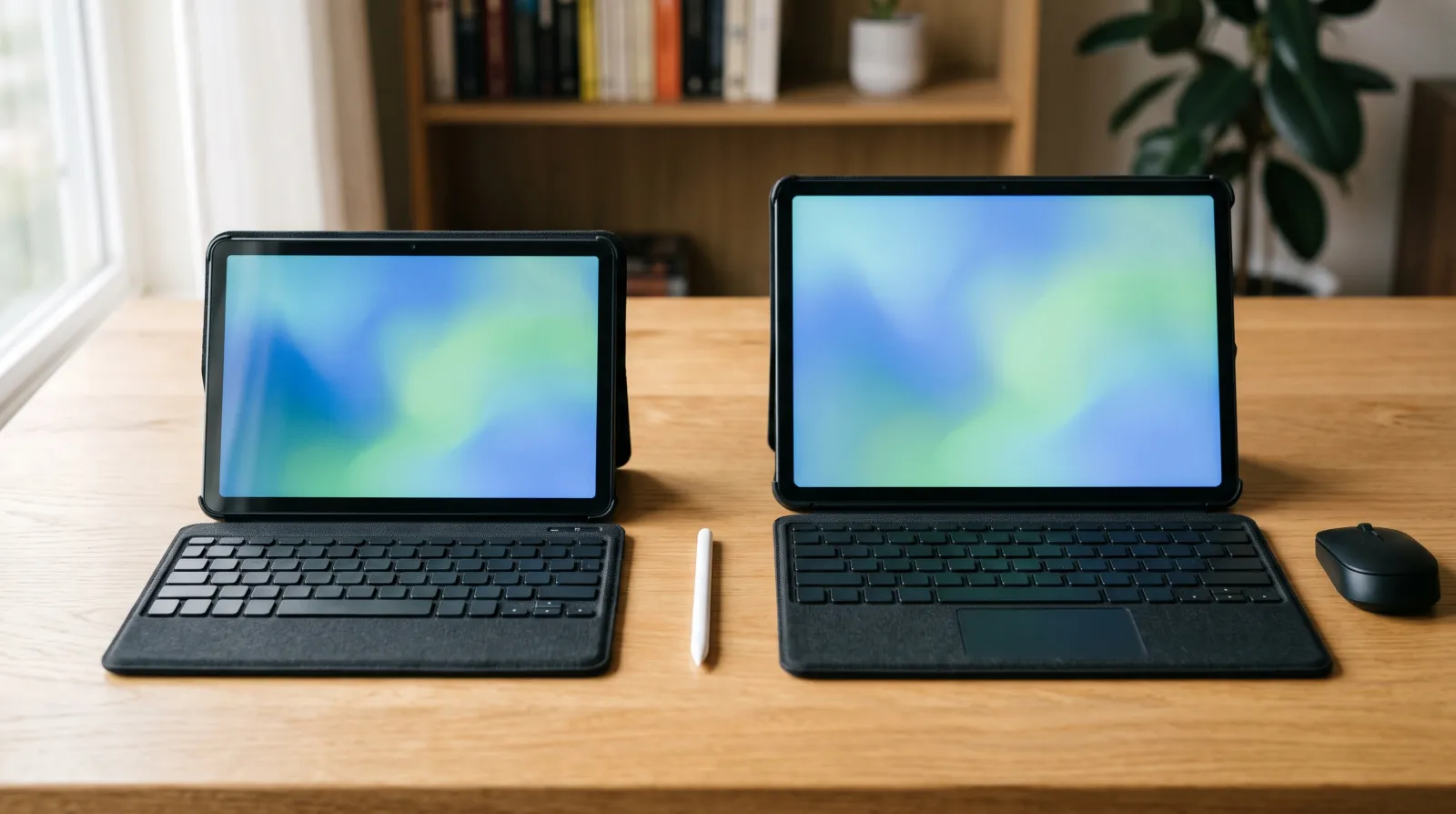
The short answer
- S10 FE (10.9-inch): Book Cover Keyboard Slim, EF-DX720. $139.99 regular; $97.99 at Best Buy (Nov 28, 2026). No trackpad.
- S10 FE+ (13.1-inch): Book Cover Keyboard Slim, EF-DX620. $169.99 regular; $104.99 at Best Buy (Nov 28, 2026).
- Want a trackpad? The full Book Cover Keyboard (EF-DX725 for the FE, EF-DX625 for the FE+), or Inateck N0064 for the FE at about $50.
- Check the model number. FE and FE+ keyboards don’t swap, and Samsung’s S9 FE+ keyboard doesn’t list the S10 FE+.
- DeX works on the tablet screen only. The FE models can’t output DeX to a monitor or TV, per Samsung.
Which keyboard fits which tablet
The S10 FE and S10 FE+ are different sizes, and Samsung makes a different pair of keyboards for each. The smaller FE shares its keyboards with the S10 Lite, S9 and S9 FE. The FE+ has its own.
| Keyboard | Model | Fits | Trackpad | Regular price | Best Buy, Nov 28 |
|---|---|---|---|---|---|
| Book Cover Keyboard Slim | EF-DX720 | S10 FE, S10 Lite, S9, S9 FE | No | $139.99 | $97.99 |
| Book Cover Keyboard | EF-DX725 | S10 FE, S10 Lite, S9, S9 FE | Yes | $199.99 | $154.46 (marketplace seller) |
| Book Cover Keyboard Slim | EF-DX620 | S10 FE+ | No | $169.99 | $104.99 |
| Book Cover Keyboard | EF-DX625 | S10 FE+ | Yes | $239.99 | $167.99 |
Scroll sideways to see every column.
Compatibility and regular prices are from Samsung US. Samsung’s own sale prices on Nov 28 were $133.00, $190.00, $161.50 and $228.00, but Samsung listed the last three as not available for delivery. Prices are from the Black Friday weekend and may change; check Amazon for today’s price.
The FE+ trap: Samsung’s Book Cover Keyboard for the Tab S10+, S9+ and S9 FE+ (EF-DX825) doesn’t list the S10 FE+. Best Buy’s FE+ listings also name the S9 FE+, but Samsung lists only the S10 FE+, so go by Samsung’s list. On Amazon, match the EF-DX620 or EF-DX625 model number before you buy.
Slim or full Book Cover? What to look for
- Trackpad. Only the full Book Cover Keyboard has one. With the Slim, use touch, the S Pen or a Bluetooth mouse. Some Samsung reviewers prefer it that way.
- Viewing angles. Samsung lists two positions for the FE+ Slim. Best Buy lists the full FE+ Book Cover Keyboard as tilting back to 150 degrees with an adjustable hinge.
- Weight. Samsung lists the FE+ Slim at 0.87 lb and the full FE+ Book Cover Keyboard at 578 g (about 1.3 lb).
- Detachable keyboard. Samsung calls the full Book Cover Keyboard a detachable two-in-one; its back cover attaches magnetically.
- Power. All four Samsung keyboards connect through POGO pins, so there’s nothing to pair or charge. None is backlit, per Best Buy.
- S Pen storage. Best Buy lists a compartment for the S Pen on both Slim models. The S10 FE and FE+ include an S Pen in the box.
Samsung keyboards
Samsung Book Cover Keyboard Slim (EF-DX720) for Galaxy Tab S10 FE
For: S10 FE owners who want a light keyboard cover for email, notes and schoolwork, and don’t need a trackpad.
Fits Tab S10 FE, S10 FE 5G, S10 Lite, S9 and S9 FE · POGO connection, no battery · AI key · S Pen compartment · not backlit · no trackpad · $139.99 regular; $133.00 at Samsung and $97.99 at Best Buy (Nov 28, 2026)
Pros
- Nothing to pair or charge
- Holds the S Pen
- Best Buy’s price was about $42 under regular
Cons
- No trackpad
- Samsung doesn’t list its viewing angles
Samsung Book Cover Keyboard Slim (EF-DX620) for Galaxy Tab S10 FE+
For: S10 FE+ owners who want the big screen to work like a small laptop on a desk or table.
Fits Tab S10 FE+ only · POGO connection · AI key · two viewing positions · 0.87 lb · S Pen compartment (Best Buy) · not backlit · $169.99 regular; $161.50 at Samsung (not available for delivery) and $104.99 at Best Buy (Nov 28, 2026)
Pros
- Made for the 13.1-inch FE+
- No battery to charge
- Lighter than the full Book Cover Keyboard
Cons
- No trackpad, per Samsung’s customer reviews
- Only two angles
Best Buy’s FE+ Slim listing mentions a trackpad and a 150-degree hinge in its marketing copy, but Samsung’s page lists two positions and its reviewers say there’s no trackpad. We’ve gone with Samsung.
Samsung Book Cover Keyboard (EF-DX725 for S10 FE, EF-DX625 for S10 FE+)
For: people who’ll use DeX for real work and want a trackpad and a free-moving hinge.
Trackpad · POGO connection, no battery · AI key · detachable keyboard with a magnetic back cover · hinge tilts back to 150 degrees (Best Buy) · not backlit · FE+ version 578 g · EF-DX725 $199.99 regular ($154.46 from a Best Buy marketplace seller); EF-DX625 $239.99 regular ($167.99 at Best Buy) (Nov 28, 2026)
Pros
- Trackpad works with DeX
- Any angle up to 150 degrees
- Back cover detaches magnetically
Cons
- Heavier and pricier than the Slim
- Samsung listed both as not available for delivery on Nov 28
Buying the FE+ version? Search for the EF-DX625 on Amazon (opens Amazon in a new tab) and check the model number on the listing.
Cheaper options that list the S10 FE
We found no Logitech keyboard case listed for the S10 FE or FE+. These makers list the 10.9-inch S10 FE by model number. They use Bluetooth, so they need charging.
Inateck Magnetic Detachable Bluetooth Keyboard (N0064) for Tab S10 FE
For: S10 FE owners who want a trackpad for about a quarter of the price of Samsung’s Book Cover Keyboard.
Lists Tab S10 FE (SM-X520, SM-X526, SM-X526B), S10 Lite, S9 FE and S9 · Bluetooth 5.3 · touchpad · magnetic detachable keyboard · two S Pen holders · about $50 at Inateck (Nov 28, 2026)
Pros
- Trackpad for about $50
- Keyboard detaches
- Two places to keep the S Pen
Cons
- Needs charging and pairing
- Not for the S10 FE+
Fintie Keyboard Case for Galaxy Tab S10 FE 10.9-inch
For: basic typing and protection on the S10 FE for the least money.
Lists Tab S10 FE 5G (SM-X520, SM-X526B, SM-X528U), S10 Lite, S9 FE and S9 · Bluetooth 5.0 · magnetically detachable 7 mm keyboard · up to 230 hours of use per charge · USB-C charging · $36.99 at Fintie (Nov 28, 2026)
Pros
- Under $40
- Long battery life
- Keyboard detaches
Cons
- No trackpad
- Not for the S10 FE+
For the S10 FE+: Fintie’s S10 FE+ collection had only folio and hybrid cases on Nov 28, no keyboard case. A folio that props the tablet up plus a universal Bluetooth keyboard is a cheaper route than Samsung’s covers.
Logitech Pebble 2 Combo (Pebble Keys 2 K380s + Pebble Mouse 2)
For: S10 FE+ owners on a budget, or anyone who wants one keyboard and mouse for the tablet, phone and laptop.
Bluetooth keyboard and mouse, plus a Logi Bolt receiver · switches between 3 devices · Android 10 or later supported · keyboard 2 AAA (up to 36 months), mouse 1 AA (up to 24 months) · $59.99 regular, $49.99 on sale at Logitech (Nov 28, 2026)
Pros
- Keyboard and mouse together
- Works with your other devices
- Batteries last years
Cons
- Needs a stand or folio case
- Doesn’t protect the screen
Pair it with Fintie’s Multi-Angle Portfolio Cover for the S10 FE+ (from $20.99 at Fintie, Nov 28, 2026). Find Fintie S10 FE+ cases on Amazon (opens Amazon in a new tab). More universal keyboards are in our best tablet keyboard guide.
DeX and the AI key
A keyboard matters most on Samsung tablets because of DeX, Samsung’s desktop-style interface. On the S10 FE series it has limits.
- DeX runs on the tablet screen. Swipe down with two fingers from the top right to open Quick settings, then tap DeX. You can use a keyboard cover, a USB or Bluetooth mouse and keyboard, the S Pen or touch (Samsung Support).
- No DeX on a monitor or TV. Samsung says the S10 FE and S10 FE+ are not compatible with Wireless DeX or HDMI output. If you want DeX on a big screen, you need a Tab S model instead; see our USB-C hub guide for which tablets support HDMI.
- The AI key on Samsung’s keyboards opens an AI assistant in split-screen. The first time, you pick Bixby or Gemini. Press Alt and the AI key together to switch.
- Trackpad or mouse. DeX works with touch, but a pointer makes window resizing and text selection easier. That’s the main reason to pay for the full Book Cover Keyboard, or to add a mouse to the Slim.
Still choosing a tablet? See Alexa Tablet 11 vs Galaxy Tab S10 FE or Alexa Tablet 12 Pro vs Galaxy Tab S10 FE+, which includes the cost with a keyboard.
The verdict
For most S10 FE owners, Samsung’s Book Cover Keyboard Slim (EF-DX720) is the one to buy, especially near Best Buy’s $97.99 price. S10 FE+ owners should get the EF-DX620 Slim and check the model number, since older Plus keyboards aren’t listed for it. Pay for the full Book Cover Keyboard only if you’ll live in DeX and want a trackpad. On a budget, the Inateck N0064 adds a trackpad to the S10 FE for about $50, and the Fintie case does basic typing for $36.99. Keep in mind DeX stays on the tablet’s screen: the FE models can’t send it to a monitor.
Frequently asked questions
What is the best keyboard for the Galaxy Tab S10 FE?
For most people, Samsung’s Book Cover Keyboard Slim (EF-DX720). It connects through POGO pins, has nothing to charge, has an S Pen compartment and was $97.99 at Best Buy on Nov 28, 2026 ($139.99 regular). If you want a trackpad, get the Book Cover Keyboard (EF-DX725, $199.99 regular) or Inateck’s N0064 for about $50.
What is the best keyboard for the Galaxy Tab S10 FE+?
Samsung’s Book Cover Keyboard Slim for the S10 FE+ (EF-DX620), $169.99 regular and $104.99 at Best Buy on Nov 28, 2026. For a trackpad, the Book Cover Keyboard (EF-DX625) is $239.99 regular, $167.99 at Best Buy that day.
Do S10 FE and S10 FE+ keyboards fit each other?
No. The S10 FE has a 10.9-inch screen and the S10 FE+ a 13.1-inch screen. The S10 FE uses the EF-DX720 or EF-DX725, shared with the S10 Lite, S9 and S9 FE. The S10 FE+ uses the EF-DX620 or EF-DX625. Samsung’s S10+ and S9 FE+ keyboard (EF-DX825) doesn’t list the S10 FE+.
Does the Book Cover Keyboard Slim have a trackpad?
No. Samsung’s pages don’t list one, and Samsung’s own customer reviews mention the missing trackpad. Pair a Bluetooth mouse, or buy the full Book Cover Keyboard, which has one.
Does the Galaxy Tab S10 FE support DeX?
Yes, on the tablet’s own screen. Samsung says the S10 FE and S10 FE+ are not compatible with Wireless DeX or HDMI output, so DeX can’t run on a monitor or TV. You can control DeX with a keyboard cover, a USB or Bluetooth mouse and keyboard, the S Pen or touch.
Does the Samsung keyboard need charging?
No. The Book Cover Keyboards connect through POGO pins, and Best Buy lists no battery. Third-party Bluetooth keyboards like the Inateck and Fintie need charging.
Sources
This guide is based on Samsung’s product and support pages, Best Buy listings, and keyboard makers’ own product pages. We have not tested these devices ourselves. Specs and prices were checked on November 28, 2026; check Amazon for today’s price.
- Samsung US: Book Cover Keyboard Slim, EF-DX720, for Tab S10 FE, S10 Lite, S9 and S9 FE (price checked Nov 28, 2026) (opens in a new tab)
- Samsung US: Book Cover Keyboard, EF-DX725, for Tab S10 FE, S10 Lite, S9 and S9 FE (price checked Nov 28, 2026) (opens in a new tab)
- Samsung US: Book Cover Keyboard Slim, EF-DX620, for Tab S10 FE+ (price, weight, positions; checked Nov 28, 2026) (opens in a new tab)
- Samsung US: Book Cover Keyboard, EF-DX625, for Tab S10 FE+ (price, trackpad, weight; checked Nov 28, 2026) (opens in a new tab)
- Samsung US: Book Cover Keyboard, EF-DX825, for Tab S10+, S9+ and S9 FE+ (does not list the S10 FE+) (opens in a new tab)
- Samsung Support: Galaxy Tab S10 FE and S10 FE+ key features (DeX, AI key, keyboard types; May 4, 2026) (opens in a new tab)
- Samsung Support: Use Samsung DeX on your Galaxy tablet (Mar 2, 2026) (opens in a new tab)
- Best Buy: Book Cover Keyboard Slim for Tab S9 / S9 FE / S10 FE / S10 Lite (specs, price checked Nov 28, 2026) (opens in a new tab)
- Best Buy: Book Cover Keyboard for Tab S9 / S9 FE / S10 FE, EF-DX725 (marketplace listing, checked Nov 28, 2026) (opens in a new tab)
- Best Buy: Galaxy Tab S10 FE+ Book Cover Keyboard Slim, EF-DX620 (price checked Nov 28, 2026) (opens in a new tab)
- Best Buy: Galaxy Tab S10 FE+ Book Cover Keyboard, EF-DX625 (specs, price checked Nov 28, 2026) (opens in a new tab)
- Inateck: Magnetic Detachable Bluetooth Keyboard for Tab S10 FE, N0064 (price checked Nov 28, 2026) (opens in a new tab)
- Fintie: Keyboard case for Tab S10 FE, S10 Lite and S9 FE 10.9-inch (price checked Nov 28, 2026) (opens in a new tab)
- Fintie: Galaxy Tab S10 FE+ 13.1-inch cases (checked Nov 28, 2026) (opens in a new tab)
- Logitech: Pebble 2 Combo (price, Android support, batteries; checked Nov 28, 2026) (opens in a new tab)
- Samsung US: Galaxy Tab S10 FE and S10 FE+ (screen sizes; checked Nov 28, 2026) (opens in a new tab)