Tablets
Best Stand for the Alexa Tablet 12 Pro (2026): Desk, Kitchen and Bed
The Alexa Tablet 12 Pro is a big, 555 g tablet, and Amazon makes no dock for it. Its Folio Cover and Pro Keyboard both stand it up, but only at a few fixed heights. Here’s when those are enough, and which stands list the size and weight to hold a 12 Pro at a desk, on a counter or over a bed.
As an Amazon Associate, Before You Cart earns from qualifying purchases. Read our affiliate disclosure.
The short answer
- No official dock. Amazon doesn’t sell a dock or charging stand for the 12 Pro, as of November 28, 2026. Here’s what it does sell.
- Already have the Folio Cover or Pro Keyboard? They are your stand for video and typing at a table. See their limits.
- Desk: OMOTON Triangle T1s, 3.5 to 12.9 inches, about $27 regular at OMOTON (Nov 2026).
- Kitchen or eye level: Urmust 3-arm stand, rated for 4.7 to 13 inches and 1.1 kg, about $40 regular at Urmust (Nov 2026).
- Bed: Lamicall tapered gooseneck, rated for 4.7 to 13 inches and 800 g, about $34 regular at Lamicall (Nov 2026).
Does Amazon sell a 12 Pro dock or stand?
No. Amazon’s October 8, 2026 announcement of the new Alexa Tablets lists three kinds of accessory: the Pro Keyboard ($149.99), the Pro Pen ($89.99) and protective folios. It mentions magnetic docking and wireless charging only for the Pro Pen. There’s no tablet dock or charging stand, and the 12 Pro comes with just a USB-C cable in the box (Argos).
If what you really want is an always-on Alexa screen for a counter, our Alexa screen for the kitchen guide explains when an Echo Show is the better buy.
The Folio Cover and Pro Keyboard as stands
If you already own one of Amazon’s 12 Pro accessories, try it before you buy a stand.
- Folio Cover: a tri-fold stand with two viewing angles (Abt). Good for video on a table or tray. It doesn’t raise the screen, so you’ll look down at it on a desk, and two angles may not suit a counter.
- Pro Keyboard: an adjustable stand that Abt says offers multiple viewing angles. Engadget describes it as two pieces: a kickstand that attaches to the tablet’s back and a keyboard that snaps to the bottom edge. Engadget found the combo fine on a desk but hard to use on your lap, and called it wobbly.
Neither one lifts the screen to eye level, holds it in portrait for recipes, or reaches over a bed. That is what a separate stand is for. Our 12 Pro case guide and 12 Pro keyboard guide cover these two accessories in more depth.
What to look for in a stand for the 12 Pro
- A size range that reaches 12.9 or 13 inches. Many stands stop at 10 or 11 inches. The 12 Pro is 27.08 × 18.39 cm (about 10.7 × 7.2 inches) and 6.5 mm thin (Argos).
- A weight limit above 555 g. That’s the bare tablet (Argos); Engadget lists 1.21 pounds. Add a cover and you need more. Many makers don’t publish a weight limit, so we favored ones that do.
- A heavy base or a clamp. A 12-inch screen catches more force when you tap it. izReview lists the Urmust 3-arm stand at 2.03 lb and Lamicall’s gooseneck at 1.48 lb.
- Room for the cable. The USB-C port is on one end of the tablet (Engadget). Check that the stand doesn’t block it in the orientation you use.
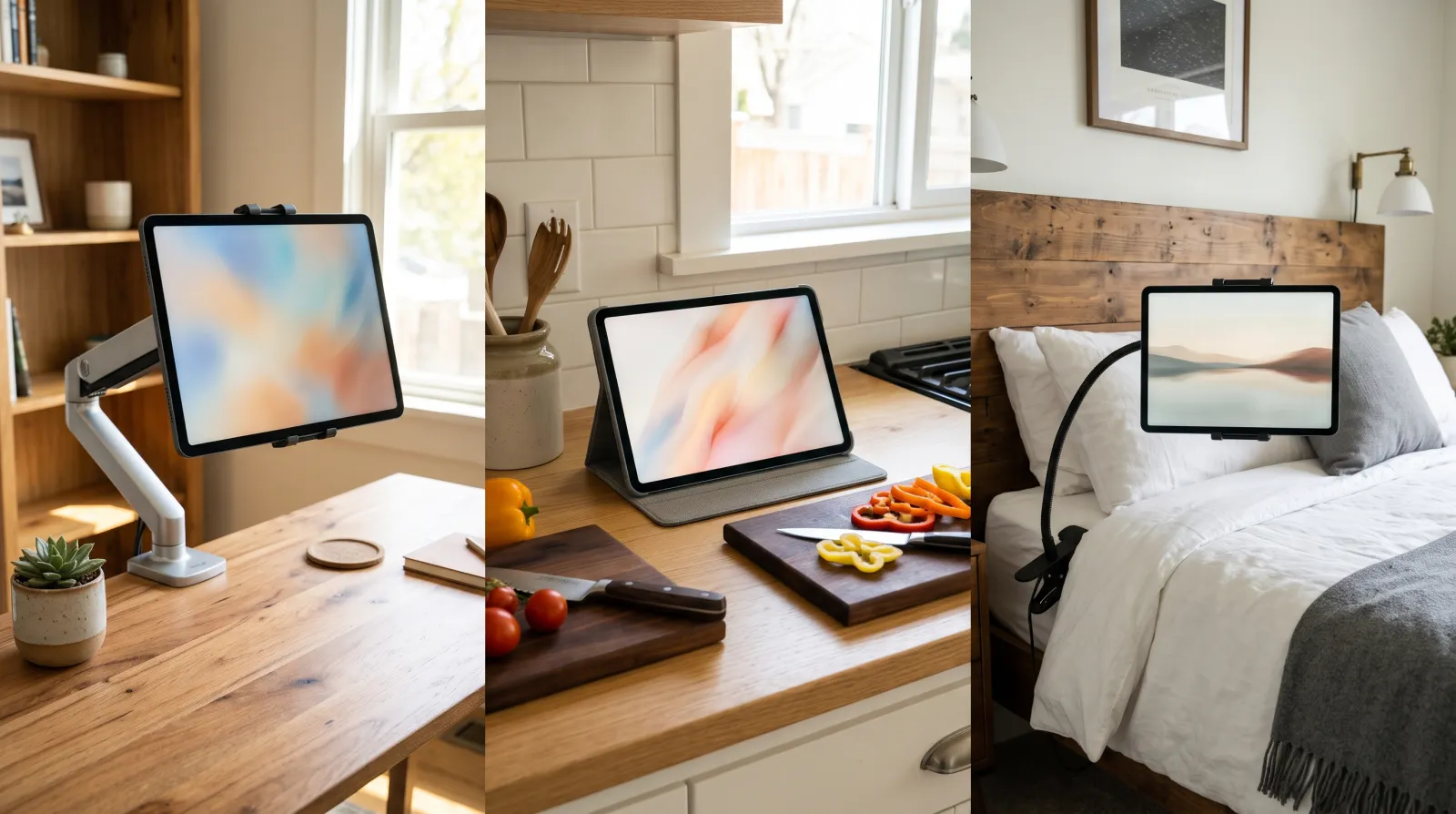
- The right shape for the room. Low and tilting for a desk, tall and rotating for a counter, a clamp and long arm for a bed.
For stands for any tablet, including travel and lap picks, see our best tablet stands guide. This page sticks to what fits the 12 Pro.
Stands compared for size and weight
| Stand | Best for | Tablet size listed | Weight limit | Stand weight | Price seen (Nov 2026) |
|---|---|---|---|---|---|
| Amazon Folio Cover | Video at a table | 12 Pro only | — | — | $64.99 comp. value; $53.99 at Abt with rebate to Nov 30 |
| Amazon Pro Keyboard | Typing at a desk | 12 Pro only | — | — | $149.99 regular; $127.49 at Abt with rebate to Nov 30 |
| OMOTON Triangle T1s | Desk, nightstand | 3.5 to 12.9 in | Not listed | 10.6 oz | $27.37 regular; $21.99 at OMOTON |
| Urmust 3-arm stand | Kitchen, eye-level desk | 4.7 to 13 in | 1.1 kg (2.42 lb) | 2.03 lb (izReview) | $39.99 regular; $31.99 at Urmust |
| Lamicall tapered gooseneck | Bed | 4.7 to 13 in | 800 g | 1.48 lb (izReview) | $33.99 regular; $31.99 at Lamicall |
Scroll sideways to see every column.
Size ranges, weight limits and prices are from each maker’s own page, checked November 28, 2026. Black Friday sale prices may end soon, so we quote the regular price first.
Best stands for the Alexa Tablet 12 Pro, by room
At a desk
OMOTON Triangle T1s Tablet Stand
For: video calls, watching and reading at a desk or on a nightstand, in landscape or portrait.
Fits 3.5- to 12.9-inch tablets · aluminum alloy with silicone pads · adjustable viewing angle · charging-port cutout · 10.6 oz · $27.37 regular, $21.99 at OMOTON (Nov 28, 2026)
Pros
- Size range covers the 12 Pro
- Charging cutout
- Cheap and simple
Cons
- No published weight limit
- Low height, so you still look down
- A tall 12-inch screen can tip if you tap hard near the top
Typing a lot? A stand plus a Bluetooth keyboard is steadier than the Pro Keyboard on a lap. Our 12 Pro keyboard guide compares the options.
In the kitchen
Urmust 3-Arm Aluminum Tablet Stand (4.7 to 13 inches)
For: a counter or desk where you want the 12 Pro raised above spills and turned between portrait recipes and landscape video.
Fits 4.7- to 13-inch devices · rated for up to 1.1 kg (2.42 lb) · aluminum alloy · 360° rotation · height and angle adjust · anti-slip base, tabletop use only · cable clips · 2.03 lb (izReview) · $39.99 regular, $31.99 at Urmust (Nov 28, 2026)
Pros
- Highest published weight limit here, about twice the 12 Pro
- Raises the screen to eye level
- Rotates for portrait recipes
Cons
- Urmust says it’s for flat tabletops, not headboards
- Takes more counter space than a folding stand
Keep any stand away from the sink and stove. Our tablet stands guide has more kitchen ideas.
In bed
Lamicall Gooseneck Tablet Holder, Tapered Arm (up to 13 inches)
For: watching or reading in bed with the 12 Pro held over your lap or beside you.
Fits 4.7- to 13-inch devices · tapered aluminum arm rated for up to 800 g · clamp fits surfaces 0.2 to 3.15 in (0.5 to 8 cm) thick · 360° rotation · 1.48 lb (izReview) · $33.99 regular, $31.99 at Lamicall (Nov 28, 2026)
Pros
- Rated for the 12 Pro with about 245 g to spare
- Clamps to a headboard or nightstand
- Portrait or landscape
Cons
- Lamicall says slight wobble is normal when you tap the screen
- A heavy case eats into the 800 g limit
- Needs both hands to bend
Lamicall suggests bending the arm into an S, Z or loop shape for stability. No headboard to clamp to? Our tablet holder for bed guide covers floor stands and locking arms.
Using what came with your accessories
Amazon Alexa Tablet 12 Pro Plant-Based Leather Folio Cover
For: watching video on a table, tray or plane seat without carrying a stand.
Made for the 12 Pro · magnetic · tri-fold stand with two viewing angles · $64.99 comp. value; $53.99 at Abt with a rebate ending Nov 30, 2026
Pros
- Protects the tablet and stands it up
- Nothing extra to carry
Cons
- Only two angles
- Doesn’t raise the screen
- Listing doesn’t say whether it stands in portrait
Typing at a desk? The Pro Keyboard (opens Amazon in a new tab) ($149.99 regular) has its own adjustable kickstand; see its limits above.
Charging on a stand
Engadget describes the 12 Pro with a power button and fingerprint sensor on one end and a single USB-C port on the other. In landscape, that port is on the side, clear of a stand’s bottom lip. In portrait, it ends up at the top or bottom, so use a stand with a cutout (the OMOTON T1s has one) or a right-angle cable. Since there’s no dock, a long USB-C cable is how you keep a kitchen or bedside 12 Pro topped up. Our 12 Pro charger guide covers which charger to use.
The verdict
Amazon makes no dock or charging stand for the Alexa Tablet 12 Pro, so the Folio Cover or Pro Keyboard is your stand if you only need one at a table. For more, match the stand to the room: the OMOTON Triangle T1s for a desk, the Urmust 3-arm stand for the kitchen or eye level (rated for 1.1 kg), and the Lamicall tapered gooseneck for bed (rated for 800 g). Each lists 12.9- or 13-inch tablets, and two of them publish a weight limit above the 12 Pro’s 555 g.
Frequently asked questions
Does Amazon make a dock or charging stand for the Alexa Tablet 12 Pro?
No. Amazon’s October 8, 2026 launch announcement lists the Pro Keyboard ($149.99), the Pro Pen ($89.99) and protective folios for the new Alexa Tablets, and no dock or charging stand. The magnetic docking it mentions is for charging the Pro Pen, not the tablet. Use the Folio Cover or Pro Keyboard as a stand, or a third-party stand with a charging cutout.
Can the Alexa Tablet 12 Pro stand up on its own?
Not bare. It needs a cover or a stand. Amazon’s Folio Cover folds into a tri-fold stand with two viewing angles, and the Pro Keyboard has an adjustable kickstand that attaches to the tablet’s back (Abt, Engadget).
Will a normal tablet stand hold a 12-inch tablet like the 12 Pro?
Check two numbers: the size range and the weight limit. The 12 Pro measures 27.08 × 18.39 cm and weighs 555 g (Argos). OMOTON’s T1s lists tablets from 3.5 to 12.9 inches, Urmust’s 3-arm stand lists 4.7 to 13 inches and up to 1.1 kg, and Lamicall’s tapered gooseneck lists 4.7 to 13 inches and up to 800 g. Many stands list a size but no weight limit.
What’s the best stand for using the 12 Pro in bed?
A gooseneck clamped to the headboard. Lamicall’s tapered gooseneck is rated for 4.7- to 13-inch devices up to 800 g, which leaves about 245 g of margin over a bare 12 Pro. Lamicall says slight wobble is normal when you touch the screen, so it suits watching and reading more than typing. Our bed holder guide covers floor stands and arms too.
Can I charge the 12 Pro while it’s on a stand?
Yes, on most stands. Engadget says the 12 Pro has a single USB-C port on one end, opposite the power button. In landscape that end sits at the side, away from a stand’s bottom lip. OMOTON’s T1s also has a charging cutout for portrait use. For which charger to use, see our 12 Pro charger guide.
Is the Alexa Tablet 12 Pro good as a kitchen screen on a stand?
It works, but it runs on battery and isn’t a smart display. If you mostly want recipes, timers and video in the kitchen, an Echo Show is built for it. Our Alexa screen for the kitchen guide compares the two. If you do use the 12 Pro, a raised stand keeps it above spills.
Sources
This guide is based on Amazon’s launch announcement, retailer listings, stand makers’ product pages and published reviews. We have not tested these devices ourselves. Specs and prices were checked on November 28, 2026; check Amazon for today’s price.
- About Amazon: new Alexa Tablets and accessories announcement (Oct 8, 2026) (opens in a new tab)
- Argos: Amazon Alexa Tablet 12 Pro listing (size, weight, in the box) (opens in a new tab)
- Engadget: Amazon Alexa Tablet 12 Pro review (Oct 15, 2026) (opens in a new tab)
- Abt: Amazon Alexa Tablet 12 Pro Plant-Based Leather Folio Cover (B0FH7M4984) (opens in a new tab)
- Abt: Amazon Alexa Tablet Pro Keyboard with Trackpad (B0DX5SFCFB) (opens in a new tab)
- OMOTON: Triangle T1s tablet stand (opens in a new tab)
- Urmust: Tablet Stand for Desk, 3-arm aluminum, 4.7 to 13 inches (opens in a new tab)
- Lamicall: Gooseneck Tablet Holder, tapered flexible arm, up to 13 inches (opens in a new tab)
- izReview: 9 best tablet and iPad stands (2026), including stand weights and load limits (opens in a new tab)