Tablets
Kindle Scribe Pen: Which Pen Works, and Is a Third-Party Pen Worth It?
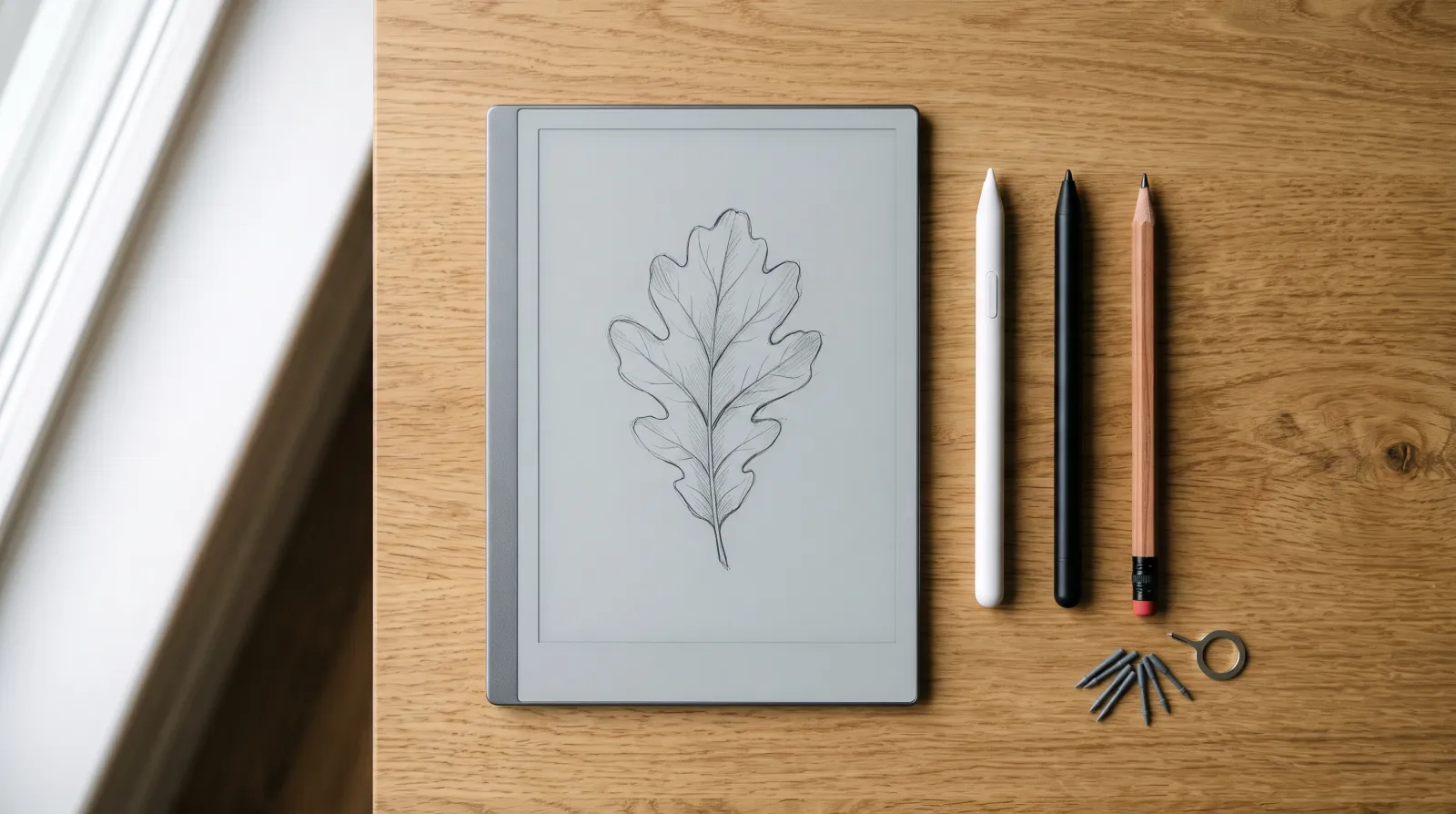
Every Kindle Scribe sold today comes with a pen, so most owners never need to buy one. If you lose it or want a second, buy the Amazon pen made for your Scribe’s generation. A third-party EMR pen can work, but you give up the shortcut button and often the eraser.
As an Amazon Associate, Before You Cart earns from qualifying purchases. Read our affiliate disclosure.
The short answer
- You already have one: every current Kindle Scribe comes with a pen, with an eraser end and a shortcut button.
- 11-inch Scribe, Colorsoft or no-light model (2025 on): the spare to buy is the Kindle Scribe Pen, about $64.99 at Best Buy as of Nov 28, 2026 ($84.99 list).
- 10.2-inch Scribe (2022 or 2024): buy the Premium Pen made for those models, about $51.99 at Best Buy as of Nov 28, 2026 ($79.99 list).
- Worn tip? Get official replacement tips, about $17 for 10. Skip metal tips.
- Third-party pen: an EMR pen like the Staedtler Noris digital works as a backup, but has no shortcut button.
What to look for
- Your Scribe’s generation. The 10.2-inch Scribes (2022 and 2024) and the 11-inch Scribes (2025 on) have different pens. Retailers list them by generation.
- EMR, not capacitive. The Scribe reads Wacom EMR pens. A generic rubber-tip or disc stylus won’t write on it (9to5Kindle).
- Eraser and shortcut button. Amazon’s current pens have both. Most third-party EMR pens have neither, or only an eraser.
- Spare tips. Tips wear down. Any pen you buy should take tips you can easily replace.
Still choosing a Scribe? See Kindle Scribe models compared. Looking for a pen for an iPad, Galaxy Tab or Alexa Tablet instead? See the best tablet stylus guide.
Which pen comes with each Kindle Scribe
| Model | Pen in the box | Eraser / shortcut button | Spare tips in the box |
|---|---|---|---|
| Kindle Scribe (2022, 10.2″) | Basic Pen on 16GB; Premium Pen on 32GB and 64GB | Basic: no / no. Premium: yes / yes | 5 |
| Kindle Scribe (2024, 10.2″) | Premium Pen, redesigned with a rubber eraser | Yes / yes | Check the listing |
| Kindle Scribe (2025, 11″, front light) | New Kindle Scribe Pen (white, rounder) | Yes / yes | 5 |
| Kindle Scribe without front light (11″) | Same pen as the 11-inch Scribe | Yes / yes | Check the listing |
| Kindle Scribe Colorsoft (11″) | Same pen as the 11-inch Scribe | Yes / yes | 10 per two reviews; Best Buy lists 5 |
Scroll sideways to see every column.
Sources: The-eBook-Reader and Engadget for the 2022 model; Wired and Good e-Reader for 2024; TechRadar, Wired and Good e-Reader for the 2025 Scribe; eReadersForum for the no-light model; Good e-Reader, Stark Insider and Best Buy for the Colorsoft.
Reviewers describe the 11-inch pen as fully round, a little shorter and thicker than the 2024 pen, with a softer rubber eraser and a smaller shortcut button (eReadersForum, Wired). TechRadar liked its slightly sharper nib and found the magnet strong enough that the pen never fell off in a bag. Wired preferred the lighter feel of the older pen. The button defaults to the highlighter, and you can change it (Wired). On the Colorsoft it switches between tools like the highlighter, pen, shader or eraser (Engadget).
Premium Pen vs Basic Pen
This choice only existed on the original 2022 Scribe. The Basic Pen writes and attaches with magnets. The Premium Pen adds an eraser on the end and a shortcut button, and cost $30 more at launch (Engadget, The-eBook-Reader). Both use the same tips (Good e-Reader) and neither needs charging.
The 2024 Scribe came with the Premium Pen (Wired), and every 11-inch model includes a pen with an eraser and button (9to5Kindle). So the question today is not Basic or Premium. It’s whether you need a spare at all, and which generation’s pen to buy.
If you have a 2022 Scribe with the Basic Pen, the upgrade is worth it if you erase often. Flipping the pen to erase is faster than picking the eraser tool from the menu every time.
Buying a spare: match the generation
Amazon sells two pens, and retailers label them by Scribe generation:
- Kindle Scribe Pen for the 11-inch lineup: $84.99 list. Best Buy had it at $64.99 on November 28, 2026, and The-eBook-Reader reported the same $64.99 sale price on November 19. It’s battery-free, erases when flipped, and attaches to the side or sits in a Scribe cover’s pen holder (Best Buy).
- Kindle Scribe Premium Pen for the 10.2-inch 2022 and 2024 models: $79.99 list, $51.99 at Best Buy on November 28, 2026. It comes with 5 replacement tips and a tip tool (Best Buy).
Both generations use passive Wacom EMR (eReadersForum), so one pen may well register on the other Scribe. But Best Buy lists the older Premium Pen only for the 2022 and 2024 models, and the round 11-inch pen rests in a groove on the new frame (eReadersForum). Buy the one listed for your model.
Do you need a spare? 9to5Kindle says usually not, since the pen stays on the magnet. It makes sense if you lost the pen, share the Scribe, or want one at home and one in your bag.
Third-party EMR pens
The Scribe uses Wacom EMR, the same pen technology many E Ink tablets use. The-eBook-Reader noted at launch that other Wacom styluses work with the Scribe, and eReadersForum says both the 2024 and 2025 generations support third-party EMR pens.
What we could confirm by name: Staedtler lists the Amazon Kindle Scribe on the compatibility list for its Noris digital EMR stylus. The list doesn’t say which Scribe generation it tested. The Noris digital jumbo has a soft eraser on the end, and Staedtler says the eraser only works if the device’s software supports it.
We couldn’t confirm the Samsung S Pen, LAMY AL-star EMR or Wacom One pen on the Scribe from a maker page or a review we could open, so we don’t recommend them here.
Why pick a third-party pen:
- Grip. A pencil-shaped or thicker pen can be more comfortable for long writing sessions.
- A cheap backup. Something to keep in a bag or desk drawer.
What you give up:
- The shortcut button. The Noris digital has none.
- A sure eraser. Eraser ends on third-party pens depend on device support.
- The magnet. Most third-party pens won’t stick to the side of the Scribe.
9to5Kindle’s advice holds: look for explicit EMR support and a listing that names your Scribe generation, not a vague “universal” claim.
Replacement tips
Scribe pen tips are made softer than the screen, so the tip wears instead of the glass (9to5Kindle). Pocket-lint saw the first signs of wear after about a month of daily writing: the tip got rounder and a bit of plastic folded over.
When to replace a tip: scratchy feel, uneven or skipping lines, or a tip that looks flat, frayed or has a sharp edge (Pocket-lint, Good e-Reader). A worn tip can mark the screen, so swap it early.
How to replace it: grip the old tip with the ring tool that comes with spare tips, pull it straight out, then push a new tip in until it clicks (Good e-Reader).
Make tips last longer: press lightly (only the pencil tool changes with pressure), write at a normal angle on a flat surface, and turn the pen now and then so one side doesn’t wear flat (Pocket-lint). A matte screen protector adds friction and wears tips faster (9to5Kindle); see our Kindle Scribe screen protector guide.
Skip metal tips. A TechRadar writer put titanium tips in a reMarkable pen; the pen’s performance faded until it stopped working, even with an original tip back in. The same type of passive EMR pen is used on the Scribe, so stick with plastic tips from Amazon.
Official 10-packs are compatible with both the Basic and Premium Pens (Pocket-lint) and cost about $17 (9to5Kindle, Aug 2026). If you have an 11-inch Scribe, check that the tip listing names your pen before you buy.
Our picks
Based on retailer listings, maker specs and published reviews. Prices checked November 28, 2026.
Amazon Kindle Scribe Pen (for the 11-inch Kindle Scribe, Scribe without front light and Scribe Colorsoft)
For: owners of a 2025-or-later 11-inch Scribe who lost the pen or want a second one.
Battery-free EMR pen · eraser end · shortcut button · magnetic, or fits a Scribe cover’s pen holder · $84.99 list, about $64.99 at Best Buy (Nov 28, 2026)
Pros
- The same pen that comes in the box
- Eraser and button work with every Scribe tool
- Never needs charging
Cons
- Costs more than most third-party EMR pens
- Wired found it heavier than the older pen
Amazon Kindle Scribe Premium Pen (compatible with 2022 and 2024 Scribe)
For: owners of the 10.2-inch Scribe, including 2022 owners upgrading from the Basic Pen.
Battery-free EMR pen · flip to erase · customizable shortcut button · 5 replacement tips and tip tool included · $79.99 list, about $51.99 at Best Buy (Nov 28, 2026)
Pros
- Adds an eraser and button to a 2022 Basic Pen setup
- Spare tips in the box
Cons
- Listed for the 2022 and 2024 Scribes only
- Not the pen to buy for an 11-inch Scribe
Amazon Kindle Scribe Pen Replacement Tips (10 pack)
For: anyone who writes on the Scribe most days.
10 official tips with a swap tool · compatible with the Basic and Premium Pens (Pocket-lint) · about $17 (9to5Kindle, Aug 2026)
Pros
- Same feel as the tip in the box
- Pocket-lint says a pack can last over a year
- Cheaper than replacing a scratched screen
Cons
- Only one tip feel on offer
- 11-inch Scribe owners: check the listing names your pen
STAEDTLER Noris digital jumbo EMR stylus
For: a pencil-shaped backup pen, or a thicker grip for long writing sessions.
Battery-free EMR stylus · listed by Staedtler as compatible with the Amazon Kindle Scribe · soft eraser end (works only where the device supports it) · no buttons · check the listing for price
Pros
- On the maker’s own compatibility list for the Kindle Scribe
- Thick triangular shape is easy to hold
Cons
- No shortcut button and no magnet
- Staedtler doesn’t say which Scribe generation it tested
The verdict
Use the pen that came with your Scribe and keep a pack of official replacement tips nearby. That’s all most owners need. If you lose the pen, buy Amazon’s pen for your generation: the Kindle Scribe Pen for any 11-inch Scribe, or the Premium Pen for a 2022 or 2024 model. A third-party EMR pen like the Staedtler Noris digital is a fine backup or grip upgrade, as long as you can live without the shortcut button. Skip capacitive styluses and metal tips. Want more friction under the pen? Read our Kindle Scribe screen protector guide first.
Frequently asked questions
Does the Kindle Scribe come with a pen?
Yes. All three current 11-inch models (Kindle Scribe, Scribe without front light and Scribe Colorsoft) come with the same pen, which has an eraser end and a shortcut button (eReadersForum, TechRadar). The 2024 Scribe came with the Premium Pen (Wired). The original 2022 Scribe came with the Basic Pen on the 16GB model and the Premium Pen on the 32GB and 64GB models (The-eBook-Reader).
Does the 2024 Premium Pen work on the 2025 11-inch Kindle Scribe?
Amazon doesn’t promise it. Best Buy lists the older Premium Pen as compatible with the 2022 and 2024 Scribes, and sells a separate Kindle Scribe Pen for the new lineup. Both generations use passive Wacom EMR (eReadersForum), so an older pen may register, but if you are buying a spare, buy the one listed for your model.
Can I use an Apple Pencil or a regular touchscreen stylus on a Kindle Scribe?
No. The Scribe reads Wacom EMR pens. 9to5Kindle notes that generic capacitive styluses sold for phones and tablets won’t work at all, and the Apple Pencil is made for Apple’s own pen system, not EMR. Stick to Amazon’s pen or an EMR pen that names the Kindle Scribe.
Does the Kindle Scribe pen need charging?
No. Every Scribe pen is battery-free, so there is nothing to pair or charge (Best Buy, Engadget). It attaches to the side of the Scribe with magnets, and reviewers say the magnets on the 11-inch models are stronger than before (Engadget, TechRadar).
How often should I replace the Kindle Scribe pen tip?
When writing feels scratchy, lines come out uneven, or the tip looks flat or has a sharp edge (Pocket-lint). Some owners swap every few weeks; Pocket-lint says a 10-pack of official tips will likely last over a year. A worn tip can mark the screen, so don’t stretch it (Good e-Reader).
Is a third-party pen worth it for the Kindle Scribe?
Only if you want a different grip or a cheaper backup. Staedtler lists the Kindle Scribe on its Noris digital compatibility list, and reviews say the Scribe supports third-party EMR pens. But most third-party pens have no shortcut button, and an eraser end only works if the device supports it. For a spare that does everything, buy Amazon’s pen.
Sources
This guide is based on retailer listings, a pen maker’s compatibility list and published reviews. We have not tested these devices ourselves. Specs and prices were checked on November 28, 2026; check Amazon for today’s price.
- Best Buy: Amazon Kindle Scribe Pen (White), listing and price (checked Nov 28, 2026) (opens in a new tab)
- Best Buy: Kindle Scribe Premium Pen (compatible with 2022 and 2024 release Scribe), listing and price (checked Nov 28, 2026) (opens in a new tab)
- Best Buy: Kindle Scribe Colorsoft 64GB listing, what’s in the box (checked Nov 28, 2026) (opens in a new tab)
- TechRadar: Kindle Scribe (2025) with front light review (Jul 24, 2026) (opens in a new tab)
- Wired: Kindle Scribe Colorsoft and Kindle Scribe (3rd gen) review (Dec 10, 2025) (opens in a new tab)
- Engadget: Kindle Scribe Colorsoft review (Dec 10, 2025) (opens in a new tab)
- Good e-Reader: Amazon Kindle Scribe 3 full review (Mar 17, 2026) (opens in a new tab)
- Good e-Reader: Amazon Kindle Scribe Colorsoft full review (Mar 6, 2026) (opens in a new tab)
- Stark Insider: Kindle Scribe Colorsoft review (Aug 28, 2026) (opens in a new tab)
- eReadersForum: Kindle Scribe 2026 vs 2024, including stylus changes and compatibility (Mar 10, 2026; updated Nov 2026) (opens in a new tab)
- Good e-Reader: Kindle Scribe 2024 review (Dec 25, 2024) (opens in a new tab)
- Wired: best Kindle guide, including the 2024 Kindle Scribe and its Premium Pen (updated Oct 28, 2026) (opens in a new tab)
- The-eBook-Reader: original Kindle Scribe launch, Basic vs Premium pen by storage size (Sep 28, 2022) (opens in a new tab)
- Engadget: original Kindle Scribe review, Basic vs Premium Pen (Nov 30, 2022) (opens in a new tab)
- The-eBook-Reader: Kindle Scribe tips, other Wacom styluses and replacement tips (Dec 17, 2022) (opens in a new tab)
- 9to5Kindle: best Kindle Scribe accessories, pens, tips and third-party styluses (Aug 11, 2026) (opens in a new tab)
- Pocket-lint: how to make a Kindle Scribe stylus tip last longer (Jan 15, 2026) (opens in a new tab)
- Good e-Reader: replacement Kindle Scribe pen tips (May 11, 2023) (opens in a new tab)
- TechRadar: why to avoid titanium replacement nibs on E Ink pens (Mar 22, 2024) (opens in a new tab)
- Staedtler: Noris digital EMR stylus product page (opens in a new tab)
- Staedtler: Noris digital compatibility list (PDF), which includes the Amazon Kindle Scribe (opens in a new tab)
- The-eBook-Reader: Black Friday Kindle sales for 2026, including the Kindle Scribe pen (Nov 19, 2026) (opens in a new tab)