Tablets
Kindle Scribe vs iPad for Note-Taking and Reading (2026)
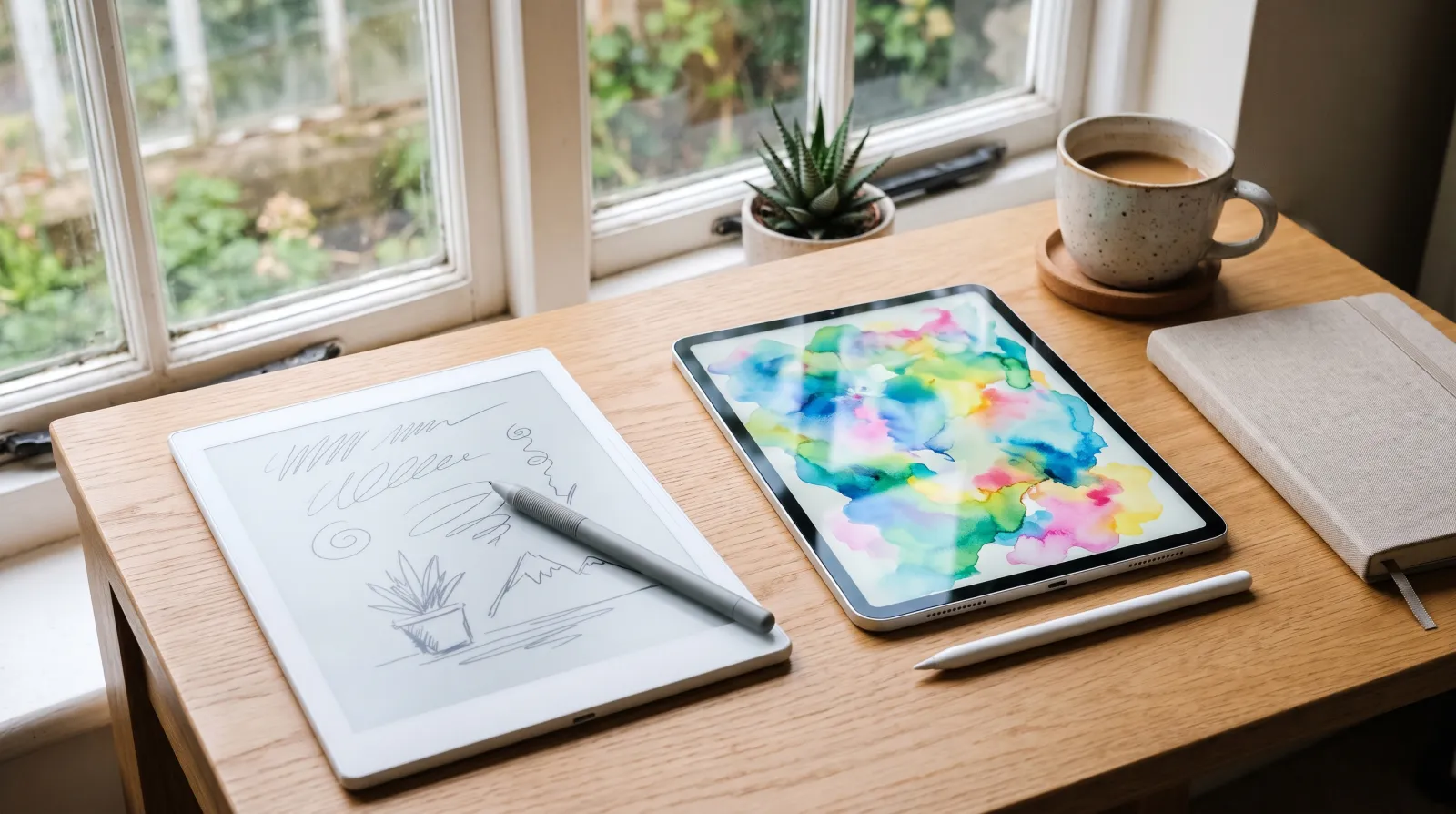
The Kindle Scribe is an 11-inch E Ink notebook and e-reader with the pen in the box and battery measured in weeks. An iPad with Apple Pencil does far more but lasts about 10 hours and costs more once you add the pen. Here’s how they compare for writing and reading, and what each setup really costs.
As an Amazon Associate, Before You Cart earns from qualifying purchases. Read our affiliate disclosure.
The short answer
- Mostly reading plus handwritten notes: Kindle Scribe, about $349.99 on sale (Nov 19, 2026; $499.99 list), pen included. Weeks of battery and a paper-like page.
- Notes plus apps, color, video and class work: iPad Air (M4) 11″ + Apple Pencil Pro, about $778 with the Air on sale (Nov 24, 2026).
- Cheapest iPad note setup: iPad (A16) + Apple Pencil (USB-C), about $458 on sale. No pressure sensitivity.
- Color on E Ink: Kindle Scribe Colorsoft, about $449.99 on sale ($629.99 list).
What to look for
These are different kinds of devices that overlap on two jobs: handwritten notes and reading. Decide on these points:
- What else you’ll do on it. The Scribe reads, writes and marks up PDFs. The iPad also runs apps, video, web, email and color drawing.
- How long you write in one sitting. The Scribe is rated up to 3 weeks of writing (Wired). An iPad is rated up to 10 hours of web or video (Apple).
- Whether you need color. The iPad does full color. The Scribe Colorsoft adds muted E Ink color; the regular Scribe is grayscale.
- Whether your notes must become typed text. Both can, in different ways (see notes features).
- Total cost with the pen. Amazon includes the pen. Apple sells it separately for $79 or $129.
Comparing more pen tablets, including reMarkable and Samsung? See our note-taking guide. Just reading, no notes? See Kindle vs tablet.
The current models
Kindle Scribe lineup (Amazon, Wired). The Scribe and Scribe Colorsoft share the same 11-inch, 5.4 mm body and both include the pen:
- Kindle Scribe (3rd gen): 11″ glare-free E Ink with a front light, 400 g, 32GB or 64GB, up to 12 weeks of reading and 3 weeks of writing. $499.99 list.
- Kindle Scribe Colorsoft: same body with a color E Ink screen (300 PPI black and white, 150 PPI color), 10 pen colors and 5 highlighter colors, up to 8 weeks of reading. From $629.99 list.
- Kindle Scribe Without Front Light: a cheaper 16GB model with no built-in light. $429.99 list. Check the listing for what’s in the box.
The older 2024 Scribe (10.2-inch) is covered in our best Kindle guide.
iPads that make sense against it (Apple):
- iPad (A16): 11″ Liquid Retina LCD (10.86″), 264 PPI, 477 g, 7 mm, 128GB to 512GB. From $449. Works with the Apple Pencil (USB-C) and 1st-gen Pencil.
- iPad Air (M4): 11″ LCD with antireflective coating, 264 PPI, 464 g, 6.1 mm, 128GB to 1TB. From $749 (11″) or $949 (13″). Works with the Apple Pencil Pro and Apple Pencil (USB-C).
Kindle Scribe vs iPad specs
| Spec | Kindle Scribe | iPad (A16) | iPad Air (M4) 11″ |
|---|---|---|---|
| Screen | 11″ E Ink, glare-free, paper-like texture | 10.86″ LCD, 264 PPI | 10.86″ LCD, 264 PPI, antireflective |
| Color | No (Colorsoft model: yes, muted) | Yes | Yes |
| Pen | Included | Apple Pencil (USB-C), $79, no pressure | Apple Pencil Pro, $129, pressure-sensitive |
| Battery (maker rating) | Up to 12 weeks reading, 3 weeks writing | Up to 10 hours web/video | Up to 10 hours web/video |
| Weight | 400 g | 477 g | 464 g |
| Thickness | 5.4 mm | 7 mm | 6.1 mm |
| Storage | 32GB or 64GB | 128GB to 512GB | 128GB to 1TB |
| Apps | Kindle books, notebooks, PDFs only | App Store | App Store |
| List price with pen | $499.99 | $528 | $878 |
Scroll sideways to see every column.
Writing feel
Amazon says the Scribe’s screen has “a smooth, paper-like texture,” and the 3rd gen is 40% faster for writing than the previous model. Wired describes the feel as smooth with a touch of resistance, good for loopy cursive and sketching, though not as realistic as some other digital notebooks. The new pen is shorter and thicker, with a shortcut button (highlighter by default) and an eraser on the end.
An iPad is glass, and Engadget notes that a stylus on glass feels nothing like normal writing. A paper-feel screen protector gets closer: Engadget lists Paperlike at about $40 to $45 for a two-pack and Bersem at about $11 for two. The catch is that all of them add a slight blur to the screen. Engadget suggests a removable magnetic sheet if you also watch video.
Where the iPad wins is the pen itself. The Apple Pencil Pro adds pressure sensitivity and charges when attached to an iPad Air (Apple). That matters for drawing and shaded sketches. For plain handwriting, pressure matters less, which is why the $79 USB-C Pencil on the iPad (A16) is still workable for notes.
Reading
- Kindle books: both read your Kindle library. On iPad it’s through the free Kindle app, which also handles Kindle Unlimited and switching to Audible narration (App Store).
- Screen: the Scribe’s E Ink screen is glare-free and readable in sunlight. The iPad’s backlit LCD is better for comics, magazines and anything in full color.
- Battery: the Scribe is rated up to 12 weeks of reading (8 on the Colorsoft); the iPads up to 10 hours. If you read an hour a day, that’s months between charges vs every few days.
- Notes in books: on the Scribe you can’t write on the page of a Kindle book. You use Active Canvas, sticky notes or expanded margins instead, which Wired calls its main complaint.
- Weight: at 400 g the Scribe is lighter than either iPad, but all three are two-handed devices for long reading.
For long novels the Scribe is the more comfortable reader. If reading is most of what you do and notes are rare, a 7-inch Paperwhite is cheaper still; see Paperwhite 2026 vs 2024.
Notes features and apps
Kindle Scribe (Amazon, Wired):
- Notebooks with pen, fountain pen, marker and pencil styles, plus Smart Shapes that snap freehand strokes into clean lines and shapes.
- Import PDFs from Google Drive or OneDrive, mark them up and export the annotated copy. Wired notes you can’t edit the document text itself.
- Export notebooks to OneNote as converted text or as an image.
- AI notebook search, summaries of up to 15 pages, and “Refine writing” that turns scribbles into a neat script font. Wired found the summaries made mistakes reading cursive.
- Send to Alexa can turn notes into to-do lists, reminders and calendar events. It needs Prime or an Alexa+ subscription.
iPad: any note app in the App Store, including Apple Notes, Goodnotes, Notability and OneNote, plus handwriting-to-text in any text field. We cover the Pencil and app costs in detail in the note-taking guide, so we won’t repeat them here. The short version: the iPad does more, but some of the best note apps are subscriptions.
Total cost
List prices from Amazon and Apple; sale prices from The-eBook-Reader (Kindle, Nov 19, 2026) and Macworld (iPad, Nov 24, 2026). Apple Pencil at Apple’s list price. A paper-feel protector for the iPad adds about $11 to $45 (Engadget).
| Setup | List price | Black Friday week price |
|---|---|---|
| Kindle Scribe Without Front Light | $429.99 | $329.99 |
| Kindle Scribe (pen included) | $499.99 | $349.99 |
| Kindle Scribe Colorsoft (pen included) | $629.99 | $449.99 |
| iPad (A16) 128GB + Apple Pencil (USB-C) | $449 + $79 = $528 | $379 + $79 = $458 |
| iPad Air (M4) 11″ 128GB + Apple Pencil Pro | $749 + $129 = $878 | $649 + $129 = $778 |
| iPad Air (M4) 13″ 128GB + Apple Pencil Pro | $949 + $129 = $1,078 | $849 + $129 = $978 |
Scroll sideways to see every column.
On sale, the Colorsoft Scribe ($449.99) costs about the same as the cheapest iPad with a pen ($458). Deal prices change daily, so check the listing.
Our picks
Kindle Scribe (3rd gen)
For: readers, students and meeting note-takers who want paper-like writing and weeks of battery without apps or notifications.
11″ glare-free E Ink with front light · pen included · 400 g · 5.4 mm · 32GB or 64GB · up to 12 weeks reading, 3 weeks writing · OneNote export, Google Drive and OneDrive PDFs · about $349.99 on sale (Nov 19, 2026; $499.99 list)
Pros
- Pen in the box
- Battery lasts weeks, not hours
- Glare-free, paper-like screen
Cons
- Can’t write directly on Kindle book pages
- Grayscale, no apps
iPad Air (M4) 11″ + Apple Pencil Pro
For: students and professionals who want handwritten notes plus apps, color, video and drawing on one device.
M4 · 10.86″ LCD, antireflective · 464 g · 6.1 mm · up to 10 hours · Apple Pencil Pro with pressure, charges on the iPad · about $649 on sale (Nov 24, 2026; $749 list) + $129 Pencil Pro
Pros
- Pressure-sensitive pen for drawing
- Every major note app
- Full color, video and web
Cons
- Pen costs extra
- About 10 hours of battery
The Apple Pencil Pro is sold separately: find the Apple Pencil Pro on Amazon (opens Amazon in a new tab).
iPad (A16) + Apple Pencil (USB-C)
For: budget buyers who want an iPad for notes, school apps and video.
A16 · 10.86″ LCD, 264 PPI · 477 g · 7 mm · up to 10 hours · Apple Pencil (USB-C), no pressure sensitivity · about $379 on sale (Nov 24, 2026; $449 list) + $79 Pencil
Pros
- Lowest-cost way into iPad note apps
- Full color and video
- 128GB base storage
Cons
- Pencil has no pressure sensitivity
- Doesn’t work with the Apple Pencil Pro
Add the Apple Pencil (USB-C) (opens Amazon in a new tab) and, for a more paper-like feel, a paper-feel screen protector (opens Amazon in a new tab).
Kindle Scribe Colorsoft
For: annotators who want color highlights and color-coded notes on a paper-like screen.
11″ color E Ink (300 PPI black and white, 150 PPI color) · pen included · 10 pen colors, 5 highlight colors · up to 8 weeks reading, 3 weeks writing · about $449.99 on sale (Nov 19, 2026; from $629.99 list)
Pros
- Color highlights in books and notebooks
- $180 off list on Black Friday
- Pen included
Cons
- Shorter reading battery than the regular Scribe
- Color is muted compared with an iPad
Only write in daylight? The Kindle Scribe Without Front Light (opens Amazon in a new tab) was $329.99 on November 19, 2026, just $20 under the regular Scribe that day.
The verdict
Buy the Kindle Scribe if reading and handwritten notes are the job: the pen is included, the screen is easy on the eyes and the battery lasts weeks. Buy an iPad Air with Apple Pencil Pro if you also need apps, color, video or pressure-sensitive drawing, and accept charging every day or two. The iPad (A16) with the USB-C Pencil is the budget iPad route. On Black Friday pricing, the Scribe Colorsoft at $449.99 lands right next to the cheapest iPad setup, so pick by screen type, not price. For more pen tablets, see the note-taking guide.
Frequently asked questions
Is the Kindle Scribe better than an iPad for taking notes?
For handwriting and reading only, often yes: the pen is included, the 11-inch E Ink screen is glare-free with a paper-like texture, and the battery lasts up to 3 weeks of writing (Amazon, Wired). An iPad is better if you need color, typed notes with handwriting conversion in any app, video, or apps like Goodnotes and Notability.
Which costs less, a Kindle Scribe or an iPad with Apple Pencil?
At list price, the Scribe: $499.99 with the pen, vs $528 for an iPad (A16) plus the $79 Apple Pencil (USB-C) and $878 for an 11-inch iPad Air plus the $129 Apple Pencil Pro. On Black Friday 2026 deals the Scribe was $349.99 (Nov 19) and the iPad (A16) $379 before the pen (Nov 24). Check the listing for today’s price.
Can you write directly on Kindle books on the Kindle Scribe?
No. Wired notes you still can’t write on the page of a Kindle book. You add notes with Active Canvas, sticky notes or expanded margins instead. You can write directly on PDFs imported from Google Drive or OneDrive and export them annotated (Amazon).
Can you read Kindle books on an iPad?
Yes. The Kindle app is free on iPad and syncs your Kindle library, Kindle Unlimited titles and books with Audible narration (App Store). The trade-off is the LCD screen and roughly 10 hours of battery vs weeks on the Scribe.
Which Apple Pencil works with the cheaper iPad?
The iPad (A16) works with the $79 Apple Pencil (USB-C) and the 1st-generation Pencil, not the Apple Pencil Pro. The USB-C Pencil has no pressure sensitivity. The iPad Air (M2 and later) works with the $129 Apple Pencil Pro, which is pressure-sensitive and charges magnetically on the iPad (Apple).
Is the Kindle Scribe without a front light worth it?
Only if you write in good light. It was $329.99 on sale (Nov 19, 2026; $429.99 list) with 16GB. Wired calls the missing light a real annoyance at night, in a dark classroom or on a plane. The regular Scribe was only $20 more on the same day.
Sources
This guide is based on maker specifications, dated deal listings and published reviews. We have not tested these devices ourselves. Specs and prices were checked on November 26, 2026; check Amazon for today’s price.
- About Amazon: 7 features to try on the new Kindle Scribe, with lineup prices (updated Apr 28, 2026) (opens in a new tab)
- Wired: Kindle Scribe Colorsoft and Kindle Scribe (3rd gen) review (opens in a new tab)
- The-eBook-Reader: Black Friday Kindle sales for 2026, including Kindle Scribe (Nov 19, 2026) (opens in a new tab)
- Apple: iPad (A16) technical specifications (opens in a new tab)
- Apple: iPad Air (M4) technical specifications (opens in a new tab)
- Apple: Apple Pencil models, prices and iPad compatibility (opens in a new tab)
- Apple Store: iPad (A16) pricing (checked Nov 26, 2026) (opens in a new tab)
- Apple Store: iPad Air (M4) pricing (checked Nov 26, 2026) (opens in a new tab)
- Macworld: Best iPad Black Friday deals (Nov 24, 2026) (opens in a new tab)
- Engadget: best iPad accessories, including paper-feel screen protectors (opens in a new tab)
- App Store: Amazon Kindle reading app (opens in a new tab)