Tablets
Do You Need a Screen Protector on a Kindle Scribe? (2026)
Most Kindle Scribe owners don’t need one. The current Scribe screen is textured glass with an anti-glare coating, and a film on top changes how the pen feels and how fast tips wear. Here is when a protector is worth it, and which films are cut for each Scribe.
As an Amazon Associate, Before You Cart earns from qualifying purchases. Read our affiliate disclosure.
The short answer
- Most owners: skip it. The 11-inch Scribe’s textured, anti-glare glass is the writing surface Amazon designed. Use a cover for bag protection.
- Want more paper-like grip? A matte film for the 11-inch Scribe, about $11.99 for three as of Nov 2026. Expect faster tip wear.
- Want scratch protection with the stock feel? A clear film, but it can add glare.
- 10.2-inch Scribe (2022 or 2024)? Buy a film cut for that size. 11-inch films won’t fit.
- Skip glass. See glass vs film.
Why most Scribe owners can skip it
The Scribe is the one Kindle where the screen surface matters, because you write on it. On the 11-inch models (Kindle Scribe, Scribe without front light and Scribe Colorsoft), Amazon uses texture-molded glass to add friction under the pen (Good e-Reader). TechRadar describes the flush screen as a top layer of glass with an anti-glare coating. Stark Insider says the texture gives the pen “something to bite into.”
A film covers all of that. You end up writing on the film, not the glass Amazon tuned for its pen. 9to5Kindle also calls the stock screen reasonably scratch-resistant and matte already, so the extra protection is small.
The main scratch risk is a bag. A folio cover handles that and leaves the screen alone. See our Kindle case guide for covers.
When a protector is worth it
- You want more drag. Some writers find the Scribe too smooth. Wired called the feel smooth with a touch of resistance, not as realistic as some other digital notebooks. A matte film adds grip (9to5Kindle).
- You carry it without a cover. A cheap film guards against scuffs.
- You plan to sell it. A film keeps the glass clean for resale.
- You have an older 10.2-inch Scribe. Engadget described the original Scribe’s screen as matte, and Stark Insider says writing on it felt like writing on glass. A matte film is a cheap way to add texture.
9to5Kindle’s rule of thumb: skip it if you mostly read and rarely write. Consider one if you write daily and dislike the stock feel.
What to look for
- The right screen size. 10.2-inch for the 2022 and 2024 Scribe; 11-inch for the 2025 Scribe, the Scribe without front light and the Scribe Colorsoft.
- Matte if you write, clear if you mostly read. Matte adds grip; clear keeps the stock feel (9to5Kindle).
- Thin PET film, not glass. See glass vs film.
- A multi-pack. Films are easy to misalign on a flush screen. A spare lets you try again.
- Spare pen tips. A textured film wears tips faster. Budget for a pack.
How a film changes the writing feel
Reviewers disagree on how much grip the stock 11-inch screen has, which tells you the feel is personal:
- TechRadar said the new pen glides well over the glass with “just the right friction,” but added that some users might prefer more.
- Stark Insider said the 11-inch Colorsoft feels like slightly textured paper, closer to paper than older Scribes, though not at reMarkable’s level.
- Good e-Reader reported that some users find the 2025 screen slightly smoother and less gritty than the 2024 Scribe.
A matte or “paper-feel” film increases friction. 9to5Kindle says heavy writers who like that drag may prefer it, at the cost of slight clarity loss and faster tip wear. A clear film keeps the feel closer to stock while adding scratch protection. If you like how your Scribe writes today, a film can only make it different, not more “correct.”
Pen tip wear
Scribe pen tips are made softer than the screen, so the tip wears instead of the glass (9to5Kindle). On a bare Scribe, Pocket-lint noticed wear after about a month of daily use, caused by friction against the textured screen. A paper-feel film adds more friction: 9to5Kindle says these films consistently wear tips faster, based on user reports across brands.
That is a running cost, not a reason to panic. Official tips cost about $17 for 10 (9to5Kindle, Aug 2026). Two cautions:
- Replace worn tips early. A blunt, frayed or sharp-edged tip can mark the screen (Good e-Reader, Pocket-lint).
- Don’t switch to metal tips to fight wear. A TechRadar writer used titanium nibs and a screen protector on a reMarkable 2. The tablet stopped registering writing well, and in the end the pen itself stopped working.
More on tips and spare pens in our Kindle Scribe pen guide.
Glare and clarity
The Scribe screen is already anti-glare. TechRadar notes the anti-glare coating on the top glass, and Best Buy’s Colorsoft listing describes a textured surface with an anti-glare coating.
| Option | Writing feel | Glare and clarity | Tip wear |
|---|---|---|---|
| No protector | As Amazon designed it | Stock anti-glare glass | Normal |
| Matte / paper-feel film | More grip | Cuts glare and fingerprints; slightly less sharp | Faster |
| Clear (HD) film | Closer to stock | Sharp, but not anti-glare | Close to normal |
| Tempered glass | Changes the surface; thicker | Depends on the product | Unknown |
Scroll sideways to see every column.
Based on 9to5Kindle, TechRadar and Supershieldz’s product descriptions.
On the Colorsoft, be more careful. Good e-Reader says its screen looks darker and grayer than monochrome Kindles because of the color filter, and reads best with the front light at about 40% or higher. Adding a matte film, which 9to5Kindle says costs a little clarity, stacks one more layer on an already softer image. If you buy one for a Colorsoft, judge it with the light on and keep the spare films for a second try.
Glass vs film
The Supershieldz Scribe protectors we checked are PET film, in matte or clear. A tempered-glass protector would put a second, thicker sheet of glass over Amazon’s textured glass. You lose the texture Amazon designed for the pen and add thickness at the edge of a flush screen. We found no published review of a glass protector on the Scribe, so we don’t recommend one.
Film is cheap and easy to replace. If it scuffs or you change your mind, peel it off; Supershieldz says its films leave no residue when removed.
Which protector fits which Scribe
| Model | Screen | Protector to buy |
|---|---|---|
| Kindle Scribe (2022) | 10.2″ | 10.2-inch Scribe (2022/2024) film |
| Kindle Scribe (2024) | 10.2″ | 10.2-inch Scribe (2022/2024) film |
| Kindle Scribe (2025, front light) | 11″ | 11-inch Scribe (3rd gen) / Colorsoft film |
| Kindle Scribe Colorsoft | 11″ | 11-inch Scribe (3rd gen) / Colorsoft film |
| Kindle Scribe without front light | 11″ | 11-inch film likely fits; the listing doesn’t name this model |
Scroll sideways to see every column.
The Scribe without front light keeps the same 11-inch, 300 PPI screen as the other 11-inch models (eReadersForum), but Supershieldz’s 11-inch listing names only the Scribe 3rd gen and the Colorsoft. Check the Amazon listing’s compatibility line before you buy. For the 7-inch Kindles, see our Kindle screen protector guide.
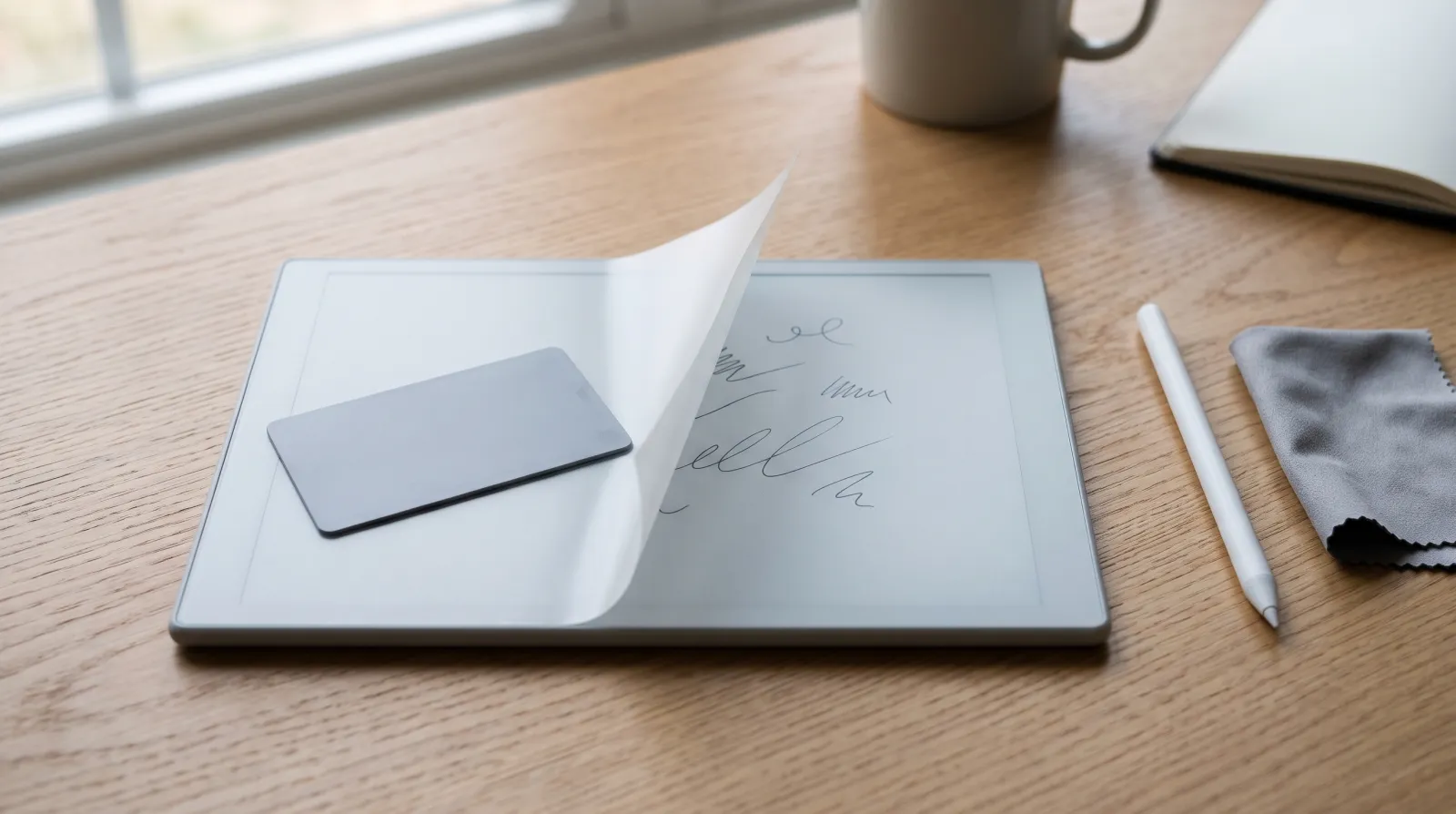
Installing: the 11-inch Scribe’s screen is flush with the frame (TechRadar), so there is no lip to line the film up against. Clean the screen, dry-fit the film with the backing on, then lay it down from one edge while pressing out air with a card. Our Kindle protector install steps cover it in more detail.
Our picks
These films are cut for the Scribe by name on the maker’s own site. Specs and prices are from Supershieldz’s listings, checked November 28, 2026. We found no published review of a Scribe protector. When you open the Amazon link, check that the title names your Scribe and screen size.
Supershieldz Anti-Glare (Matte) Screen Protector for Kindle Scribe 2026/2025 (3rd Generation) / Kindle Scribe Colorsoft 11-inch, 3 pack
For: 11-inch Scribe and Colorsoft owners who write daily and want a more paper-like drag.
Made for the 11-inch Kindle Scribe (3rd gen) and Scribe Colorsoft · matte PET film · reduces glare and fingerprints · no residue when removed · 3 protectors · about $11.99 at Supershieldz (Nov 2026, list $30.99)
Pros
- Cut for the 11-inch Scribe and Colorsoft by name
- Three films for three tries
- Cheap way to test a matte feel
Cons
- Wears pen tips faster
- Slightly softer image, more noticeable on the Colorsoft
- Listing doesn’t name the Scribe without front light
Supershieldz HD Clear Screen Protector for Kindle Scribe 2026/2025 (3rd Generation) / Kindle Scribe Colorsoft 11-inch, 3 pack
For: owners who mostly read, carry the Scribe without a cover, and want to keep the screen sharp.
Made for the 11-inch Kindle Scribe (3rd gen) and Scribe Colorsoft · high-definition clear PET film · 3 protectors · about $11.99 at Supershieldz (Nov 2026, list $30.99)
Pros
- Keeps text sharp
- Feel stays closer to stock than a matte film (9to5Kindle)
Cons
- Not anti-glare, so it can add shine
- Still covers Amazon’s textured glass
Supershieldz Anti-Glare (Matte) Screen Protector for Kindle Scribe 10.2-inch (2022 and 2024 release), 3 pack
For: owners of the original or 2024 Kindle Scribe who want more texture under the pen.
Made for the 10.2-inch Kindle Scribe, 2022 and 2024 release · matte PET film · reduces glare and fingerprints · 3 protectors · about $11.99 at Supershieldz (Nov 2026, list $29.99)
Pros
- Cut for the 10.2-inch Scribes by name
- Adds grip to a screen reviewers called glass-like
Cons
- Won’t fit any 11-inch Scribe
- Wears pen tips faster
Amazon Kindle Scribe Pen Replacement Tips (10 pack)
For: anyone who adds a matte film, or writes on the Scribe most days.
10 official tips with a swap tool · compatible with the Basic and Premium Pens (Pocket-lint) · about $17 (9to5Kindle, Aug 2026)
Pros
- Fresh tips keep a worn nib off your screen
- Same feel as the tip in the box
Cons
- 11-inch Scribe owners: check the listing names your pen
The verdict
You don’t need a screen protector on a Kindle Scribe. The 11-inch models already have textured, anti-glare glass made for the pen, and a cover handles bag scratches. Add a film only for a reason: a matte film if you want more drag and accept faster tip wear, or a clear film if you carry the Scribe bare and want the stock feel. Buy the cut for your screen size, skip glass, and keep spare tips nearby. On a Colorsoft, think twice before adding a matte layer over an already darker screen.
Frequently asked questions
Does the Kindle Scribe need a screen protector?
Usually not. The 11-inch Scribes use texture-molded glass with an anti-glare coating (Good e-Reader, TechRadar), and 9to5Kindle calls the stock screen reasonably scratch-resistant. A cover does more against bag scratches. A protector makes sense if you write hard every day, carry the Scribe without a cover, or want more paper-like friction.
Does a screen protector change how the Kindle Scribe pen feels?
Yes. You write on the film instead of Amazon’s textured glass. A matte or paper-feel film adds grip, which some heavy writers like. A clear film keeps scratch protection without adding grip (9to5Kindle). Either way, it is no longer the surface Amazon tuned for its pen.
Do matte screen protectors wear out Kindle Scribe pen tips faster?
Yes. 9to5Kindle says paper-feel films consistently wear pen tips faster, based on user reports across brands. Tips already wear on the bare textured screen (Pocket-lint), so if you add a matte film, keep spare tips on hand.
Does a screen protector add glare on a Kindle Scribe?
A clear film can. The Scribe’s own glass has an anti-glare coating (TechRadar), and a clear high-definition film is not anti-glare. A matte film is sold as reducing glare and fingerprints (Supershieldz), but 9to5Kindle notes a slight loss of clarity. On the Colorsoft, whose color layer already makes the page look darker (Good e-Reader), that matters more.
Will a 2024 Kindle Scribe screen protector fit the 11-inch Scribe?
No. The 2022 and 2024 Scribes have a 10.2-inch screen and the 2025 models have an 11-inch screen. Supershieldz sells separate cuts: one for the 10.2-inch Scribe (2022 and 2024) and one for the 11-inch Scribe (3rd gen) and Scribe Colorsoft. Match the screen size and year.
Is a tempered glass protector good for the Kindle Scribe?
We wouldn’t use one. It covers Amazon’s textured glass with a second, thicker sheet, so the pen feel changes and you add thickness. The Supershieldz Scribe protectors we checked are PET film, not glass.
Sources
This guide is based on published reviews, retailer listings and screen protector makers’ product pages. We have not tested these devices ourselves. Specs and prices were checked on November 28, 2026; check Amazon for today’s price.
- Good e-Reader: Amazon Kindle Scribe 3 full review, texture-molded glass (Mar 17, 2026) (opens in a new tab)
- Good e-Reader: Amazon Kindle Scribe Colorsoft full review (Mar 6, 2026) (opens in a new tab)
- Good e-Reader: Kindle Scribe 2024 vs Kindle Scribe 2025, screen texture (Jul 29, 2026) (opens in a new tab)
- TechRadar: Kindle Scribe (2025) with front light review (Jul 24, 2026) (opens in a new tab)
- Wired: Kindle Scribe Colorsoft and Kindle Scribe (3rd gen) review (Dec 10, 2025) (opens in a new tab)
- Stark Insider: Kindle Scribe Colorsoft review (Aug 28, 2026) (opens in a new tab)
- Engadget: original Kindle Scribe review (Nov 30, 2022) (opens in a new tab)
- Best Buy: Kindle Scribe Colorsoft 64GB listing, textured anti-glare display (checked Nov 28, 2026) (opens in a new tab)
- eReadersForum: Kindle Scribe 2026 vs 2024, including the Scribe without front light (Mar 10, 2026; updated Nov 2026) (opens in a new tab)
- 9to5Kindle: best Kindle Scribe accessories, including whether you need a screen protector (Aug 11, 2026) (opens in a new tab)
- Pocket-lint: how to make a Kindle Scribe stylus tip last longer (Jan 15, 2026) (opens in a new tab)
- Good e-Reader: replacement Kindle Scribe pen tips (May 11, 2023) (opens in a new tab)
- TechRadar: a reMarkable owner’s experience with titanium nibs and a screen protector (Mar 22, 2024) (opens in a new tab)
- Supershieldz: Anti-Glare (Matte) protector for Kindle Scribe 2026/2025 (3rd gen) and Scribe Colorsoft 11-inch, 3 pack (checked Nov 28, 2026) (opens in a new tab)
- Supershieldz: Kindle Scribe protector range, including HD Clear 11-inch and 10.2-inch (2022/2024) films (checked Nov 28, 2026) (opens in a new tab)