Tablets
Best Tablet Wall Mount for the Kitchen or a Smart-Home Panel (2026)
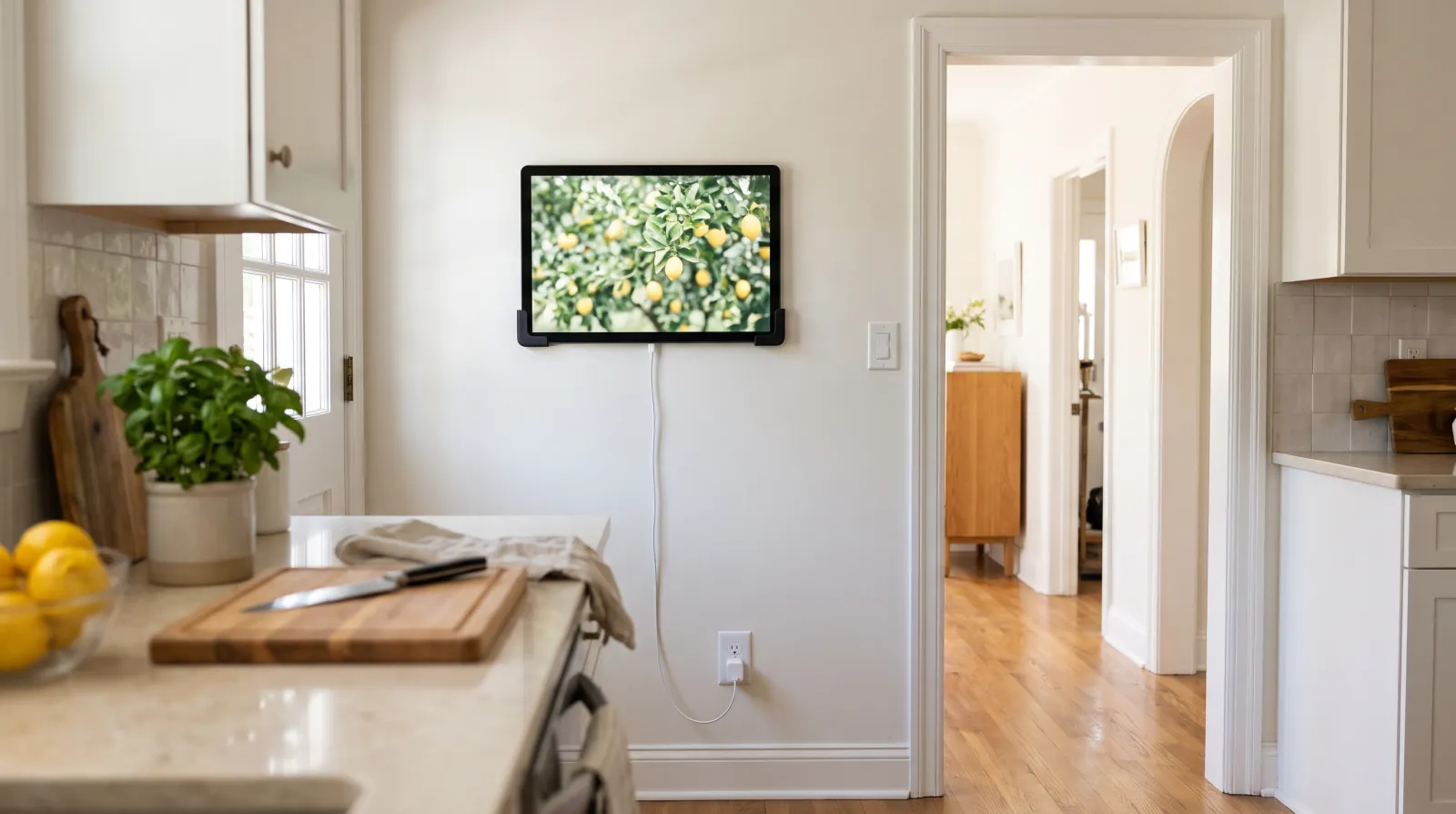
A tablet on the wall makes a recipe screen, a family calendar or a smart-home panel that never gets lost. The choice comes down to how it sticks to the wall, whether your tablet fits in its case, and how you’ll keep it charged.
As an Amazon Associate, Before You Cart earns from qualifying purchases. Read our affiliate disclosure.
The short answer
- Best overall: Dockem Koala Mount 2.0. Two brackets, Command strips or screws, devices up to 13 mm thick, ports left open. $16.99 at Dockem (Nov 26, 2026).
- For a thick or rugged case: Dockem Koala Mount 2XL, up to 22 mm thick, with cord clips. $15.99.
- Grab-and-go magnetic: Mighty Mount Simpl. Metal plate on the tablet, magnet on the wall. $36.39 on sale.
- Tilt and swivel arm: Vogel’s TMS 1030, turns 360°, tilts 90°. $99.99.
- Want a smart-home panel? An Echo Show 15 or 21 is built for the wall. The 2026 Alexa Tablets dropped Show Mode.
What to look for in a tablet wall mount
For counter stands, see our tablet stands guide. This page is for getting the tablet off the counter and onto a wall or cabinet.
- Thickness limit, with the case on. Bracket mounts list a maximum thickness. The Koala Mount 2.0 takes 13 mm; the 2XL takes 22 mm. Measure the tablet in its case.
- Open charging port. A wall tablet needs to stay charged. Check the mount leaves the USB-C port clear in the orientation you want.
- How easily it comes off. Brackets and magnets let you lift the tablet off to use at the table. Locking enclosures don’t.
- Wall type. Adhesive needs a smooth, clean, flat wall. Use screws on textured walls, tile grout or anything that gets steamy.
- Distance from the stove and sink. Steam and splashes are the main risk in a kitchen. Put the mount on a side wall or cabinet end.
Adhesive, magnetic or screw-in?
| Type | How it works | Best for | Watch out for |
|---|---|---|---|
| Adhesive brackets | Two brackets on Command strips cradle the tablet’s bottom edge | Renters, smooth painted walls, quick setup | Thickness limit; needs a clean, flat surface |
| Magnetic | Metal plate on the tablet or case snaps to a magnet on the wall | Pulling the tablet off often | A plate stuck to your tablet or case; thick cases weaken the hold (Mac Observer) |
| Screw-in arm | A wall plate and arm hold a clip-on tablet holder | Tilting toward you at the counter | Holes in the wall; sits further out |
| In-wall or locking | An enclosure or flush frame, often with power run inside the wall | Permanent smart-home panels, offices | Pricey, often dealer-installed, made for specific iPads |
Scroll sideways to see every column.
Locking and in-wall mounts are mostly built for specific older iPads. Dashpadd notes the Mount-It! MI-3772B enclosure only fits 9.7-inch iPads, and Wall-Smart’s in-wall frames list only older iPads and nothing for Fire tablets. For an Alexa Tablet or a current iPad, stick with the universal mounts below.
The best tablet wall mounts
Dockem Koala Mount 2.0
For: most tablets in a slim case, on a kitchen wall, cabinet side or hallway.
Two separate brackets you space to fit your tablet · 3M Command strips rated to 5 lb each, or the included screws and anchors · devices up to 13 mm thick, case included · portrait or landscape · rubber spacer pads for a snug fit · sides and bottom left open for ports · $16.99 at Dockem (Nov 26, 2026)
Pros
- Fits almost any tablet, since you set the bracket spacing
- Adhesive or screws in the same box
- Lift the tablet out in a second
Cons
- 13 mm limit rules out bulky kids cases
- Dockem says ports stay reachable on most devices, not all
Dockem Koala Mount 2XL
For: a tablet in a rugged or kids case, or a laptop you want to park on the wall.
Two ABS brackets forming a 22.5 mm pocket, for devices up to 22 mm thick · 2 large Command strips plus 2 drywall anchors and 4 screws · built-in cord clips · 8 rubber spacer pads · $15.99 at Dockem (Nov 26, 2026)
Pros
- Takes cases the 2.0 can’t
- Cord clips keep the charging cable tidy
Cons
- Bulkier brackets on the wall
- A thin tablet needs the spacer pads to sit snugly
Mighty Mount Simpl Magnetic iPad & Tablet Wall Mount
For: grabbing the tablet off the wall many times a day, like a recipe screen you carry to the counter.
Magnetic wall mount with adhesive backing · 2 metal plates for the back of your tablet or case · non-slip pad · Mighty Mount says it works with any tablet, with or without a case · $36.39 on sale ($51.99 regular) at Mighty Mount on Nov 26, 2026
Pros
- One-handed on and off
- No brackets around the screen edges
Cons
- You stick a metal plate to your tablet or case
- No weight limit or charging details on the maker page
Vogel’s TMS 1030 Tablet Flex Pack
For: a tablet next to the stove or prep area that you want to pull out and angle toward you.
Clip-on tablet holder plus a wall arm (RingO mount) · tablets 7 to 13 inches, 5 to 13 mm thick (Vogel’s page) · turns 360°, tilts 90° · holds up to 1 kg · sits 44 mm from the wall at its closest · lifetime warranty (datasheet) · $99.99 at Vogel’s (Nov 26, 2026)
Pros
- Tilts and swivels toward you
- Holder clips off and the tablet goes with you
- Lifetime warranty
Cons
- Most expensive pick
- Fixed mounting; not as renter-friendly as adhesive (Mac Observer)
- Vogel’s doesn’t say whether the port stays clear
Will your tablet fit?
Bare tablet thickness and weight, against each mount’s limits:
| Tablet | Thickness | Weight | Koala 2.0 (13 mm) | Koala 2XL (22 mm) | Vogel’s (5–13 mm, 1 kg) |
|---|---|---|---|---|---|
| Alexa Tablet 11 (2026) | About 6.9 mm | 466 g | Yes, with a slim case | Yes, most cases | Yes, with a slim case |
| Alexa Tablet 8 (2026) | 8 mm | 329 g | Yes, with a slim case | Yes, most cases | Yes, with a slim case |
| iPad (A16) | 7 mm | 477 g | Yes, with a slim case | Yes, most cases | Yes, with a slim case |
- Add the case. A slim folio adds a few millimeters. A foam kids case can push past 13 mm, so measure; the 2XL is the safe choice for those.
- Weight is easy. All three tablets weigh under half a kilogram, well inside Vogel’s 1 kg limit and the 5 lb rating of each Command strip Dockem uses.
- Need a case first? See our Alexa Tablet 11 case guide.
Charging on the wall
- Find the port first. Hold the tablet where you want it and check which edge the USB-C port is on in that orientation. Place the brackets so that edge stays open. Dockem says the Koala 2.0’s open sides make charging easiest on smaller tablets.
- Plan the cable run. Mount within reach of an outlet. A right-angle USB-C cable sits flatter against the wall, and adhesive cable clips keep the cord straight. Find right-angle USB-C cables on Amazon (opens Amazon in a new tab)
- Protect the battery. A tablet that never unplugs ages its battery. Dashpadd warns that batteries on always-plugged tablets can swell, and says not to tape the tablet itself to the wall. Use a mount you can lift it out of, and turn on any battery-protection setting your tablet has.
- Charger size. Notebookcheck lists 18W charging for the Alexa Tablet 8, and Apple ships the iPad (A16) with a 20W adapter. A 20W USB-C charger covers either. Our Alexa Tablet 12 Pro charger guide has picks.
Tablet or Echo Show for the wall?
If you want a screen that lives on the wall as a smart-home panel, a tablet is the harder route. Lon.TV found the 2026 Alexa Tablet 11 dropped Show Mode, the feature that let older Fire tablets act like an Echo Show when docked or locked. It still answers voice commands, but it won’t show a dashboard of lights, cameras and lists on its own.
The Echo Show 15 (15.6-inch) and Echo Show 21 are made for the wall. Best Buy lists a wall mount in the box for both, with the stand sold separately. The Show 15 comes with a 30W adapter and a 5-foot cord, and the Show 21 weighs 10.7 lb. Best Buy had the Show 15 at $229.99 ($349.99 list) and the Show 21 at $349.99 ($499.99 list) on November 26, 2026. Wikipedia’s hardware table lists both as Zigbee and Matter hubs with a Thread radio. See the Echo Show 15 on Amazon (opens Amazon in a new tab)
Our Alexa screen for the kitchen guide compares every Echo Show with the Alexa Tablets. Choose a wall-mounted tablet if you also want to lift it off and use it on the couch, or if you already own one.
The verdict
Get the Dockem Koala Mount 2.0 for an Alexa Tablet 11, Alexa Tablet 8 or iPad in a slim case: it’s cheap, sticks on or screws in, and leaves room for a charging cable. Choose the Koala 2XL for a thick case, the Mighty Mount Simpl if you’ll pull the tablet off all day, and the Vogel’s TMS 1030 if you want an arm that tilts toward you. If what you really want is an always-on smart-home panel, skip the tablet and get an Echo Show 15.
Frequently asked questions
What is the best tablet wall mount for a kitchen?
For most tablets, the Dockem Koala Mount 2.0. It’s two small brackets that go on with 3M Command strips or the included screws, holds devices up to 13 mm thick with the case on, and leaves the sides and bottom open for a charging cable. It was $16.99 at Dockem on November 26, 2026.
Can I mount an Alexa Tablet 11 on the wall?
Yes. It’s 6.9 mm thick and 466 g (BGR), so a bracket mount like the Koala Mount 2.0 holds it with a slim case. But it isn’t a smart display: Lon.TV found the 2026 Alexa Tablets dropped Show Mode, so it answers voice commands when locked but won’t show an Echo Show-style dashboard. For an always-on panel, an Echo Show 15 or 21 is the better buy.
Can a tablet charge while it’s on the wall?
With most bracket and magnetic mounts, yes, as long as the mount leaves the charging port open. Dockem designed the Koala Mount 2.0 to leave the sides and bottom open, and the 2XL has built-in cord clips. Plan where the cable runs and keep an outlet within reach before you stick anything up.
Is it safe to leave a wall-mounted tablet plugged in all the time?
It’s common, but a battery that never unplugs wears faster. Dashpadd warns that batteries on always-plugged tablets can swell, and advises against taping a tablet straight to the wall so you can still pull it off. If your tablet has a battery-protection or charge-limit setting, turn it on.
Do I need to drill to wall-mount a tablet?
No. Dockem’s Koala mounts and Mighty Mount’s Simpl mount use adhesive, and the Command strips Dockem includes are rated to 5 lb each. Use the screws for rough or textured walls, or for a heavier tablet in a rugged case.
Should I get a tablet or an Echo Show for the wall?
If the screen will live on the wall, an Echo Show 15 or 21 is built for it: the wall mount is in the box, it’s always plugged in, and it shows calendars, lists and smart-home controls. A tablet makes sense only if you also want to take it off the wall and carry it around.
Sources
This guide is based on mount makers’ product pages and datasheets, Apple’s specifications, Best Buy listings and published reviews. We have not tested these devices ourselves. Specs and prices were checked on November 26, 2026; check Amazon for today’s price.
- Dockem: Koala Mount 2.0 universal tablet wall mount (opens in a new tab)
- Dockem: Koala Mount 2XL laptop and thick device wall mount (opens in a new tab)
- Mighty Mount: Simpl Magnetic iPad and Tablet Wall Mount (opens in a new tab)
- Vogel’s: TMS 1030 Tablet Flex Pack (opens in a new tab)
- Vogel’s: TMS 1030 datasheet (via AV-iQ) (opens in a new tab)
- Dashpadd: Best tablet wall mount for an old iPad or Fire tablet (updated Nov 2, 2026) (opens in a new tab)
- The Mac Observer: The best iPad wall mounts (Aug 29, 2025) (opens in a new tab)
- Apple: iPad (A16) technical specifications (opens in a new tab)
- BGR: Alexa Tablet 11 review (Nov 18, 2026) (opens in a new tab)
- Notebookcheck: Amazon Alexa Tablet 8 review (Nov 17, 2026) (opens in a new tab)
- Wikipedia: Amazon Echo Show hardware comparison (opens in a new tab)
- Lon.TV: Alexa Tablet 11 review, on the missing Show Mode (Oct 21, 2026) (opens in a new tab)
- Best Buy: Echo Show 15 (2nd Gen) listing (price checked Nov 26, 2026) (opens in a new tab)
- Best Buy: Echo Show 21 listing (price checked Nov 26, 2026) (opens in a new tab)