Tablets
Best Tablet for Toddlers (Ages 2 to 4) in 2026: Case, Warranty and Limits
For a toddler, the case, the warranty and the lock-down settings matter more than the chip. Here’s what to buy for ages 2 to 4, what the health guidance says about screen time at this age, and the setup steps worth doing before you hand it over.
As an Amazon Associate, Before You Cart earns from qualifying purchases. Read our affiliate disclosure.
The short answer
- Best for ages 3 to 4: Amazon Kids Tablet 8, ages 3–5. Soft bumper with a handle and kickstand, a year of Kids+ and the Parent Dashboard. Launched at $229.99; about $130 at Abt with a rebate (Nov 26, 2026).
- Bigger, sharper screen: Amazon Kids Tablet 11, ages 3–5, same bumper with a 2.5K screen. About $200 at Abt with a rebate through Nov 30, 2026.
- Apple families: an iPad (A16) in an OtterBox Kids EasyGrab case, locked to one app with Guided Access.
- Age 2: the WHO says no more than 1 hour a day, and the AAP suggests a shared family tablet rather than a personal one.
- Add: volume-limited headphones. They aren’t in the box.
This page goes deeper on the youngest age band. For every age from 3 to 12, including Samsung’s Kids Edition and what Kids+ costs after the free year, see our main best tablet for kids guide.
What to look for at ages 2 to 4
1. A thick case with a handle
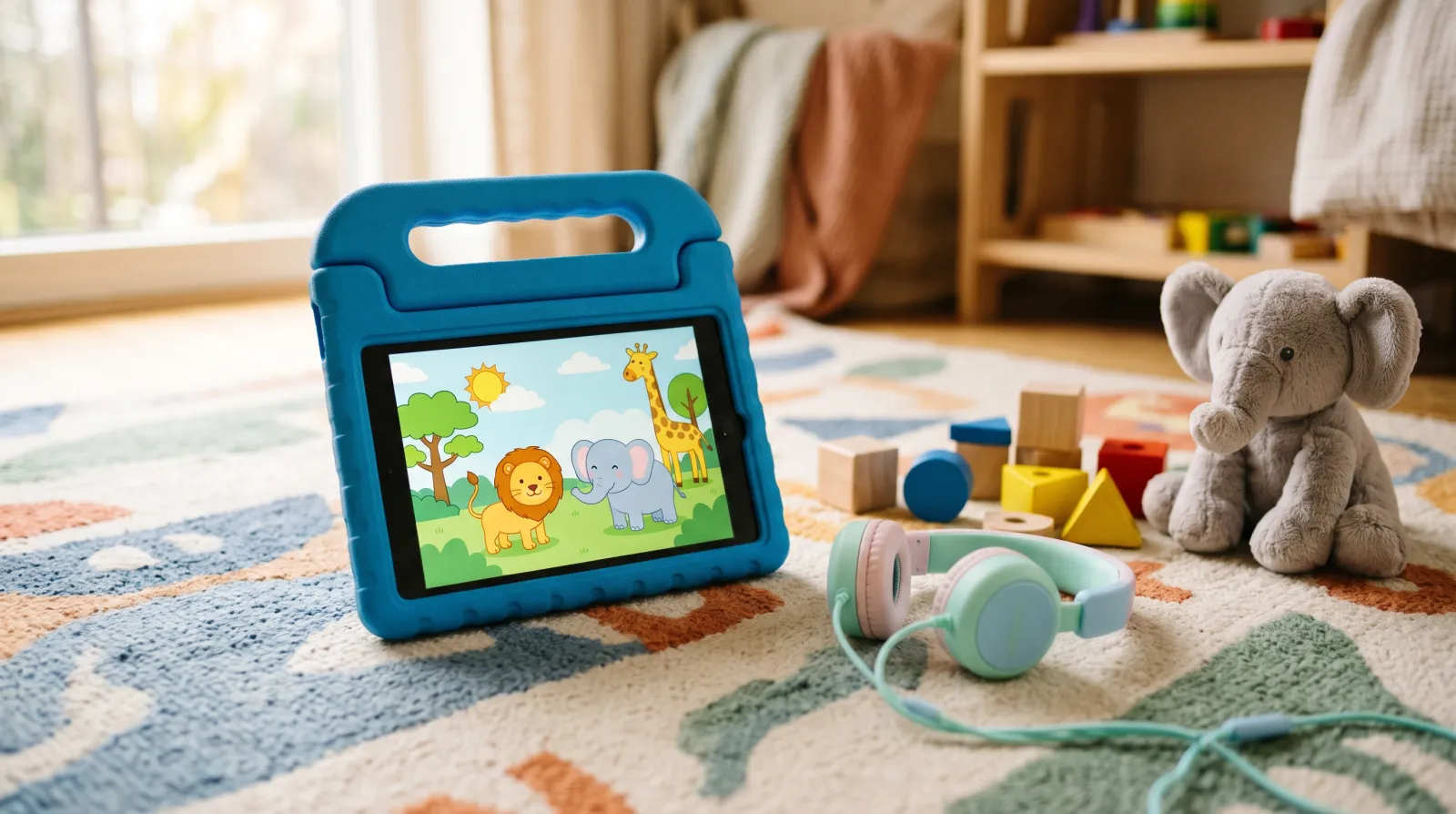
Toddlers carry tablets by one corner and drop them often. Look for a thick foam or rubber bumper that covers the edges, a handle a small hand can grip and a stand so they don’t hold it up for long. Amazon’s ages 3–5 Kids Tablets ship in a soft bumper with a handle and kickstand. An iPad needs a separate kids case. No maker here publishes a drop-test rating, so keep the case on all the time.
2. A warranty that covers more than defects
A standard warranty covers faults, not a cracked screen from a fall. Check what you’re actually covered for before you buy (see warranty below).
3. Controls that work without you watching
At this age you want the tablet to open only approved content, stop itself after a set time and block purchases. Amazon’s Parent Dashboard is switched on out of the box. On an iPad, Guided Access locks the screen to one app.
4. Storage for offline video
Much toddler tablet time happens in the car or at the doctor’s office, often without Wi-Fi. Both Amazon Kids Tablets have 64GB for downloads; the iPad (A16) starts at 128GB.
5. Headphones sized for a small head
Adult earbuds don’t fit and don’t limit volume. Plan to buy kids headphones with a volume cap (see headphones).
Toddler tablets compared
Specs come from retailer and maker listings. Prices are dated; Amazon’s price changes often, so check the listing.
| Tablet | Case in the box | Screen | Storage | Warranty | Price |
|---|---|---|---|---|---|
| Amazon Kids Tablet 8, ages 3–5 | Soft bumper, handle, kickstand | 8.7″ 1340 × 800 | 64GB | 1 year limited | $229.99 at launch; $129.99 at Abt with rebate (Nov 26, 2026) |
| Amazon Kids Tablet 11, ages 3–5 | Soft bumper | 11″ 2560 × 1600 | 64GB | 1 year limited | $329.99 at launch; $199.99 at Abt with rebate to Nov 30, 2026 |
| Apple iPad (A16) + OtterBox Kids EasyGrab | No; case sold separately | 10.86″ 2360 × 1640 | 128GB | Apple warranty covers defects; AppleCare+ adds accident cover | $449 at Apple plus $48.97 case on sale at OtterBox (Nov 26, 2026) |
Scroll sideways to see every column.
Our picks
Amazon Kids Tablet 8 (2026), ages 3–5
For: most families with a 3 or 4 year old. Case, content and controls in one box, at the lowest price here.
8.7″ 1340 × 800 · 4GB RAM · 64GB · up to 14 hours of video · blue light filtering · soft bumper with handle and kickstand · 1 year of Amazon Kids+ · 1-year limited warranty · launched at $229.99
Pros
- Bumper with a handle and built-in kickstand
- Parent Dashboard: time limits, activity, app approval
- Kids+ library for ages 3–5 included for a year
Cons
- Only a 1-year warranty, not the old 2-year guarantee
- No wall charger or headphones in the box
The box holds the tablet, the bumper case, a 3-foot USB-C cable and a quick start guide. Kids+ includes ad-free shows, books and games for ages 3 to 5, with characters such as Bluey and Peppa Pig and learning apps like Khan Academy. Any extra app from Google Play needs your approval first.
Amazon Kids Tablet 11 (2026), ages 3–5
For: families who want one tablet to last from preschool into the early school years, or for shared video on long trips.
11″ 2560 × 1600 · 8GB RAM · 64GB · up to 15 hours of video · soft bumper case · 1 year of Amazon Kids+ · 1-year limited warranty · launched at $329.99
Pros
- Much sharper screen than the Kids Tablet 8
- Twice the RAM for smoother apps later on
- Same bumper style and controls as the 8
Cons
- Bigger and heavier for small hands
- Same 64GB of storage as the cheaper 8
Abt listed this version at $199.99 with a manufacturer rebate that ends November 30, 2026, which puts it close to the Kids Tablet 8’s regular price. Check Amazon’s price before you buy.
Apple iPad (A16) with a kids case
For: families already on iPhone who want a tablet that grows into school use, and who will add a rugged case on day one.
10.86″ 2360 × 1640 · 128GB (no microSD) · Guided Access and Screen Time built in · $449 at Apple (Nov 26, 2026) · AppleCare+ with Theft and Loss $54.99 a year
Pros
- Guided Access locks it to one app with a timer
- Ask to Buy is on by default for kids under 13
- Lasts well past the toddler years
Cons
- Costs about twice as much, and no case in the box
- No kids content subscription included
OtterBox Kids EasyGrab for iPad (A16) and iPad (10th gen)
For: anyone handing an iPad to a toddler. A thick rubber case with a handle that folds into a stand.
Fits iPad (A16) and iPad (10th gen) · rugged rubber exterior · handle doubles as a stand · raised edges · screen protector included · limited lifetime warranty · $48.97 on sale at OtterBox ($69.95 regular, Nov 26, 2026)
Pros
- Screen protector included
- Handle works as a carry grip and a stand
- Limited lifetime warranty on the case
Cons
- Doesn’t fit the iPad Air or iPad mini
- Adds bulk to an already larger tablet
Belkin SoundForm Mini
For: preschoolers using a tablet in the car, on a plane or in a waiting room.
Bluetooth plus a 3.5 mm cable · 85 dB volume limit in Bluetooth mode · up to 30 hours · ages 3 and up · 2-year warranty · $32.99 at Belkin (Nov 26, 2026)
Pros
- Volume capped at 85 dB over Bluetooth
- Belkin says it’s tested with iPads and Amazon tablets
- Wired cable included as a backup
Cons
- Belkin states the limit for Bluetooth mode only
- Rated for ages 3 and up, not 2
Warranty: what happens when it breaks
- Amazon Kids Tablets (2026): a 1-year limited warranty, per retailer listings and BGR. The older Fire Kids tablets came with a 2-year worry-free guarantee that replaced a broken tablet; Amazon didn’t carry that over to the new models.
- Older Fire Kids tablets: they did have the 2-year guarantee, but stock is drying up. Best Buy, for example, lists the Fire HD 10 Kids Pro (2023) as no longer available new. If you find one, check the Fire Kids listing (opens Amazon in a new tab), and confirm the guarantee is still included before you buy.
- iPad: Apple’s warranty covers defects, not drops. AppleCare+ with Theft and Loss ($5.49 a month or $54.99 a year at Apple, Nov 2026) adds unlimited repairs for accidents like drops and spills, with a fee per repair.
- The case: OtterBox covers the EasyGrab case itself with a limited lifetime warranty. That covers the case, not the iPad inside.
Whichever you buy, keep the receipt and register the device. For a toddler, a cheaper tablet you can replace is often a better bet than an expensive one you’ll worry about.
Set it up before you hand it over
Amazon Kids Tablet
- Install the Amazon Parent Dashboard app on your phone (iOS or Android). It comes preinstalled on the tablet.
- Set daily time limits and check the activity report after the first week.
- Use Learn First goals, which require reading or learning apps before games and video unlock.
- Leave Google Play approvals on. Every download from Google Play needs your approval.
iPad
- Create a Child Account in Family Sharing, then manage Screen Time from your own iPhone. Ask to Buy and Ask to Browse are on by default for children under 13.
- For the youngest kids, use Guided Access: open one app, triple-click the top button and tap Start. The iPad stays in that app, you can switch off touch on parts of the screen, and it can stop after a time limit. Only your passcode, Face ID or Touch ID ends it.
Headphones and safe volume
Neither Amazon Kids Tablet comes with headphones; the box holds only the tablet, case, USB-C cable and guide. Bluetooth kids headphones are the simplest option. Our Kids Tablet accessories guide covers headphone choices, adapters and the charger you’ll also need.
- The World Health Organization advises teaching children to keep device volume below 60% of maximum and to take breaks in a quiet space.
- Volume-limited headphones, usually capped at 85 dB, are a backstop. The Belkin SoundForm Mini states its 85 dB cap for Bluetooth mode, so use it over Bluetooth rather than the cable.
- The SoundForm Mini is rated for ages 3 and up. For a 2-year-old, the tablet’s speaker at low volume is the safer choice.
Screen time at ages 2 to 4
The World Health Organization’s guidelines for children under 5 are specific:
- Age 2: no more than 1 hour of sedentary screen time a day; less is better.
- Ages 3 to 4: no more than 1 hour a day; less is better.
- When young children are sitting still, the WHO encourages reading and storytelling with a caregiver instead.
The American Academy of Pediatrics’ 2026 guidance links heavy solo screen use in early childhood with delays in language and social skills, poorer sleep and more outbursts. It suggests watching and playing alongside young kids, delaying personal tablets in favor of a shared family tablet, keeping bedrooms and the hour before bed screen-free, and using parental controls. A daily limit set in the Parent Dashboard or Screen Time does the enforcing for you.
The verdict
For a 3 or 4 year old, the Amazon Kids Tablet 8 (ages 3–5) is the easiest buy: a handled bumper, a year of Kids+ and controls that are on from day one. Choose the Kids Tablet 11 (ages 3–5) if the rebate price holds and you want it to last longer. Apple families should get an iPad (A16) with an OtterBox Kids EasyGrab case and use Guided Access, and consider AppleCare+. For a 2-year-old, the WHO and AAP guidance points to short, shared sessions on a family tablet rather than a tablet of their own. Whatever you buy, add volume-limited headphones and set the time limit before the first session.
Frequently asked questions
What is the best tablet for a toddler?
For ages 3 to 4, the Amazon Kids Tablet 8 for ages 3–5 is the easiest buy: it comes with a soft bumper case with a handle and kickstand, a year of Amazon Kids+ and the Parent Dashboard. It launched at $229.99; Abt listed it at $129.99 with a manufacturer rebate on November 26, 2026. If you already use Apple devices, an iPad in a rugged kids case such as the OtterBox Kids EasyGrab also works well.
Should a 2-year-old have their own tablet?
Health guidance says to go slowly. The World Health Organization recommends no more than 1 hour of sedentary screen time a day for 2-year-olds, and less is better. The American Academy of Pediatrics suggests delaying personal tablets, because a shared family tablet makes it easier to watch together and keep an eye on content. Amazon’s youngest Kids Tablet version is labeled for ages 3 to 5.
How much screen time should a 3 or 4 year old have?
The World Health Organization says children aged 3 to 4 should have no more than 1 hour of sedentary screen time a day, and less is better. It encourages reading and storytelling with a caregiver when children are sitting still.
What warranty do the Amazon Kids Tablets have?
The 2026 Amazon Kids Tablets come with a 1-year limited warranty. The older Fire Kids tablets had a 2-year worry-free guarantee, which the new models don’t offer. For an iPad, AppleCare+ with Theft and Loss costs $54.99 a year at Apple and covers accidental damage such as drops and spills, with fees per repair.
Can I lock an iPad to one app for my toddler?
Yes. Apple’s Guided Access keeps the iPad in a single app, can turn off touch on parts of the screen, and can end the session after a time limit. You start it by triple-clicking the top button and end it with your passcode or Face ID or Touch ID.
What headphones are safe for a toddler?
Choose volume-limited kids headphones and keep the device volume low. The Belkin SoundForm Mini is rated for ages 3 and up and limits volume to 85 dB in Bluetooth mode. The World Health Organization advises keeping children’s device volume below 60% of maximum.
Sources
This guide is based on maker specifications, retailer listings, launch coverage and published reviews, plus World Health Organization and American Academy of Pediatrics guidance. We have not tested these devices ourselves. Specs and prices were checked on November 26, 2026; check Amazon for today’s price.
- Abt: Amazon Kids Tablet 8 (2026), ages 3–5, specs, box contents and price (checked Nov 26, 2026) (opens in a new tab)
- Abt: Amazon Kids Tablet 11 (2026), ages 3–5, specs, warranty and price (checked Nov 26, 2026) (opens in a new tab)
- Engadget: Amazon is releasing kids’ versions of its new Alexa Tablets (Oct 8, 2026) (opens in a new tab)
- The Verge: Amazon’s new Kids Tablets let parents manage access to the Google Play store (Oct 8, 2026) (opens in a new tab)
- BGR: 5 reasons to buy Amazon’s new Kids Tablets over an iPad (Oct 10, 2026) (opens in a new tab)
- Best Buy: Fire HD 10 Kids Pro (2023) listing (checked Nov 26, 2026) (opens in a new tab)
- Apple: iPad (A16) technical specifications (opens in a new tab)
- Apple Store: iPad (A16) and AppleCare+ pricing (checked Nov 26, 2026) (opens in a new tab)
- Apple Support: Use Guided Access on iPhone or iPad (opens in a new tab)
- Apple Support: Set up parental controls on your child’s iPhone or iPad (Oct 26, 2026) (opens in a new tab)
- OtterBox: Kids EasyGrab case for iPad (A16) and iPad (10th gen) (checked Nov 26, 2026) (opens in a new tab)
- Belkin: SoundForm Mini wireless headphones for kids (checked Nov 26, 2026) (opens in a new tab)
- World Health Organization: guidelines on physical activity, sedentary behaviour and sleep for children under 5 (2019) (opens in a new tab)
- HealthyChildren.org (AAP): Helping kids thrive in a digital world, AAP policy explained (June 3, 2026) (opens in a new tab)
- World Health Organization: Safe listening Q&A (Mar 6, 2026) (opens in a new tab)