Home Office
Best Light for Video Calls in 2026: Key Lights vs Ring Lights
A small light in the right spot does more for your video than a new webcam. For most desks that means a key light off to one side or a light on the monitor, not a ring light. Here’s what to buy and where to put it.
As an Amazon Associate, Before You Cart earns from qualifying purchases. Read our affiliate disclosure.
The short answer
- Best for most desks: Elgato Key Light Neo, a small key light with high CRI, $69.99 with mount (Nov 2026).
- Best budget: Logitech Litra Glow, clips on your monitor, $29.99 Black Friday price at Logitech.
- Best light bar: Logitech Litra Beam, a wider bar on a stand, $89.99 on sale.
- Brightest: Elgato Key Light, 2,500 lumens on a desk clamp, $139.99 at Best Buy.
- Only if you film on a phone: a ring light like the Lume Cube 18-inch.
Our webcam guide covers the basics: camera at eye level, light in front of you, no bright window behind you. This guide is about the light itself. If you want one lamp for paperwork and calls, see our desk lamp guide instead.
Key light vs ring light vs monitor light
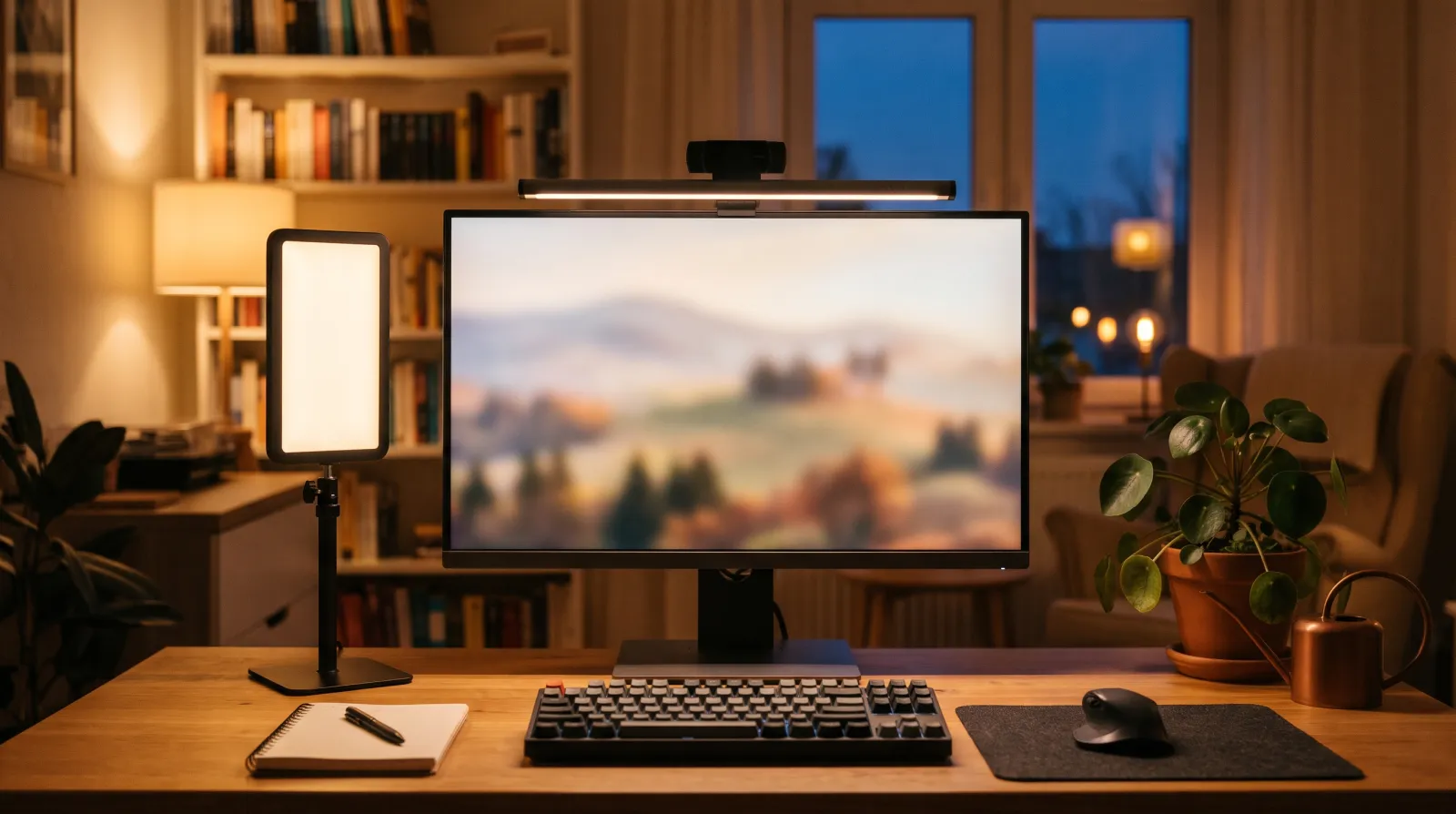
- Key light (panel on a stand or clamp): sits off to one side of the camera. The Post Flow says this gives your face a shadow side and a jawline instead of a flat look. Best for most desks.
- Monitor-mounted light: clips to the top of your screen, above and slightly off the lens. No desk space and no circle in glasses (The Post Flow). Easiest setup.
- Ring light: puts even, shadowless light on your face from the same axis as the lens. That flattens the face and reflects in glasses as two bright circles (The Post Flow). Best when the camera is a phone in the middle of the ring.
Where to put the light
- About 45 degrees to one side: The Post Flow suggests placing a key light about 45 degrees off the camera axis and a little above your eye line.
- Glasses: keep the light above and to the side of the camera. Raising and tilting a ring light only reduces the reflection (The Post Flow).
- Match the room: a light with adjustable color temperature can match a warm desk lamp at night or a window at noon, so your face isn’t two colors (The Post Flow).
- Monitor lights go just off the lens: clip it on top of the screen next to the webcam, not in front of it.
What to look for
- Adjustable color temperature: a range like 2700 to 6500K or 2900 to 7000K lets you match daylight or lamp light.
- High CRI: a color rendering index above 90 keeps skin tones natural. Elgato lists the Key Light Neo above 94; not every maker publishes CRI.
- Power: USB lights are simple but may run dimmer from a weak port. Wall-powered panels get brighter.
- Mount: monitor clip, desk clamp or a stand with a 1/4-inch thread. Check what’s in the box.
- Controls: buttons on the light, or an app to set brightness and color from your computer.
Our picks
Elgato Key Light Neo
For: anyone who wants a real key light without a big stand or a wall plug.
Edge-lit panel · 400 lm on USB-A, 700 lm on USB-C, 1,000 lm with a 3A power supply · 2900 to 7000K · CRI above 94 · onboard controls, optional Wi-Fi and Control Center app · monitor mount with 1/4-inch thread, USB cable, extension and adapter in the box · $69.99 with mount at Elgato (Nov 2026)
Pros
- Recommended by The Post Flow for talking-head desks
- High published CRI
- Runs off USB, fanless
Cons
- Full brightness needs a 3A power supply
- No-mount version needs a stand
The Post Flow found the version without a mount for about $55 and says to put it on a small stand at 45 degrees to your face. It replaces the Key Light Mini, which Elgato lists as discontinued.
Logitech Litra Glow
For: a quick, cheap upgrade that clips on your monitor next to the webcam.
Edge-lit panel with TrueSoft diffusion · 2700 to 6500K (The Post Flow) · USB powered · 3-way monitor mount with height, tilt and rotation · desktop app control · $29.99 Black Friday price, $69.99 regular at Logitech (Nov 2026)
Pros
- No desk space needed
- Sits just off the lens, so no ring in glasses
- Very low sale price right now
Cons
- Small light, not for a wide shot
- No stand for off-to-the-side placement
Logitech Litra Beam
For: wider desks or people who want a longer, softer bar of light.
LED bar with TrueSoft · 2700 to 6500K · USB power · desktop mount with adjustable stand · $89.99 on sale, $119.99 regular at Logitech G (Nov 2026)
Pros
- Longer than the Glow, lights more of you
- Stands on the desk beside the monitor
- Same color range as the Glow
Cons
- Costs three times the Glow on sale
- Takes some desk space
The Litra Beam LX ($129.99 on sale at Logitech G) adds a second, RGB side for colored background light. It isn’t needed for work calls.
Elgato Key Light
For: big rooms, dark rooms, or people who also stream or record video.
2,500 lumens · 2900 to 7000K · extendable metal desk clamp (fits desks up to about 2.35 in thick) · Wi-Fi control from PC, Mac, iPhone or Android · about 13.8 in wide · $139.99 at Best Buy (Nov 2026)
Pros
- Far brighter than USB lights
- Desk clamp keeps it off the desk surface
- App control over Wi-Fi
Cons
- Plugs into the wall
- More light than most small rooms need
When a ring light makes sense
A ring light suits a phone camera in the middle of the ring, or a makeup desk. For a webcam call, a key light usually looks better. If you do want one:
Lume Cube 18-inch Bi-Color Ring Light
For: phone filming or a seated shot up to about four feet away.
18-inch ring · bi-color, warm to daylight · wall powered, battery sold separately · 6.5 ft stand, phone holder, camera mount and travel case in the box · $159.99 (The Post Flow, Nov 2026)
Pros
- The Post Flow’s best ring light overall
- Bi-color matches lamps and windows
- Complete kit with stand
Cons
- Reflects in glasses
- Big for a small desk
Cheaper rings: the Neewer RL-18 is an 18-inch, 55W ring in 5600K daylight only, with a stand, phone holder and bag, $112.99 (The Post Flow). For a desk, the UBeesize 12-inch ring runs off USB and costs about $24. Find the Neewer RL-18 on Amazon (opens Amazon in a new tab) or the UBeesize 12-inch ring light (opens Amazon in a new tab).
The verdict
Skip the ring light for webcam calls. Get the Elgato Key Light Neo and put it about 45 degrees to one side, a little above eye level. For the least effort and money, clip a Logitech Litra Glow to your monitor, especially at its Black Friday price. Choose the Litra Beam for a wider bar, or the Elgato Key Light if your room is dark or large. Then fix your audio with a USB microphone.
Frequently asked questions
What is the best light for video calls?
For most desks, the Elgato Key Light Neo: a small USB-powered panel with up to 1,000 lumens, 2900 to 7000K and a CRI above 94, $69.99 with a monitor mount at Elgato (Nov 2026). The Logitech Litra Glow is the cheaper clip-on pick, on sale for $29.99 at Logitech for Black Friday (regular $69.99).
Is a ring light or a key light better for Zoom?
A key light, for most people. The Post Flow notes that a ring light sits on the lens axis, which flattens the face and shows up as two bright circles in glasses. A key light placed off to one side gives the face shape and works with glasses. A ring light still suits a phone camera mounted in its center.
Where should I put a light for video calls?
In front of you, slightly above eye level and off to one side. The Post Flow suggests about 45 degrees off the camera axis and a little above your eye line. A light clipped on top of the monitor, just off the lens, is the simplest setup and avoids ring reflections in glasses.
I wear glasses. How do I stop light reflecting in them?
Move the light off the camera axis. The Post Flow says raising and tilting a ring light reduces the reflection but can’t remove it, so it recommends a panel light above and to the side of the camera if you wear glasses.
Can a USB port power a video light?
Yes for small lights, with a catch. Elgato says the Key Light Neo gives 400 lumens from a USB-A port, 700 from USB-C and its full 1,000 lumens only with a 3A power supply. Bigger lights like the Elgato Key Light plug into the wall.
Sources
This guide is based on maker product pages, retailer listings and published reviews. We have not tested these products ourselves. Specs and prices were checked on November 26, 2026; check Amazon for today’s price.
- The Post Flow: Best ring light for video calls, streaming and desk filming (Nov 3, 2026) (opens in a new tab)
- The Post Flow: Best key lights for talking-head video (updated Nov 23, 2026) (opens in a new tab)
- Elgato: Key Light Neo (opens in a new tab)
- Elgato: Key Light Mini (discontinued) (opens in a new tab)
- Best Buy: Elgato Key Light (opens in a new tab)
- Logitech: Litra Glow (opens in a new tab)
- Best Buy: Logitech Litra Glow (opens in a new tab)
- Logitech G: Litra Beam (opens in a new tab)