Home Office
Best Ergonomic Mouse in 2026: Vertical Mice and Trackballs Compared
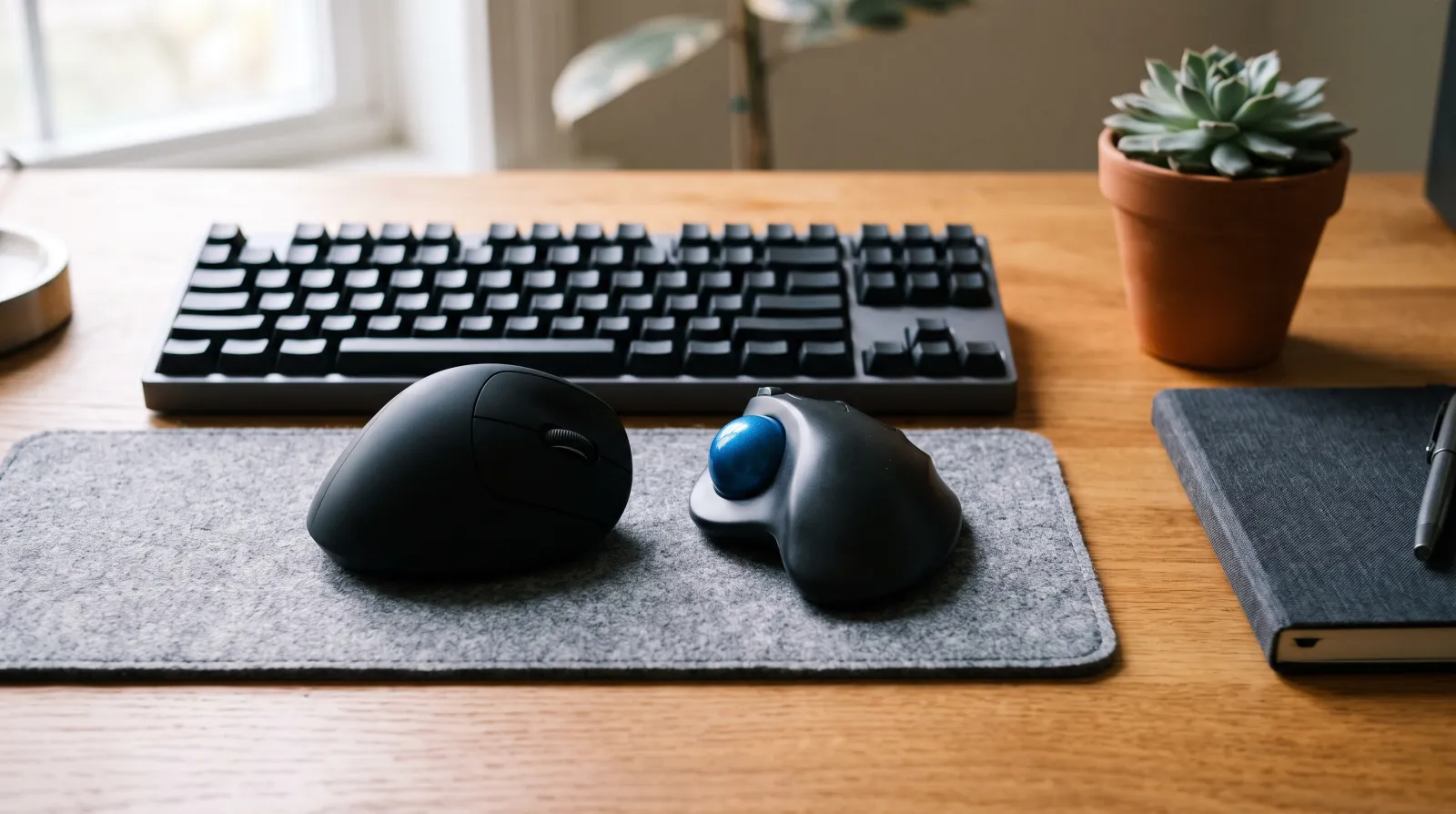
If your wrist or forearm aches after a day of mousing, a vertical mouse or a trackball changes how your hand sits. Which one fits depends on your hand size and how you work. Here is how they differ and which to buy, based on maker specs, published reviews and OSHA guidance.
As an Amazon Associate, Before You Cart earns from qualifying purchases. Read our affiliate disclosure.
The short answer
- Best vertical mouse: Logitech Lift, for small to medium hands, $54.14 on sale at Logitech (Nov 26, 2026).
- Vertical for larger hands: Logitech MX Vertical, rechargeable, $99.99 on sale.
- Best trackball: Logitech MX Ergo S, Wired’s best trackball, tilts up to 20°.
- Ambidextrous trackball: Kensington Expert Mouse Wireless, big ball and scroll ring.
- Cheapest vertical: Anker Vertical Mouse, under $20 on sale.
- No wrist trouble? A regular mouse may be enough. See our best wireless mouse guide.
Vertical mouse vs trackball
- Vertical mouse: your hand rests on its side in a “handshake” position instead of palm-down. RTINGS says this limits forearm pronation (the twist of a flat mouse). You still move it around the desk like a normal mouse, so it’s the easier switch.
- Thumb trackball: the mouse stays put and your thumb rolls the ball. RTINGS says the MX Ergo-style shape is close to a normal mouse, so the learning curve is shorter than other trackballs.
- Finger trackball: a large center ball you roll with your fingers, often ambidextrous. RTINGS says choosing between thumb and finger trackballs comes down mostly to preference.
- Hand size matters most: a vertical mouse that is too small or too big defeats the point. Wired found the Lift a bit small and the MX Vertical’s back ridge uncomfortable in a full grip, so check the maker’s hand-size guidance before you buy.
What OSHA says about mouse setup
OSHA’s computer workstation guidance doesn’t name a best mouse. It focuses on fit and setup:
- Fit the hand: choose a device designed for the hand that will use it; many come in right- and left-hand models and different sizes. Try it before long-term use.
- Consider other devices: a trackball, touchpad or fingertip joystick may be less fatiguing for certain tasks.
- Give each hand a rest: a device you can use with either hand lets you switch hands for rest periods.
- Placement: keep the mouse close to the keyboard so your wrist stays straight and you don’t reach.
- Light touch: set pointer speed so you cover the full screen with a straight wrist, and avoid gripping the mouse tightly.
- Use the keyboard: shortcuts like Ctrl+S cut down on mouse use.
Wired adds that your elbow should rest on the armrest with your arm in an L shape and the mouse directly in front of the elbow. Our ergonomic keyboard guide covers the other half of the desk, and a standing desk lets you set the mouse at elbow height whether you sit or stand.
Quick comparison
| Mouse | Type | Hand size (maker) | Battery | Price (Nov 26, 2026) |
|---|---|---|---|---|
| Logitech Lift | Vertical, 57° | Small to medium; left-hand model | 1 AA, up to 24 months | $54.14 sale, $79.99 regular |
| Logitech MX Vertical | Vertical, 57° | Medium to large | Rechargeable, up to 4 months | $99.99 sale, $119.99 regular |
| Logitech MX Ergo S | Thumb trackball, 0° or 20° tilt | Medium to large | Rechargeable, up to 120 days | $90.99 to $99.99 sale, $119.99 regular |
| Kensington Expert Mouse Wireless | Finger trackball, 55 mm ball | Ambidextrous | AA | $109.99 at Kensington |
| Anker Vertical Mouse | Vertical | Not stated (RTINGS: better for larger hands) | 2 AAA, not included | $18.98 sale, $29.99 list |
| Razer Pro Click V2 Vertical | Vertical, 71.7° | Right-handed | Rechargeable, up to 6 months | about $100 to $120 at Razer |
Scroll sideways to see every column.
Prices are from each maker’s own site; Amazon prices change often, so check the listing.
Our picks
Logitech Lift
For: small to medium hands, and left-handers, trying a vertical mouse for the first time.
57° vertical angle · whisper-quiet clicks and quiet scroll wheel · 6 customizable buttons · up to 4,000 DPI · Logi Bolt receiver in the box plus Bluetooth, up to 3 devices · 1 AA battery included, up to 24 months · right- and left-handed models · 125 g · $54.14 on sale at Logitech, $79.99 regular (Nov 26, 2026)
Pros
- RTINGS’ best mid-range ergonomic and work mouse
- Left-handed version (rare for vertical mice)
- Receiver and battery included
Cons
- Too small for some hands (Wired)
- Thin feet don’t glide as smoothly (RTINGS)
- No horizontal scroll
Left-handed? Search for the Lift Left model specifically. Find the Logitech Lift Left on Amazon (opens Amazon in a new tab).
Logitech MX Vertical
For: medium to large hands that find the Lift cramped.
57° vertical angle; Logitech says the handshake position reduces muscular strain by 10% · cursor speed switch on top · up to 4,000 DPI · rechargeable, up to 4 months per charge, about 3 hours from 1 minute, USB-C cable included · Bluetooth or the included Unifying receiver, up to 3 devices · $99.99 on sale at Logitech, $119.99 regular (Nov 26, 2026)
Pros
- Rechargeable, no batteries to buy
- Sized for bigger hands
- Less wrist strain than a flat mouse (Wired)
Cons
- Back ridge can dig in on a full grip (Wired)
- Bulky, not good for small hands (RTINGS)
- Older Unifying receiver, not Bolt
Logitech MX Ergo S
For: people who want their arm to stay still and steer with the thumb.
Thumb trackball on a magnetic base that tilts 0° or 20°; Logitech says the tilt reduces forearm muscle strain by 27% · quiet clicks · 6 customizable buttons plus a precision-mode button · rechargeable via USB-C, up to 120 days per charge, 24 hours from 1 minute (cable not included) · Logi Bolt receiver in the box, plus Bluetooth · right-handed, medium to large hands · $90.99 to $99.99 on sale at Logitech, $119.99 regular (Nov 26, 2026)
Pros
- Wired’s best trackball: the ball feels solid and precise
- Shorter learning curve than other trackballs (RTINGS, on the MX Ergo shape)
- Long battery life
Cons
- Right-handed only
- No USB-C cable in the box
- The ball needs occasional cleaning
Cleaning tip: Logitech says to remove the magnetic base plate and push the ball out from the hole underneath with a non-metal pen, then wipe the socket and sensor.
Kensington Expert Mouse Wireless Trackball
For: left-handers, people who switch hands, and anyone who prefers rolling a big ball with the fingers.
55 mm trackball · scroll ring around the ball · 4 buttons, customizable in KensingtonWorks · 2.4 GHz USB receiver or Bluetooth LE · AA battery · detachable wrist rest · ambidextrous · Windows, macOS and ChromeOS · model K72359WW · $109.99 at Kensington (Nov 26, 2026)
Pros
- Works in either hand, which OSHA notes lets each hand rest
- Receiver and Bluetooth
- Wrist rest included
Cons
- Finger trackballs take getting used to
- Only 4 buttons
- Battery life not stated on Kensington’s page
Anker 2.4G Wireless Vertical Ergonomic Optical Mouse
For: trying a vertical mouse cheaply before spending more.
Vertical handshake design · 5 buttons including next/previous · 800, 1,200 or 1,600 DPI · 2.4 GHz USB receiver (stored in the mouse) · 2 AAA batteries, not included · sleeps after 8 minutes idle · about 3.4 oz · $18.98 on sale at Anker, $29.99 list (Nov 26, 2026)
Pros
- Very low price
- Better fit for larger hands than the Lift (RTINGS)
- Receiver in the box
Cons
- No Bluetooth or multi-device pairing (RTINGS)
- Weaker sensor than the Lift (RTINGS)
- Thumb buttons don’t work on a Mac (Anker)
Razer Pro Click V2 Vertical Edition
For: people who want a vertical mouse that also keeps up in games.
71.7° vertical angle · 8 programmable buttons · Focus Pro 30K sensor · Razer HyperSpeed 2.4 GHz dongle (included), Bluetooth up to 3 hosts, or USB-C wired · up to 6 months per charge · right-handed · 150 g · about $100 to $120 at Razer (Nov 26, 2026)
Pros
- RTINGS’ best ergonomic gaming mouse
- Comfortable, refined shape (Wired)
- Three ways to connect
Cons
- Heavy for fast-paced shooters (RTINGS)
- Right-handed only
- Best features need Razer’s software
Not sure you need a vertical mouse?
RTINGS and Wired both rank the Logitech MX Master 4 as the best ergonomic mouse overall: it is a regular palm-down mouse, but its sculpted right-handed shape and thumb rest support the hand. If you have no pain and just want comfort, it is the easier choice. We compare it with other regular mice in our best wireless mouse guide.
The verdict
Start with the Logitech Lift if you have small to medium hands, or the MX Vertical if your hands are larger. If you’d rather not move your arm at all, the MX Ergo S is the trackball to get, and the Kensington Expert Mouse suits left-handers and hand-switchers. The Anker vertical mouse is a cheap way to test the idea. Whatever you buy, set it up the way OSHA suggests: close to the keyboard, light grip, straight wrist.
Frequently asked questions
What is the best ergonomic mouse?
For a vertical mouse, the Logitech Lift: RTINGS’ best mid-range ergonomic mouse, with a 57° angle, quiet clicks, a left-handed version and a 2-year AA battery. It was $54.14 on sale at Logitech, $79.99 regular (Nov 26, 2026). It suits small to medium hands; larger hands should look at the MX Vertical. For a trackball, the Logitech MX Ergo S is Wired’s best trackball.
Vertical mouse or trackball: which is better?
A vertical mouse turns your hand into a handshake position but still moves around the desk. A thumb trackball like the MX Ergo S stays still while your thumb moves the ball, so your arm barely moves. OSHA lists trackballs among devices that may be less fatiguing for certain tasks, and says to try any new device before long-term use.
Do vertical mice actually help with wrist pain?
They can help with comfort. Wired says studies show angled and vertical mice can reduce discomfort without significantly hurting accuracy, because the hand sits closer to its natural resting position. They are not a medical treatment: if you have ongoing pain, see a doctor, and fix your desk setup too.
Which ergonomic mouse is best for small hands?
The Logitech Lift. Logitech says it is made for small to medium hands, and RTINGS says it fits all but extra-large hands. The MX Vertical and MX Ergo S are aimed at medium to large hands (Logitech).
Is there a left-handed ergonomic mouse?
Yes. The Logitech Lift comes in a dedicated left-handed model. The Kensington Expert Mouse trackball is ambidextrous. The MX Vertical, MX Ergo S and Razer Pro Click V2 Vertical are right-handed only.
What is the cheapest vertical mouse worth buying?
The Anker 2.4G Wireless Vertical Ergonomic Optical Mouse, $18.98 on sale at Anker, $29.99 list (Nov 26, 2026). RTINGS says it fits larger hands better than the Lift, but its sensor is weaker and it has no Bluetooth or multi-device pairing.
Sources
This guide is based on maker product pages, published reviews and OSHA workstation guidance. We have not tested these products ourselves. Specs and prices were checked on November 26, 2026; check Amazon for today’s price.
- OSHA: Computer workstations eTool, pointer/mouse (opens in a new tab)
- RTINGS: The best ergonomic mouse of 2026 (updated Sep 28, 2026) (opens in a new tab)
- RTINGS: The best trackball mouse of 2026 (updated Nov 11, 2026) (opens in a new tab)
- RTINGS: The best mouse for work of 2026 (updated Oct 26, 2026) (opens in a new tab)
- RTINGS: Logitech Lift review (May 17, 2022) (opens in a new tab)
- RTINGS: Logitech MX Vertical review (opens in a new tab)
- Wired: Best ergonomic mouse (updated Nov 2025) (opens in a new tab)
- Logitech: Lift Vertical Ergonomic Mouse (opens in a new tab)
- Logitech: MX Vertical (opens in a new tab)
- Logitech: MX Ergo S wireless trackball (opens in a new tab)
- Kensington: Expert Mouse Wireless Trackball (K72359WW) (opens in a new tab)
- Anker: 2.4G Wireless Vertical Ergonomic Optical Mouse (opens in a new tab)
- Razer: Pro Click V2 Vertical Edition (opens in a new tab)